
Table of Contents
Discover the best WordPress automation tools to streamline your workflow, boost productivity, and grow your website effortlessly. Learn how to automate tasks like content publishing, SEO, backups, and marketing using powerful tools designed for beginners and professionals alike.
WordPress Automation Tools: The Complete Guide
What Is WordPress Automation?
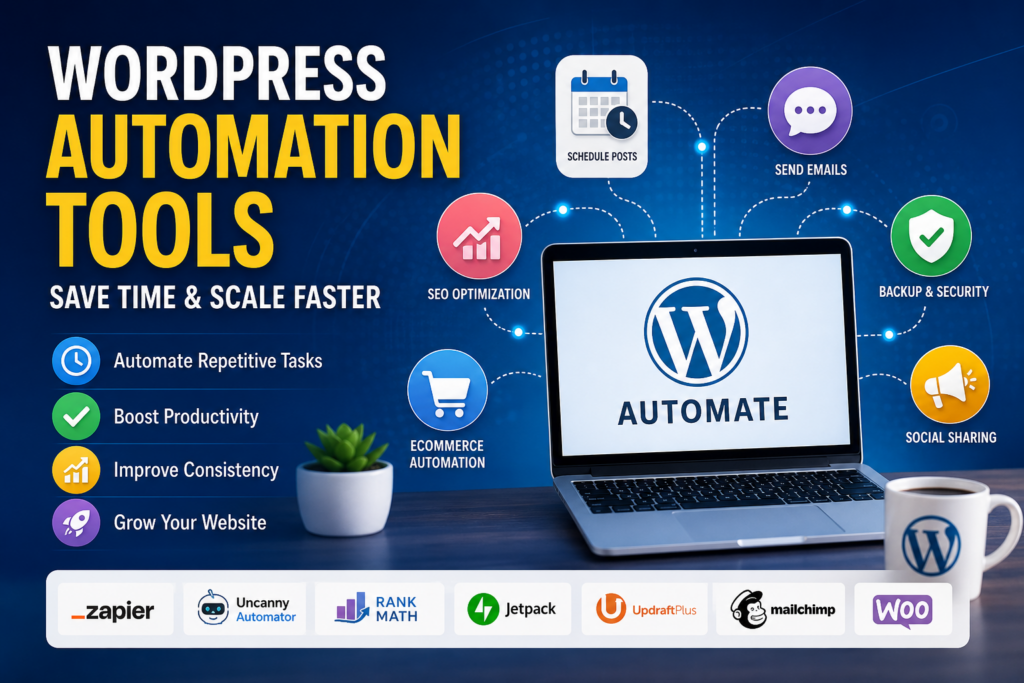
WordPress automation refers to using tools, plugins, and integrations to handle repetitive tasks automatically. These tasks may include publishing posts, sending emails, managing backups, optimizing SEO, and more.
Instead of manually performing every action, automation allows your website to run smoothly in the background. This saves time and reduces human error.
Why Automation Matters for WordPress Users
Running a website involves many moving parts. Without automation, tasks quickly become overwhelming. Automation helps you:
- Save time on repetitive work
- Improve consistency in publishing
- Reduce mistakes
- Scale your website efficiently
- Focus on strategy instead of routine tasks
Whether you run a blog, eCommerce store, or business website, automation is essential for growth.
Key Areas Where WordPress Automation Helps
Content Publishing Automation
Content is the backbone of any WordPress site. Automation tools can schedule posts, auto-publish content, and even repurpose articles.
SEO Automation
Search engine optimization requires constant updates. Automation tools help with keyword tracking, meta tags, and technical SEO improvements.
Marketing Automation
Email campaigns, social media posting, and lead generation can all be automated. This ensures consistent communication with your audience.
Backup and Security Automation
Regular backups and security scans are critical. Automation ensures your website remains safe without manual intervention.
eCommerce Automation
For online stores, automation handles inventory, order processing, and customer notifications.
Best WordPress Automation Tools Zapier
What Is Zapier?
Zapier connects WordPress with thousands of apps. It allows you to create workflows called “Zaps.”
Key Features of Zapier
- Connect WordPress with tools like Gmail, Slack, and Mailchimp
- Automate tasks without coding
- Create multi-step workflows
Example Use Cases
- Automatically share new posts on social media
- Send email alerts when a new comment is posted
- Add new users to your CRM
Uncanny Automator
Why Choose Uncanny Automator?
Uncanny Automator is one of the most powerful automation plugins for WordPress. It works directly inside your site.
Features of Uncanny Automator
- No-code automation builder
- Integration with popular plugins
- Trigger-based actions
Practical Applications
- Grant access after course completion
- Send notifications based on user behavior
- Automate WooCommerce actions
Jetpack Automation Features

Overview of Jetpack
Jetpack offers several automation tools along with security and performance features.
Automation Capabilities
- Automatic social media sharing
- Scheduled posts
- Downtime monitoring
Benefits
Jetpack simplifies many tasks in one plugin. It is ideal for beginners.
WP Crontrol
What Does WP Crontrol Do?
WP Crontrol allows you to manage WordPress cron jobs. These are scheduled tasks that run automatically.
Use Cases
- Schedule database cleanups
- Automate plugin updates
- Manage recurring events
Rank Math SEO Automation
Why Rank Math?
Rank Math is a powerful SEO plugin with automation features.
Automation Features
- Auto-generate meta tags
- Keyword suggestions
- Schema markup automation
Impact on SEO
It reduces manual SEO work while improving search rankings.
Blog2Social
Social Media Automation
Blog2Social helps you automate social sharing.
Key Features
- Schedule posts for multiple platforms
- Customize messages per network
- Auto-share blog content
Benefits
It saves time and increases reach across social channels.
UpdraftPlus for Backup Automation
Importance of Backups
Data loss can be devastating. Automated backups protect your site.
Features of UpdraftPlus
- Scheduled backups
- Cloud storage integration
- One-click restore
Why It Matters
You can recover your site quickly without stress.
WooCommerce Automation Tools
AutomateWoo
What Is AutomateWoo?
AutomateWoo is designed specifically for WooCommerce stores.
Features
- Abandoned cart emails
- Follow-up campaigns
- Customer segmentation
Benefits for Online Stores
It increases sales and improves customer retention.
WP All Import Automation
What Does It Do?
WP All Import helps automate data imports.
Use Cases
- Import products into WooCommerce
- Sync data from external sources
- Update large datasets
Advantages
It saves time when managing large websites.
Mailchimp for Email Automation
Email Marketing Made Easy
Mailchimp integrates seamlessly with WordPress.
Automation Features
- Welcome email sequences
- Customer journeys
- Campaign scheduling
Why Use It?
Email automation builds strong relationships with your audience.
How to Choose the Right Automation Tool
Identify Your Needs
Start by listing tasks you want to automate. Focus on repetitive processes.
Consider Integration Options
Choose tools that integrate with your existing plugins and platforms.
Evaluate Ease of Use
No-code tools are ideal for beginners. Advanced users may prefer customizable options.
Check Pricing
Many tools offer free versions. However, premium features may be worth the investment.
Look for Support and Updates
Reliable tools receive regular updates and provide customer support.
Benefits of WordPress Automation
Increased Productivity
Automation frees up time for creative and strategic work.
Improved Accuracy
Automated processes reduce human error.
Better User Experience
Consistent updates and quick responses enhance user satisfaction.
Scalability
Automation allows your website to grow without increasing workload.
Common Mistakes to Avoid
Over-Automating Everything
Not every task should be automated. Some require a human touch.
Ignoring Testing
Always test automation workflows before deploying them.
Using Too Many Plugins
Too many tools can slow down your website.
Neglecting Security
Ensure automation tools follow security best practices.
Advanced Automation Strategies
Workflow Optimization
Combine multiple tools to create complex workflows.
AI Integration
Use AI-powered tools for content generation and analysis.
Data-Driven Automation
Analyze user data to trigger personalized actions.
Multi-Channel Automation
Integrate email, social media, and website actions into one system.
Future of WordPress Automation
Rise of AI Tools
Artificial intelligence is transforming automation. Tools are becoming smarter and more intuitive.
Increased Integration
More plugins now work together seamlessly.
Focus on Personalization
Automation is shifting toward personalized user experiences.
Frequently Asked Questions
What are WordPress automation tools?
WordPress automation tools are plugins or platforms that handle repetitive tasks automatically, such as publishing posts, sending emails, and managing backups.
Are automation tools safe to use?
Yes, most reputable tools are safe. Always choose trusted plugins and keep them updated.
Do I need coding skills?
No, many automation tools are designed for beginners and require no coding.
Can automation improve SEO?
Yes, tools like Rank Math automate SEO tasks and improve search visibility.
What is the best automation plugin?
Uncanny Automator and Zapier are among the most popular options.
Are free tools enough?
Free tools can handle basic tasks, but premium tools offer advanced features.
Can automation slow down my site?
Too many plugins may affect performance. Use only necessary tools.
How do I start with automation?
Begin with one or two tools and expand gradually.
Is automation useful for small websites?
Yes, it helps save time and maintain consistency.
Can I automate WooCommerce tasks?
Yes, tools like AutomateWoo handle many eCommerce processes.
Wrapping It All Together: Your Automation Journey
WordPress automation is no longer optional. It is a powerful way to simplify website management and boost efficiency. By choosing the right tools, you can transform how your site operates.
Start small, test your workflows, and expand over time. With the right approach, automation will help you save time, reduce stress, and grow your online presence.
⚠️ Disclaimer and Source Hygiene
This article is for informational purposes only. Always consult with a professional before implementing advanced automation strategies. Information is based on research from trusted industry sources and plugin documentation.
🔔 For more tutorials like this, consider subscribing to our blog.
📩 Do you have questions or suggestions? Leave a comment or contact us!
🏷️ Tags: WordPress automation, automation tools, WordPress plugins, Zapier WordPress, Uncanny Automator, SEO automation, WooCommerce automation, blog automation, website productivity, WordPress tips
📢 Hashtags: #WordPressAutomation #WPPlugins #AutomationTools #BloggingTips #SEOtools #WooCommerce #DigitalMarketing #ContentAutomation #WebsiteGrowth #OnlineBusiness
📚 Sources and References
- WordPress.org Plugin Repository
- Zapier Official Documentation
- Mailchimp Guides
- WooCommerce Documentation
- Rank Math SEO Resources
🕊️ Secondary Sources and Testimonials
Many WordPress professionals highlight automation as a key factor in scaling websites efficiently. Bloggers, developers, and eCommerce store owners consistently report increased productivity and reduced workload after implementing automation tools.