
Table of Contents
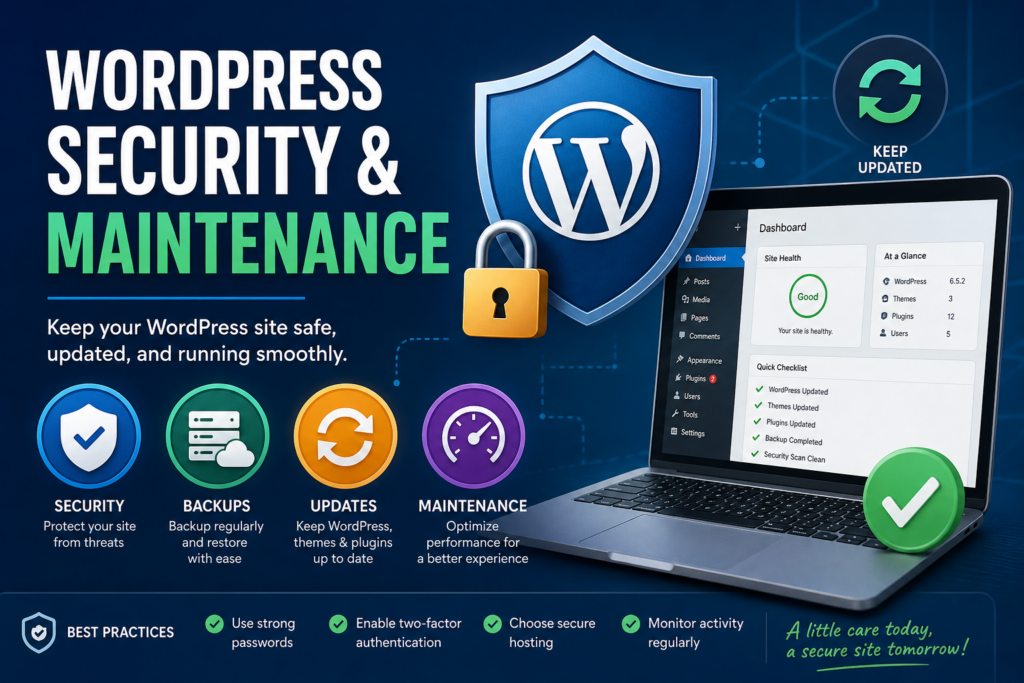
Keep your WordPress site safe and running smoothly with practical guides on security, backups, updates, and maintenance. Learn how to protect your website from threats, improve performance, and ensure long-term stability with simple, effective strategies suitable for beginners and advanced users alike.
WordPress Security and Maintenance: A Complete Guide. Why WordPress Security and Maintenance Matter
Protecting Your Website from Threats
WordPress powers millions of websites across the world. That popularity makes it a common target for hackers. Without proper security measures, your site becomes vulnerable to malware, data breaches, and unauthorized access.
Ensuring Smooth Performance
A well-maintained website runs faster and delivers a better user experience. Slow loading times can drive visitors away and hurt your search rankings.
Maintaining Your Reputation
A hacked or broken site can damage your credibility. Visitors expect a safe browsing experience. Keeping your site secure builds trust and reliability.
Supporting Long-Term Growth
Regular maintenance helps your website scale without issues. As your traffic grows, your site must remain stable and secure.
Understanding Common WordPress Threats
Brute Force Attacks
Hackers attempt to guess your login credentials by trying multiple combinations. Weak passwords make this easier.
Malware Infections
Malicious code can be injected into your website. This may redirect users, steal data, or damage your content.
SQL Injection
Attackers exploit vulnerabilities in your database. They can gain access to sensitive information if your site is not protected.
Cross-Site Scripting (XSS)
Hackers inject scripts into your website that affect users who visit your pages.
Outdated Software Risks
Running outdated themes or plugins exposes your site to known vulnerabilities.
Choosing Secure Hosting for WordPress
Importance of Reliable Hosting
Your hosting provider plays a critical role in security. A good host offers protection against threats and ensures uptime.
Features to Look For
Look for hosts that offer automatic backups, firewalls, malware scanning, and SSL certificates.
Managed WordPress Hosting Benefits
Managed hosting handles updates, security, and performance optimization for you. This reduces your workload.
Strengthening WordPress Login Security
Using Strong Passwords
Always use complex passwords. Combine letters, numbers, and symbols for better protection.
Changing Default Username
Avoid using “admin” as your username. Hackers often target default usernames.
Enabling Two-Factor Authentication
Two-factor authentication adds an extra layer of security. Users must verify their identity through a second method.
Limiting Login Attempts
Restrict the number of failed login attempts. This prevents brute force attacks.
Installing Security Plugins

Why Security Plugins Are Essential
Security plugins monitor your site and block threats in real time.
Features to Look For
Choose plugins with firewall protection, malware scanning, and login security features.
Keeping Plugins Updated
Always update your plugins. Developers release updates to fix vulnerabilities and improve performance.
Keeping WordPress Updated
Updating Core Files
WordPress releases regular updates. These updates fix bugs and improve security.
Updating Themes and Plugins
Outdated themes and plugins are a common entry point for hackers. Update them regularly.
Testing Updates Safely
Always test updates on a staging site before applying them to your live website.
Backup Strategies for WordPress
Why Backups Are Critical
Backups allow you to restore your website in case of data loss or attacks.
Types of Backups
Full backups include all files and databases. Incremental backups save only recent changes.
Backup Frequency
Schedule backups daily or weekly depending on how often your site changes.
Storing Backups Securely
Store backups in multiple locations. Use cloud storage for added safety.
Setting Up Automatic Backups
Benefits of Automation
Automatic backups save time and reduce human error.
Choosing Backup Tools
Select reliable backup plugins or hosting services that offer automated solutions.
Testing Backup Restores
Regularly test your backups to ensure they work correctly.
Monitoring Website Activity
Tracking User Actions
Monitor who logs in and what changes they make.
Detecting Suspicious Behavior
Unusual activity can indicate a security threat. Early detection helps prevent damage.
Using Monitoring Tools
Use tools that log activity and send alerts when something unusual occurs.
Implementing SSL Certificates
What Is SSL
SSL encrypts data between your website and users.
Why SSL Is Important
It protects sensitive information like login details and payment data.
SEO Benefits
Search engines favor secure websites. SSL can improve your rankings.
Managing User Roles and Permissions
Understanding User Roles
WordPress offers different roles such as Administrator, Editor, and Subscriber.
Limiting Access
Give users only the permissions they need. Avoid granting full access unnecessarily.
Removing Unused Accounts
Delete inactive accounts to reduce security risks.
Securing the WordPress Database
Changing Database Prefix
Default database prefixes make it easier for attackers to target your site.
Regular Database Optimization
Clean your database to improve performance and reduce clutter.
Protecting Database Access
Restrict access to your database through secure credentials.
Protecting Files and Directories
Setting Correct Permissions
File permissions control who can read or modify your files.
Disabling File Editing
Disable file editing from the WordPress dashboard to prevent unauthorized changes.
Securing Configuration Files
Protect your wp-config.php file. It contains sensitive information.
Using Firewalls for Protection
What Is a Web Application Firewall
A firewall filters incoming traffic and blocks malicious requests.
Benefits of Firewalls
Firewalls prevent attacks before they reach your website.
Choosing the Right Firewall
Select a firewall that offers real-time protection and regular updates.
Malware Scanning and Removal
Detecting Malware
Regular scans help identify hidden threats.
Removing Infected Files
Use security tools to remove malware safely.
Preventing Reinfection
Fix vulnerabilities to prevent future attacks.
Performance Optimization and Maintenance
Cleaning Up Unused Plugins
Remove plugins you no longer use. They can slow down your site.
Optimizing Images
Large images slow down loading times. Compress images for better performance.
Using Caching
Caching improves speed by storing static versions of your pages.
Database Cleanup
Remove unnecessary data like spam comments and revisions.
Scheduling Regular Maintenance Tasks
Weekly Maintenance Checklist
Check updates, backups, and security logs every week.
Monthly Maintenance Tasks
Review performance, clean the database, and test backups.
Annual Maintenance Review
Evaluate your hosting, plugins, and overall strategy.
Monitoring Website Uptime
Importance of Uptime Monitoring
Downtime affects user experience and revenue.
Tools for Monitoring
Use uptime monitoring services to receive alerts when your site goes offline.
Responding to Downtime
Act quickly to resolve issues and restore access.
Securing WordPress Against Spam
Using Anti-Spam Tools
Spam comments can harm your site’s reputation.
Moderating Comments
Approve comments manually to maintain quality.
Blocking Suspicious IPs
Prevent repeat offenders from accessing your site.
Best Practices for WordPress Maintenance
Documenting Changes
Keep records of updates and changes for future reference.
Testing Before Deployment
Always test new features before applying them to your live site.
Staying Informed
Follow WordPress news and updates to stay ahead of threats.
Common Mistakes to Avoid
Ignoring Updates
Skipping updates leaves your site vulnerable.
Using Weak Passwords
Weak passwords are easy to crack.
Not Backing Up Data
Without backups, recovery becomes difficult.
Installing Too Many Plugins
Too many plugins can slow down your site and create conflicts.
Frequently Asked Questions
What is the most important WordPress security step
The most important step is keeping everything updated. Updates fix vulnerabilities and improve security.
How often should I back up my website
You should back up your site at least weekly. Daily backups are ideal for active websites.
Do I need a security plugin
Yes, security plugins provide essential protection and monitoring features.
What happens if my site gets hacked
You should restore from a backup, remove malware, and secure your site immediately.
Is SSL necessary for all websites
Yes, SSL protects user data and improves trust and SEO.
Can I maintain my site without technical skills
Yes, many tools and plugins make maintenance easy for beginners.
How do I know if my site is secure
Regular scans and monitoring tools help ensure your site remains secure.
Should I remove unused plugins
Yes, unused plugins can create vulnerabilities and slow down your site.
What is two-factor authentication
It is an extra security layer requiring a second verification step during login.
How can I improve site performance
Optimize images, use caching, and clean your database regularly.
Keep Your Site Future-Ready
Maintaining a secure WordPress website is not a one-time task. It requires consistent effort, awareness, and the right tools. By following best practices, you can protect your site from threats, improve performance, and create a reliable experience for your visitors. A well-maintained website not only stays safe but also grows stronger over time.
⚠️ Disclaimer and Source Hygiene
This article is for informational purposes only. Always consult a professional for technical or security-related decisions. The information provided here is based on research from trusted WordPress documentation, cybersecurity experts, and industry best practices.
🔔 For more tutorials like this, consider subscribing to our blog.
📩 Do you have questions or suggestions? Leave a comment or contact us!
🏷️ Tags: WordPress security, WordPress maintenance, website protection, backups WordPress, WordPress updates, secure hosting, malware removal, WordPress tips, site performance, web security
📢 Hashtags:
📚 Sources and References
WordPress.org Documentation
OWASP Security Guidelines
Google Web Security Blog
Sucuri Security Reports
WPBeginner Guides
🕊️ Secondary Sources and Testimonials
Insights from WordPress developers and security professionals
Case studies from managed hosting providers
User experiences shared in WordPress community forums