
Table of Contents
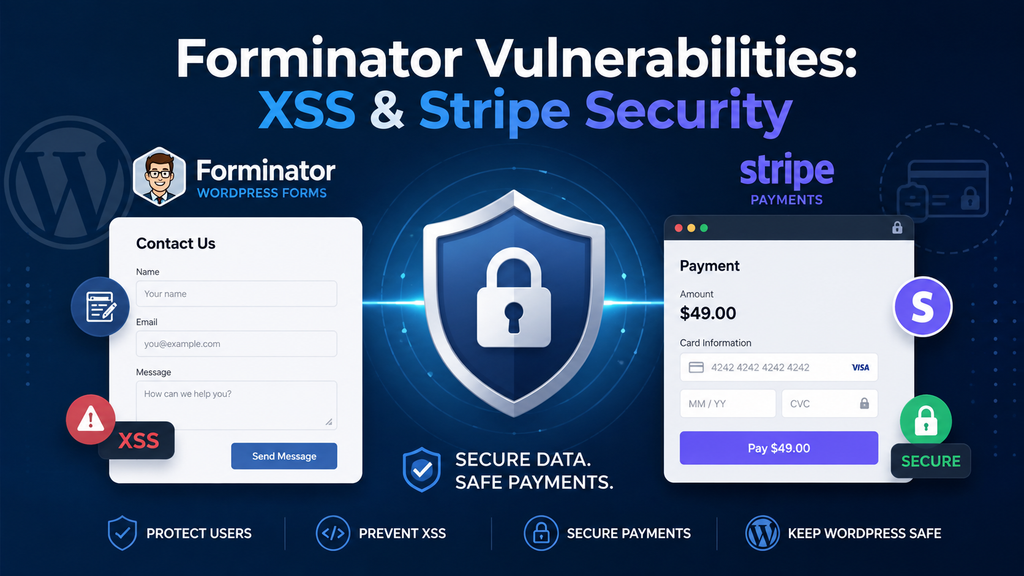
Two recently disclosed Forminator vulnerabilities affect Stripe Checkout payments and the Save and Continue feature. This practical security guide explains how both XSS flaws work, which WordPress sites face the greatest exposure, how to update safely, and what administrators should inspect in recent submissions.
WordPress forms often sit quietly in the background. Visitors use them to contact a business, request information, register, send an application, or make a payment. That ordinary role can make a form vulnerability particularly important because attackers may not need an account before interacting with the vulnerable feature. Two recently disclosed Forminator vulnerabilities demonstrate this problem from different directions. One involves Stripe Checkout error handling, while another involves data stored through Forminator’s Save and Continue feature. Both are cross-site scripting vulnerabilities, commonly shortened to XSS, but the path from malicious input to executed JavaScript is different.
For WordPress administrators, the practical response is fortunately much simpler than the technical explanation. Do not focus only on whether your website has already shown obvious symptoms. First, update Forminator to version 1.57.1 or later. Then identify whether your forms use Stripe Checkout or publicly accessible Save and Continue functionality. Finally, review recent submissions and drafts for anything unusual. The official WordPress.org changelog shows several security corrections around the 1.57 releases, while current vulnerability databases list 1.57.1 as the latest patched release.
What Forminator Fixed
Forminator is much more than a basic contact-form plugin. It can build contact forms, registration workflows, quizzes, payment forms, and other interactive experiences. According to current Patchstack data, the plugin has around 600,000 active installations, so security problems involving public functionality deserve attention even when only particular configurations are vulnerable. Two XSS issues disclosed in August 2026 are especially useful to examine together because both can involve unauthenticated input. However, administrators should not assume that every Forminator installation was equally exploitable.
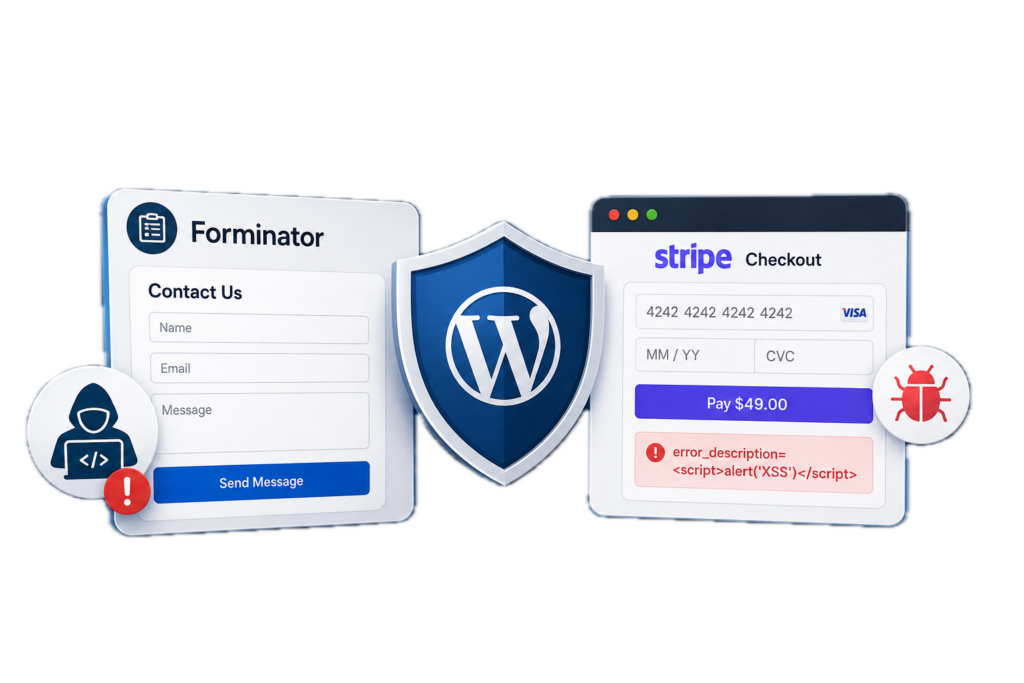
The first issue is CVE-2026-18328, a DOM-based reflected XSS vulnerability involving the error_descriptionparameter. NVD reports that it affects Forminator through version 1.57.0 and is specifically triggerable on pages containing a Forminator form configured to use the Stripe Checkout Sessions payment API. The vulnerability was addressed in 1.57.0.1. The second issue, CVE-2026-18323, is an unauthenticated stored XSS vulnerability involving a Radio Field used with Save and Continue drafts. It affects versions through 1.57.0.2 and was corrected in 1.57.0.3.
There is an important practical detail here. Although those individual XSS fixes arrived in 1.57.0.1 and 1.57.0.3, administrators should not deliberately stop at either intermediate release. Forminator subsequently received additional security fixes, and the official changelog lists 1.57.1 on August 18, 2026. Patchstack also identifies 1.57.1 as the patched version for a separate high-priority PHP Object Injection issue affecting Forminator through 1.57.0. In other words, updating all the way to 1.57.1 or a newer stable version is the sensible security baseline today.
Why These Two XSS Problems Should Be Considered Together
XSS is sometimes described too simply as “JavaScript in a form.” What matters is where untrusted data enters the application, where the software later places that data, and whether the browser interprets it as executable content. The Stripe vulnerability follows a reflected, DOM-based path. The Save and Continue problem follows a stored path. Those differences affect how administrators should investigate a potentially exposed site.
A reflected attack generally depends on maliciously constructed input reaching a vulnerable page and being processed by browser-side code. Stored XSS can be more concerning during an audit because the malicious value may remain in WordPress until somebody views the affected record. That means updating the vulnerable code closes the vulnerable path going forward, but administrators should still examine data created while an affected version was active.
How the Stripe Checkout XSS Works
The Stripe-related vulnerability is tracked as CVE-2026-18328. According to the NVD record, Forminator versions through 1.57.0 did not adequately sanitize and escape the error_description parameter before the value reached browser-side processing. This could allow an unauthenticated attacker to introduce crafted content that the browser could interpret as script when the affected page was accessed. The vulnerability has a CVSS 3.1 score of 7.1 and is categorized under CWE-79, Improper Neutralization of Input During Web Page Generation.
Importantly, this does not mean every contact form built with Forminator automatically exposed the Stripe vulnerability. NVD specifically states that the issue is triggerable on pages hosting a Forminator form configured to use the Stripe Checkout Sessions payment API. That payment flow became the default beginning with Forminator 1.56.0. The official Forminator changelog confirms that version 1.56.0 introduced Stripe Checkout Sessions, Stripe Connect OAuth authorization, and Adaptive Pricing.
The human side of the problem matters. A shop owner may see a Forminator payment page and assume the main security question is whether Stripe securely processes the card information. Stripe’s infrastructure is not the issue described by this CVE. The vulnerable behavior existed in the WordPress plugin’s handling of data associated with the checkout flow. Using a reputable payment processor does not automatically protect every piece of code that prepares, displays, or processes information before and after a payment.
Why DOM-Based XSS Is Different
DOM-based XSS occurs when browser-side JavaScript handles untrusted information unsafely. The server does not necessarily need to save the malicious content in the WordPress database. Instead, front-end JavaScript can read attacker-controlled information and insert it into the Document Object Model in a way that causes the browser to interpret it as active content.
That distinction explains why checking Forminator’s Submissions screen alone is not enough to investigate CVE-2026-18328. Administrators should update the plugin, identify pages containing Forminator Stripe forms, verify that those forms still behave correctly after the update, and review relevant web server or security logs if suspicious traffic has already been observed. Avoid experimenting with live exploit payloads on a production site. Testing should happen in an isolated staging environment when necessary.
What an Attacker Could Gain From XSS
Successful XSS runs JavaScript within the security context of the affected website. The practical impact depends heavily on who visits the manipulated page, what that person can access, the site’s configuration, browser protections, and the exact vulnerable path. Possible consequences can include unauthorized actions performed through a victim’s browser or access to information exposed to JavaScript within that context.
That is why XSS should not be dismissed simply because it does not directly provide a server shell or database password. At the same time, responsible security reporting should avoid claiming that every XSS vulnerability automatically produces complete WordPress takeover. The realistic risk comes from the browser trusting content associated with a legitimate website when the application failed to keep untrusted input separate from executable code.
How Save and Continue Stores Malicious Code
The second vulnerability is CVE-2026-18323, and its behavior is particularly relevant to administrators who review form entries from inside WordPress. NVD describes the flaw as unauthenticated stored cross-site scripting through a Radio Field associated with the Save and Continue Draft feature. Versions up to and including 1.57.0.2 are affected, with the fix appearing in 1.57.0.3. WPScan similarly lists it as a high-severity unauthenticated stored XSS issue.
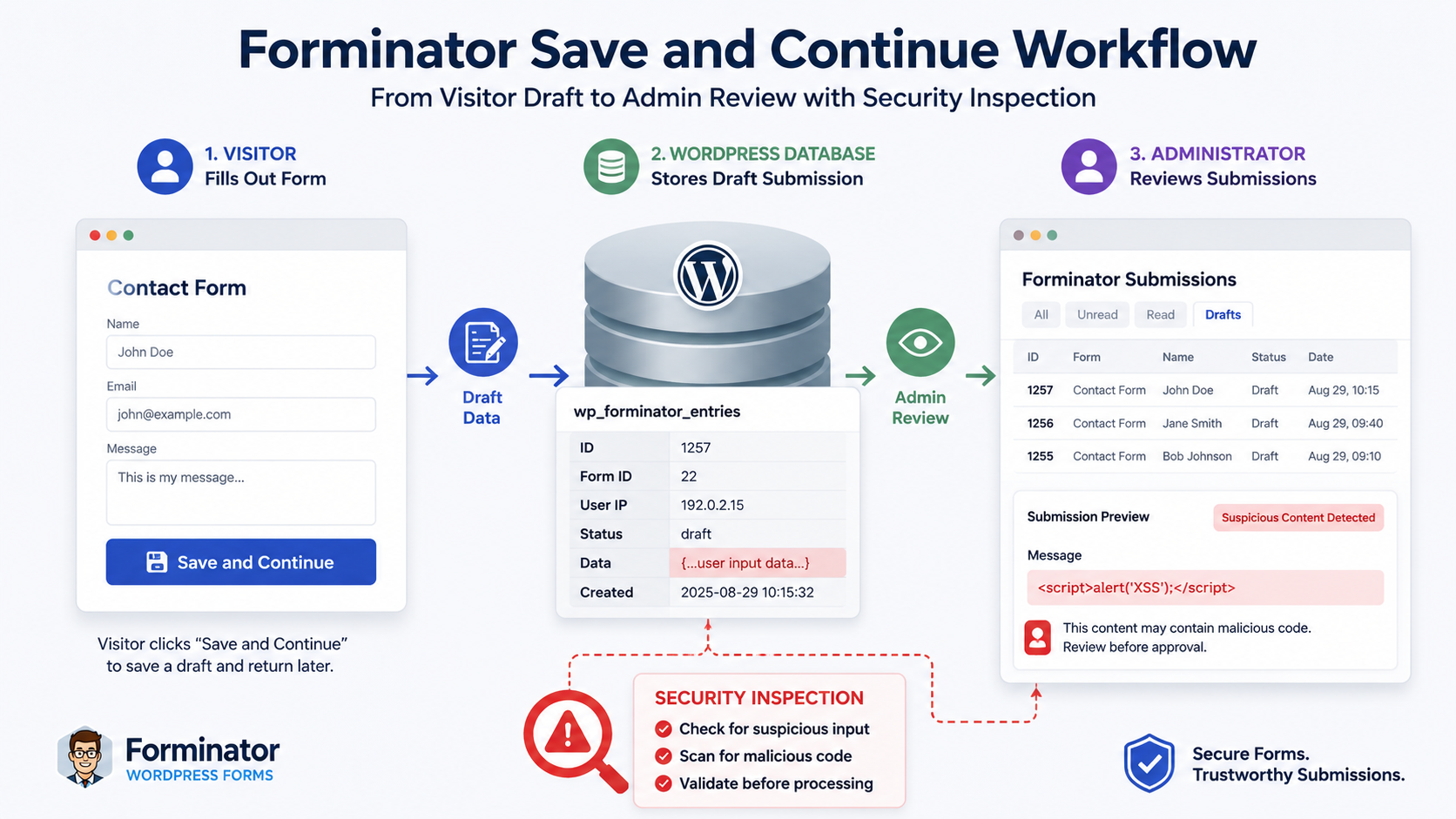
Save and Continue exists for a perfectly legitimate reason. Long forms are inconvenient when visitors must complete everything in one session. Forminator therefore allows users to save partially completed forms as drafts and return later. WPMU DEV’s documentation explains that administrators can configure a draft retention period and choose whether Save and Continue is available publicly or only to registered users. Public mode naturally increases the number of people who can interact with the draft mechanism.
According to NVD, the vulnerable Save and Continue AJAX endpoint was available to unauthenticated users. Crafted input could bypass expected radio-field option validation and persist malicious data. The stored value could then become dangerous when rendered on the Forminator Submissions administration page because of the way the affected front-end components handled the data. This creates the classic stored-XSS pattern: the attacker provides the malicious input first, but execution may occur later when another person views the stored information.
Why Stored XSS Changes the Cleanup Process
Suppose an administrator updates Forminator immediately. The vulnerable code has now been replaced, which is exactly what should happen. However, an update does not necessarily mean every suspicious draft or historical submission created earlier disappears. Stored XSS deserves a data review because the attack involves information that may have been persisted before the software was patched.
This is also why blindly opening every suspicious submission is not the ideal first response on an outdated production site. Update Forminator before investigating questionable entries through the affected interface. If you have strong evidence of compromise, create a backup for forensic purposes and consider involving a qualified WordPress security professional. A clean backup can be useful, but administrators should avoid restoring an older backup that simply brings the vulnerable plugin version back into service.
Public Save and Continue Forms Need Extra Attention
Forminator documentation says Save and Continue permissions can be set to Public or restricted to Registered Users. When configured as Public, any visitor can use the draft functionality. That may be exactly what a business needs for applications, surveys, quotations, or other long forms, but it also means the feature sits directly on the public attack surface.
Administrators should therefore review whether every form genuinely needs public draft functionality. This does not mean Save and Continue is unsafe after the vulnerability has been fixed. It means unnecessary public functionality should not remain enabled simply because it was turned on years ago. Reducing unused features is one of the simplest ways to reduce a WordPress site’s attack surface.
Which Sites Are Exposed
The highest-priority sites are those still running affected Forminator releases while exposing the relevant functionality publicly. For CVE-2026-18328, focus on Forminator pages configured with the Stripe Checkout Sessions payment API. For CVE-2026-18323, focus on forms using Save and Continue, particularly when draft saving is available to unauthenticated visitors. The two vulnerabilities therefore overlap around public forms but do not have identical prerequisites.
E-commerce and membership sites deserve additional attention because their forms may handle information that users consider sensitive. Examples include names, addresses, telephone numbers, application details, registration information, or payment-related workflow data. This does not mean these vulnerabilities automatically exposed all such information. Rather, the business importance of the affected forms should influence how quickly administrators patch and how deeply they review historical activity.
A small brochure website should not ignore the update either. Automated vulnerability scanning does not care whether a website receives ten visitors or ten million. Patchstack currently reports roughly 600,000 Forminator installations, which makes the plugin a significant WordPress target. Security teams and automated attackers can scan large numbers of websites for identifiable plugin versions or vulnerable behaviors.
Quick Exposure Checklist
Check your website carefully if one or more of these conditions apply:
- Forminator is installed and was recently running a version older than 1.57.1.
- Public pages contain Forminator forms.
- Forminator handles Stripe payments.
- Your forms use the newer Stripe Checkout Sessions workflow.
- Save and Continue is enabled on one or more forms.
- Save and Continue is available to unauthenticated visitors.
- Administrators regularly open public submissions inside WordPress.
- You noticed strange draft entries, unexpected field values, unusual URLs, or unexplained administrator activity.
- Security or server logs show unusual repeated requests against Forminator endpoints.
- You cannot confirm when Forminator was last updated.
None of these signs proves exploitation. They simply help determine which installations deserve closer investigation.
Updating to Forminator 1.57.1

The safest practical recommendation is straightforward: update Forminator to version 1.57.1 or later. The official WordPress.org changelog lists a sequence of security fixes in the 1.57 branch, including several XSS corrections, payment-processing security work, privilege-escalation fixes, PHP Object Injection remediation, and the final 1.57.1 release.
Do not intentionally update only to 1.57.0.3 because it fixes the Save and Continue XSS. Security releases are cumulative from an administrator’s perspective. Patchstack reports another serious vulnerability, CVE-2026-66583, affecting Forminator through 1.57.0 and identifies 1.57.1 as the patched version. Moving directly to the latest stable release therefore provides a much stronger baseline than selecting the minimum version that fixes only one CVE.
Before updating a production website, create a reliable backup of the database and files. Then update Forminator through Dashboard → Plugins → Installed Plugins, or use your established WordPress management workflow. Clear relevant application and page caches afterward. Finally, test important forms from the visitor side. Contact forms should submit normally, Save and Continue should resume drafts correctly, notification emails should arrive, and payment forms should complete their normal Stripe workflow.
Test Stripe After Updating
Payment forms deserve a deliberate test rather than a quick visual check. Forminator 1.56.0 introduced Stripe Checkout Sessions as part of a substantial change to the plugin’s Stripe integration. WPMU DEV documentation also notes that the newer Stripe field replaces the legacy payment implementation and supports additional payment methods.
Use the payment system’s test mode where possible rather than making unnecessary live transactions. Confirm that checkout opens normally, successful payments return users to the expected destination, failed transactions display ordinary error messages, and payment records correspond correctly with Forminator submissions. If a caching or optimization plugin combines or delays JavaScript, test with that optimization enabled as well.
Test Save and Continue After Updating
Open every important form that uses Save and Continue. Start a normal draft as an ordinary visitor, leave the form, and resume it using the intended workflow. Confirm that previously entered fields appear correctly and that completing the form creates a normal submission.
WPMU DEV states that administrators can configure how long drafts remain stored and whether the feature is available publicly or only to registered users. This is a good opportunity to shorten unnecessarily long retention periods and restrict draft saving to registered users on forms where public access is not actually required.
Auditing Recent Form Submissions
Updating closes known vulnerable behavior, but administrators should also look backward. Begin with the period during which an affected Forminator version was installed. If you do not know exactly when that was, review a reasonable range of recent drafts and submissions, starting with forms that are publicly accessible.
Look for entries that differ dramatically from normal visitor behavior. Examples include unexpected HTML-like fragments, unusual strings where a simple radio-button value should appear, strange URLs, malformed values, unusually long field content, or repeated drafts created within a short period. The goal is not to become a malware analyst overnight. You are looking for obvious deviations from the data that each field normally accepts.
Pay special attention to Radio Fields connected to forms using Save and Continue because CVE-2026-18323 specifically involves that combination. A radio field normally accepts one of several predetermined choices. A stored value that clearly does not resemble any legitimate option deserves investigation. Avoid reproducing or testing suspicious payloads on the live site.
Review Drafts as Well as Completed Submissions
Do not limit the audit to successfully completed forms. Save and Continue exists precisely because Forminator stores incomplete work as drafts. WPMU DEV documentation confirms that these drafts remain on the server according to the configured retention period. The default described in its documentation is 30 days, although administrators can choose another period.
That makes draft retention relevant to security hygiene. A website that has accumulated unnecessary drafts for a long period has more stored information to review and protect. Choose a retention period that makes sense for the actual user journey rather than simply keeping everything indefinitely.
Check WordPress Administrator Accounts
An XSS investigation should extend slightly beyond Forminator. Review Users → All Users and verify administrator accounts. Check for unfamiliar accounts, unexpected role changes, or accounts created at unusual times. If your security tooling records successful and failed logins, examine those records too.
Also inspect recently modified plugins, themes, and important configuration files when there are genuine signs of compromise. An unfamiliar administrator account, unexpected PHP file, unexplained scheduled task, or unauthorized configuration change is much stronger evidence than an odd-looking form submission alone. If those indicators appear, treat the situation as a broader WordPress incident instead of merely deleting the suspicious submission.
Check Server and Security Logs
Logs can provide useful context. Review requests to pages containing Forminator forms during the period when an affected version was installed. Pay attention to unusual query strings, large bursts of automated requests, repeated requests to draft-related functionality, and traffic that differs significantly from ordinary form usage.
A web application firewall can reduce exposure to known attack patterns, but it should complement updates rather than replace them. Security products may block some malicious requests while missing others. The reliable long-term fix remains running patched software and minimizing unnecessary public functionality.
Do Not Delete Evidence Too Quickly
When something genuinely suspicious appears, take a backup or snapshot before aggressively cleaning the site. Logs, submissions, timestamps, and database records may help determine what happened. Immediately deleting every suspicious record can make later investigation harder.
At the same time, avoid keeping malicious data accessible through vulnerable interfaces. Update Forminator first, preserve evidence safely if an incident is suspected, and then conduct the review. High-value websites handling customer information or payments may justify professional incident-response assistance.
Frequently Asked Questions
What are the two new Forminator vulnerabilities?
The two issues covered here are CVE-2026-18328, a DOM-based reflected XSS vulnerability connected to Stripe Checkout Sessions, and CVE-2026-18323, a stored XSS vulnerability involving Radio Fields and Save and Continue drafts. Both could be reached without normal authenticated access under the affected conditions.
Is Forminator 1.57.1 safe from these two XSS vulnerabilities?
Yes, according to currently published vulnerability information. The Stripe issue was fixed in 1.57.0.1 and the Save and Continue issue in 1.57.0.3. Version 1.57.1 comes after both fixes and also contains additional security corrections. Administrators should use 1.57.1 or a newer stable release rather than stopping at an intermediate patch.
Does every Forminator site have the Stripe vulnerability?
The vulnerable code existed in affected Forminator versions, but the published conditions are more specific. NVD says CVE-2026-18328 is triggerable on pages containing a Forminator form configured to use the Stripe Checkout Sessions payment API.
Is Stripe itself vulnerable?
This advisory concerns Forminator’s handling of information associated with its Stripe Checkout integration. It should not be interpreted as a vulnerability in Stripe’s payment infrastructure.
What is stored XSS?
Stored XSS occurs when malicious input is persisted and later rendered in a way that allows the browser to execute it as script. In CVE-2026-18323, the vulnerable path involved a Radio Field used with Forminator’s Save and Continue draft functionality.
Can unauthenticated visitors use Save and Continue?
Forminator allows administrators to configure Save and Continue for Public access or restrict it to Registered Users. Therefore, the answer depends on each form’s configuration.
Should I disable Stripe after updating Forminator?
There is no general reason to permanently disable a feature you legitimately need once your plugin is patched. Update Forminator, test the payment workflow, and keep WordPress and its extensions maintained. Temporarily disabling an affected feature may be reasonable when an immediate update is impossible.
Should I delete old Forminator submissions?
Do not automatically delete all submissions. Review recent drafts and submissions first. If you discover suspicious data and believe exploitation may have occurred, preserve appropriate evidence before cleanup. Legitimate submissions may also contain important business or customer information subject to your normal retention policies.
Is updating Forminator enough?
Updating is the most important immediate action, but an administrator who ran an affected version should also review relevant submissions, drafts, user accounts, logs, and important site changes. The depth of that review should reflect the site’s exposure and the evidence you find.
How can I reduce future Forminator risk?
Keep Forminator and WordPress updated, remove unused plugins, restrict public features that are not required, use sensible draft-retention periods, protect administrator accounts with strong authentication, maintain reliable backups, and monitor security logs for unusual activity.
A Practical Security Response Is Better Than Panic
The most useful lesson from these Forminator vulnerabilities is not that WordPress forms should suddenly be distrusted. Forms accept data from strangers by design, so developers must carefully validate input and safely encode output every time that information moves between the visitor, database, administrator interface, and browser.
CVE-2026-18328 demonstrates how an unsafe value in a payment-related browser workflow can create DOM-based XSS. CVE-2026-18323 demonstrates a different problem: malicious information can be stored through a public draft mechanism and become dangerous when rendered later. Understanding that difference helps administrators know where to look after applying the patch.
For most website owners, the action plan remains manageable. Upgrade to Forminator 1.57.1 or newer, test public forms and Stripe payments, identify forms using Save and Continue, review recent drafts and submissions, verify administrator accounts, and investigate logs when there are meaningful warning signs. A timely update combined with a focused audit provides far more protection than panic or speculation.
⚠️ Disclaimer and Source Hygiene
This article provides general WordPress security information and does not constitute professional cybersecurity, legal, financial, or compliance advice. Vulnerability details can change as researchers, vendors, and vulnerability databases publish new information. Technical claims in this article were checked against authoritative or specialist sources, including NVD, the official WordPress.org Forminator listing and changelog, WPMU DEV documentation, WPScan, and Patchstack. Site owners handling payments or sensitive customer information should consult a qualified security professional when evidence of compromise exists.
🔔 For more tutorials like this, consider subscribing to our blog.
📩 Do you have questions or suggestions? Leave a comment or contact us!
🏷️ Tags: Forminator vulnerabilities, Forminator security, WordPress security, Forminator XSS, CVE-2026-18328, CVE-2026-18323, Stripe Checkout security, WordPress forms, Save and Continue, WordPress vulnerability
📢 Hashtags: #Forminator, #WordPressSecurity, #WordPress, #CyberSecurity, #XSS, #StripeSecurity, #WebsiteSecurity, #WordPressTips, #FormSecurity, #SecurityUpdate
External Resources
For current technical details, administrators can consult the NVD record for CVE-2026-18328 and the NVD record for CVE-2026-18323. Installation information and current release notes are available on the official Forminator page on WordPress.org.
📚 Sources and References
The technical vulnerability descriptions in this guide are based primarily on the U.S. National Vulnerability Database records for CVE-2026-18328 and CVE-2026-18323. NVD identifies the first as a DOM-based reflected XSS vulnerability affecting Forminator through 1.57.0 and the second as stored XSS affecting Save and Continue Radio Fields through 1.57.0.2.
The official WordPress.org plugin listing was used to verify the Forminator release history. Its changelog documents the security updates across the 1.57 branch and lists version 1.57.1 dated August 18, 2026. WPMU DEV’s documentation was used for functional information about Save and Continue, its public and registered-user permissions, draft retention, and the current Stripe integration.
🕊️ Secondary Sources and Testimonials
WPScan’s current Forminator vulnerability history independently lists the Stripe DOM-based XSS as fixed in 1.57.0.1 and the Save and Continue stored XSS as fixed in 1.57.0.3. Patchstack’s current Forminator database reports approximately 600,000 installations and identifies version 1.57.1 as the current patched release. These secondary security sources help cross-check affected versions and remediation guidance against the primary vulnerability records.
Sign in with a Subscriber account to vote.
2 thoughts on “Two Forminator Vulnerabilities Put Public Forms at Risk”