
Table of Contents
Looking for the best operating system for your WordPress website? Discover the top five operating systems used by hosting providers and developers worldwide. Learn their strengths, weaknesses, and ideal use cases to choose the perfect platform for performance, security, and long-term reliability.
Operating System
Choosing a hosting provider is important, but choosing the operating system behind your WordPress server is equally critical. The operating system acts as the foundation of your entire hosting environment. It manages resources, handles security, controls software compatibility, and directly impacts website performance.
Many WordPress users never think about the operating system powering their websites. However, hosting companies spend considerable time selecting the most reliable platforms because a poor choice can lead to security vulnerabilities, slower performance, and increased maintenance costs.
Fortunately, several operating systems have proven themselves over many years of real-world use. These systems power millions of websites, online stores, business portals, and blogs around the world.
If you are planning to launch a new WordPress website, migrate to a VPS, or build your own hosting environment, understanding the strengths of each operating system can help you make a smarter decision.
Why the Operating System Matters for WordPress
A WordPress website depends on several technologies working together. These include PHP, MySQL or MariaDB, Apache or Nginx, caching systems, SSL certificates, and backup solutions.
The operating system serves as the foundation that supports all these components.
A well-designed operating system offers:
- Better server performance
- Improved security protection
- Lower resource consumption
- Reliable software updates
- Greater stability
- Easier server administration
- Better compatibility with hosting control panels
Most professional WordPress environments use Linux-based operating systems because they are secure, lightweight, and highly customizable. Linux distributions dominate the hosting industry and power the majority of WordPress websites on the internet.
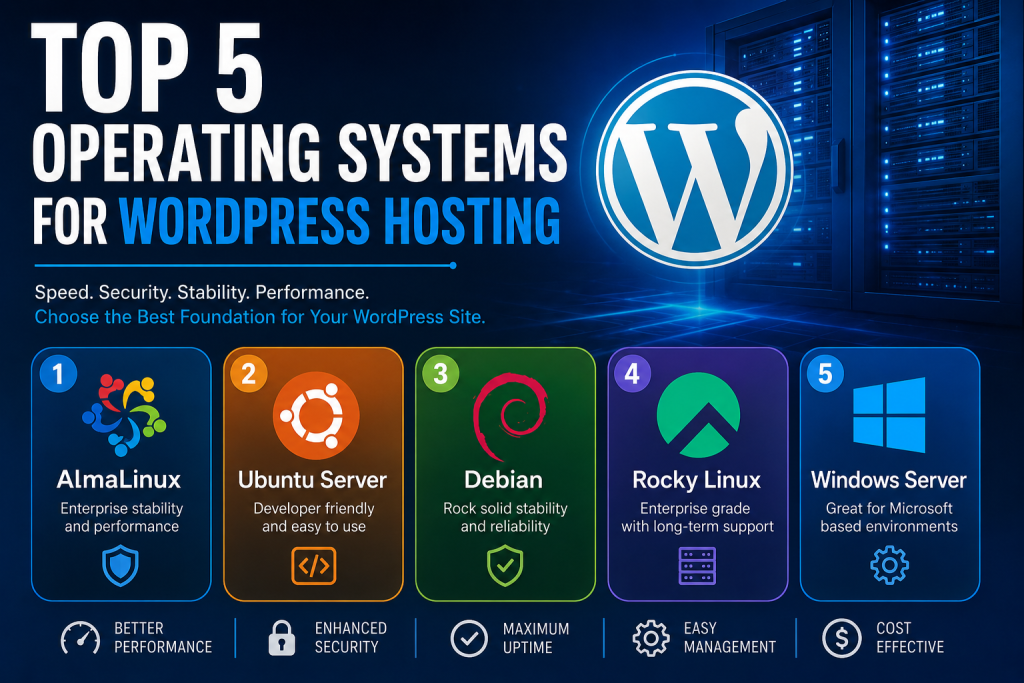
Let’s examine the five best operating systems available today for WordPress hosting.
AlmaLinux – The Best Overall Operating System for WordPress
Why AlmaLinux Became So Popular
After the changes to CentOS, many hosting providers needed a stable replacement. AlmaLinux quickly emerged as one of the strongest alternatives.
Today, AlmaLinux powers countless web servers and is widely supported by hosting providers around the world. Its focus on long-term stability makes it particularly attractive for WordPress websites.
The operating system is designed to provide enterprise-level reliability without requiring expensive licensing fees. This combination of performance and affordability has made it one of the most trusted platforms in the hosting industry.
Performance Benefits
AlmaLinux performs exceptionally well with:
- WordPress
- WooCommerce
- Apache
- Nginx
- MariaDB
- MySQL
- Redis
- LiteSpeed
Because it is optimized for server workloads, AlmaLinux can handle significant traffic without excessive resource consumption.
Security Advantages
Security remains one of AlmaLinux’s strongest selling points. Regular updates help protect servers against emerging threats while maintaining compatibility with existing software.
For website owners managing client projects, online stores, or membership websites, this level of reliability is extremely valuable.
Best Use Cases
AlmaLinux is ideal for:
- Shared hosting
- VPS hosting
- Dedicated servers
- WooCommerce stores
- Business websites
- Agency hosting environments
Pros
- Excellent stability
- Strong security
- Long-term support
- cPanel compatibility
- Enterprise-level reliability
Cons
- Slight learning curve for beginners
Ubuntu Server – The Developer’s Favorite Choice
Why Ubuntu Remains Extremely Popular
Ubuntu Server has built an outstanding reputation among developers and system administrators. It combines ease of use with excellent flexibility.
One reason for Ubuntu’s popularity is its enormous community. If you encounter a problem, chances are someone has already documented a solution.
For WordPress users who prefer managing their own servers, Ubuntu often becomes the first choice.
Easy Software Installation
Ubuntu offers one of the largest software repositories in the Linux ecosystem.
Installing common WordPress technologies usually requires only a few commands.
Popular software includes:
- PHP
- MySQL
- MariaDB
- Apache
- Nginx
- Redis
- Memcached
- Docker
This simplicity makes Ubuntu particularly attractive for beginners.
Excellent Cloud Compatibility
Many cloud providers support Ubuntu directly, including:
This widespread support simplifies deployment and maintenance.
Best Use Cases
Ubuntu is ideal for:
- Developers
- Freelancers
- Small businesses
- Cloud hosting
- Custom WordPress stacks
Pros
- Easy to learn
- Massive community support
- Extensive documentation
- Frequent improvements
Cons
- Updates arrive more frequently than enterprise-focused systems
Debian – The King of Stability

A Legendary Reputation
Debian is one of the oldest and most respected Linux distributions in existence.
Its philosophy prioritizes reliability over rapid feature releases. As a result, Debian servers often run for years with minimal intervention.
Many administrators trust Debian because it values stability above all else.
Resource Efficiency
Debian consumes very few system resources. This efficiency makes it particularly attractive for VPS environments where every gigabyte of RAM matters.
Even modest servers can comfortably host WordPress websites when Debian is properly configured.
Long-Term Reliability
Because Debian introduces changes carefully, software conflicts occur less frequently than on some other platforms.
For businesses that prioritize uptime and predictability, Debian remains a fantastic option.
Best Use Cases
Debian works particularly well for:
- Production environments
- Corporate websites
- High-traffic blogs
- Long-term hosting projects
Pros
- Extremely stable
- Lightweight
- Secure
- Reliable updates
Cons
- New software versions arrive more slowly
Rocky Linux – Enterprise Performance Without the Cost
The Successor Many Administrators Wanted
Rocky Linux emerged as another powerful alternative after CentOS changed direction.
Its mission focuses on providing enterprise-grade performance and long-term support.
For administrators familiar with traditional enterprise Linux environments, Rocky Linux feels immediately familiar.
Hosting Industry Adoption
Many hosting providers have adopted Rocky Linux because it provides:
- Long support cycles
- Excellent stability
- Strong security
- Reliable package management
These characteristics align perfectly with WordPress hosting requirements.
Control Panel Support
Rocky Linux integrates smoothly with popular hosting panels including:
- cPanel
- WHM
- DirectAdmin
- Plesk
This compatibility makes migration straightforward.
Best Use Cases
Rocky Linux is ideal for:
- Professional hosting providers
- Agency environments
- Dedicated servers
- Enterprise WordPress installations
Pros
- Enterprise reliability
- Excellent security
- Stable updates
- Hosting-friendly
Cons
- Smaller community than Ubuntu
Windows Server – A Specialized Alternative
Can WordPress Run on Windows?
Absolutely.
Although Linux dominates WordPress hosting, Windows Server remains a viable option in specific scenarios.
Organizations already invested in Microsoft infrastructure sometimes prefer Windows-based environments.
Microsoft Integration
Windows Server integrates seamlessly with:
- Active Directory
- Microsoft SQL environments
- Microsoft Exchange
- Azure services
For businesses already using these technologies, maintaining a Windows environment may simplify management.
Why Linux Usually Wins
Despite its strengths, Windows Server generally requires more resources and licensing costs.
Most WordPress hosting companies prefer Linux because it delivers similar or better performance at a lower cost.
Best Use Cases
Windows Server is suitable for:
- Corporate environments
- Microsoft-focused organizations
- Internal company websites
Pros
- Familiar interface
- Microsoft integration
- Professional support
Cons
- Licensing costs
- Higher resource consumption
- Less common for WordPress
Comparing the Top Five Operating Systems
| Operating System | Performance | Security | Stability | Ease of Use | WordPress Compatibility |
|---|---|---|---|---|---|
| AlmaLinux | Excellent | Excellent | Excellent | Very Good | Excellent |
| Ubuntu Server | Excellent | Very Good | Very Good | Excellent | Excellent |
| Debian | Excellent | Excellent | Excellent | Good | Excellent |
| Rocky Linux | Excellent | Excellent | Excellent | Very Good | Excellent |
| Windows Server | Good | Very Good | Very Good | Very Good | Good |
Which Operating System Should You Choose?
The answer depends on your goals. If you use cPanel and want maximum stability, AlmaLinux is often the best choice.
If you are learning server administration and want excellent documentation, Ubuntu Server is difficult to beat. If reliability matters more than having the latest software versions, Debian deserves serious consideration.
If you prefer enterprise-grade infrastructure and long-term support, Rocky Linux is an outstanding option. Finally, if your organization depends heavily on Microsoft technologies, Windows Server may still be a practical solution. For most WordPress website owners, however, Linux remains the clear winner.
Important Security Recommendations
Keep Your System Updated
Regular updates close security vulnerabilities and improve stability.
Use Strong Passwords
Weak passwords remain one of the leading causes of website compromises.
Enable Firewall Protection
A properly configured firewall blocks many malicious connection attempts.
Install SSL Certificates
Encrypted traffic protects visitors and improves trust.
Create Regular Backups
Backups can save your website from disasters, hardware failures, and cyberattacks.
Monitor Server Resources
Resource monitoring helps identify problems before they affect visitors.
Essential Insights for WordPress Success
The operating system may be invisible to visitors, but it plays a major role in the success of every WordPress website. A fast, stable, and secure server creates a better experience for users while reducing maintenance headaches for administrators.
Among today’s available options, AlmaLinux stands out as the best overall operating system for WordPress hosting thanks to its stability, security, and excellent compatibility with modern hosting environments. Ubuntu remains the favorite among developers, Debian continues to dominate in reliability, Rocky Linux delivers enterprise-grade performance, and Windows Server serves specialized business requirements.
Choosing the right operating system from the beginning can improve performance, strengthen security, and provide a solid foundation for future growth.
Frequently Asked Questions
What is the best operating system for WordPress hosting?
AlmaLinux is currently one of the most recommended operating systems due to its stability, security, and hosting compatibility.
Is Ubuntu good for WordPress?
Yes. Ubuntu is widely used by developers and offers excellent support for WordPress environments.
Why do most hosting companies use Linux?
Linux provides better flexibility, lower costs, stronger security, and excellent performance.
Is Debian good for WordPress?
Yes. Debian is known for outstanding stability and reliability.
What replaced CentOS?
AlmaLinux and Rocky Linux became the most popular replacements.
Can WordPress run on Windows Server?
Yes. WordPress works on Windows Server using PHP and MySQL.
Which operating system uses the least resources?
Debian is among the most efficient Linux distributions available.
Is AlmaLinux better than Ubuntu?
For traditional hosting environments, AlmaLinux often provides greater long-term stability.
Which operating system works best with cPanel?
AlmaLinux and Rocky Linux offer excellent cPanel compatibility.
Do beginners need Linux knowledge?
Basic Linux knowledge is helpful but many hosting providers manage the server for you.
Right Operating System
Selecting the right operating system is one of the smartest decisions you can make when building a WordPress hosting environment. While all five options discussed in this article are capable platforms, AlmaLinux currently provides the best balance of performance, security, and long-term stability for most WordPress websites. By choosing a reliable foundation today, you can ensure your website remains fast, secure, and ready to grow for years to come.
⚠️ Disclaimer and Source Hygiene
This article is provided for educational and informational purposes only. Hosting requirements vary depending on website size, traffic levels, software configuration, and business needs. Always consult qualified hosting professionals or system administrators before making infrastructure decisions. Information presented here is based on official documentation, industry standards, and publicly available technical resources.
🔔 For more tutorials like this, consider subscribing to our blog.
📩 Do you have questions or suggestions? Leave a comment or contact us!
🏷️ Tags: WordPress Hosting, Best Operating System, AlmaLinux, Ubuntu Server, Debian, Rocky Linux, Windows Server, VPS Hosting, cPanel, Linux Hosting
📢 Hashtags: #WordPress #WordPressHosting #Linux #AlmaLinux #Ubuntu #Debian #RockyLinux #VPSHosting #cPanel #WebHosting
Sources and References
Secondary Sources and Testimonials
- System administrator operational reports
- Linux hosting provider recommendations
- WordPress developer community experiences
- Enterprise server deployment case studies
- Hosting industry best practices