
Table of Contents
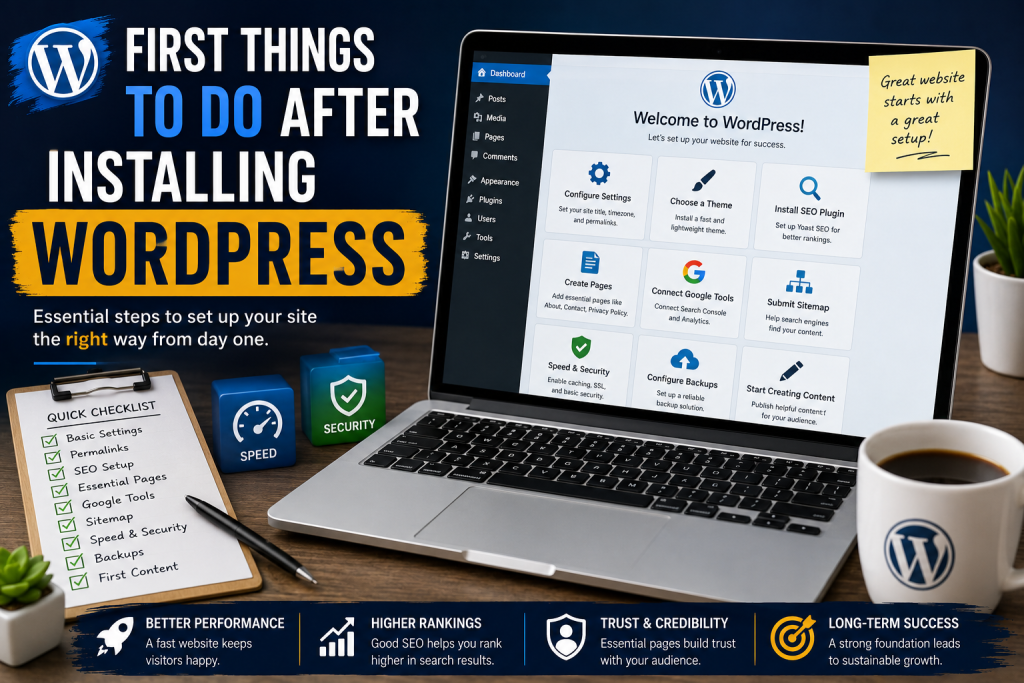
Installing WordPress is only the beginning. To build a fast, secure, and SEO-friendly website, you need the right setup from day one. This guide covers the most important steps every WordPress website owner should complete immediately after installation.
Your WordPress Journey Starts Here
Launching a new WordPress website is exciting. Whether you are building a personal blog, a business website, an online store, or a niche project, the decisions you make during the first few hours can significantly impact your website’s future success.
Many beginners rush into publishing content without properly configuring WordPress. As a result, they later encounter issues related to SEO, speed, security, indexing, and user experience. Fortunately, most of these problems can be avoided by following a simple setup process immediately after installation.
This guide walks through the essential tasks every WordPress user should complete before publishing their first article.
Configure Your Basic WordPress Settings
The first step is reviewing the default WordPress settings. Many websites launch with generic information that should be customized immediately.
Navigate to:
Settings → General
Configure the following:
- Website Title
- Tagline
- Time Zone
- Date Format
- Language
Your site title should clearly represent your brand or website topic. The tagline should briefly explain what visitors can expect from your content.
Proper timezone settings ensure that scheduled posts publish correctly and analytics data remains accurate.
Change Your Permalink Structure
One of the most important SEO settings involves permalink configuration.
Go to:
Settings → Permalinks
Select:
Post Name
Instead of using URLs like:
yourwebsite.com/?p=123
You should use:
yourwebsite.com/sample-post/
Clean URLs are easier for users to read and help search engines understand your content structure.
Install a Lightweight WordPress Theme
Your theme influences both website speed and user experience.
Choosing a lightweight theme helps improve:
- Page loading speed
- Core Web Vitals
- Mobile usability
- Search engine rankings
Popular lightweight options include:
- GeneratePress
- Blocksy
- Kadence
A fast theme provides a solid technical foundation for long-term growth.
Set Up an SEO Plugin

Search engine optimization should be configured immediately.
An SEO plugin helps manage:
- Meta titles
- Meta descriptions
- XML sitemaps
- Schema markup
- Social media previews
For most websites, Yoast SEO remains one of the most popular solutions.
Configure the plugin carefully and verify that your sitemap is functioning correctly.
Create Essential Website Pages
Before publishing articles, create the pages that visitors and search engines expect to see.
About Page
Introduce yourself or your business.
Explain:
- Who you are
- What your website offers
- Why visitors should trust your content
Contact Page
Provide visitors with a way to communicate with you.
Include:
- Contact form
- Email address
- Social media links
Privacy Policy
A Privacy Policy explains how visitor data is collected and used.
This page is particularly important for:
- Google AdSense
- GDPR compliance
- User trust
Terms and Conditions
Terms and Conditions help establish rules for using your website.
Disclaimer
If your website provides advice, reviews, or informational content, a disclaimer helps clarify limitations and responsibilities.
Connect Google Search Console
Google Search Console is one of the most valuable tools available to website owners.
It allows you to:
- Monitor indexing
- Submit sitemaps
- Identify crawl errors
- Track search performance
- Review keyword rankings
Connecting Search Console early helps Google discover and index your content more efficiently.
Submit Your XML Sitemap
An XML sitemap acts as a roadmap for search engines.
After installing your SEO plugin, locate your sitemap and submit it through Google Search Console.
A sitemap helps search engines:
- Discover new content
- Identify updated pages
- Crawl your website more efficiently
This simple step can accelerate the indexing process.
Create Your Website Structure
Many beginners start writing articles without organizing their website.
Creating categories first helps build a logical structure.
For example, a WordPress-focused blog could use categories such as:
- WordPress Installation
- WordPress SEO
- WordPress Security
- WordPress Performance
- WordPress Plugins
- WordPress Troubleshooting
A clear structure improves navigation and SEO.
Configure Website Backups
Every website needs reliable backups.
Unexpected problems can occur because of:
- Plugin conflicts
- Server failures
- Malware
- Human errors
A good backup strategy includes:
- Hosting backups
- Plugin backups
- Manual backups
Never rely on a single backup method.
Install a Caching Solution
Website speed affects both user experience and search engine rankings.
Caching reduces server load and improves loading times.
Popular options include:
- Redis Object Cache
- LiteSpeed Cache
- Cloudflare Cache
Combining server-side caching with a content delivery network can dramatically improve performance.
Optimize Image Uploads
Large images are one of the most common causes of slow websites.
Before uploading images:
- Resize them appropriately
- Compress them
- Convert them to WebP format
- Use descriptive filenames
Instead of:
IMG_001.jpg
Use:
wordpress-installation-guide.webp
Search engines can better understand descriptive filenames.
Configure Website Security
Security should never be an afterthought.
Basic protection measures include:
Enable HTTPS
Install an SSL certificate and force HTTPS across your website.
Protect Login Pages
Use:
- Strong passwords
- Two-factor authentication
- Login attempt limits
Remove Unused Software
Delete inactive plugins and themes to reduce security risks.
Keep Everything Updated
Regularly update:
- WordPress core
- Themes
- Plugins
Updates often contain important security fixes.
Set Up Analytics
Understanding visitor behavior helps you improve your content strategy.
Google Analytics allows you to monitor:
- Traffic sources
- Visitor locations
- Popular pages
- User engagement
Data-driven decisions generally produce better long-term results.
Check Core Web Vitals
Google evaluates websites using Core Web Vitals.
These metrics focus on:
Largest Contentful Paint (LCP)
Measures loading performance.
Interaction to Next Paint (INP)
Measures responsiveness.
Cumulative Layout Shift (CLS)
Measures visual stability.
A website that performs well in these areas often provides a better user experience.
Create Your First Content Plan
Before writing articles, develop a content strategy.
Consider:
- Target audience
- Main topics
- Keyword opportunities
- Internal linking structure
Planning ahead creates consistency and helps avoid content gaps.
Publish Your First Articles
Many successful websites launch with at least ten high-quality articles.
Publishing several articles before promotion offers multiple benefits:
- More content for search engines to index
- Better internal linking opportunities
- Improved user engagement
- Stronger first impressions
Quality should always be prioritized over quantity.
Start Building Internal Links
Internal links connect related content throughout your website.
Benefits include:
- Better navigation
- Improved crawlability
- Increased page authority distribution
- Longer visitor sessions
Begin building internal links from your very first articles.
Review Mobile Performance
Most internet traffic now comes from mobile devices.
Test your website on:
- Smartphones
- Tablets
- Different browsers
Ensure that:
- Text is readable
- Buttons are accessible
- Navigation functions correctly
Mobile usability is a major ranking factor.
Frequently Asked Questions
Why should I change the default permalink structure?
The Post Name structure creates cleaner URLs that are easier for users and search engines to understand.
Is an SEO plugin necessary?
Yes. SEO plugins simplify the management of metadata, sitemaps, and technical SEO settings.
How soon should I connect Google Search Console?
Immediately after launching your website.
What is the best theme for a new WordPress website?
Lightweight themes such as GeneratePress, Blocksy, and Kadence are excellent choices.
Why are backups important?
Backups allow you to restore your website if something goes wrong.
Should I install many plugins at the beginning?
No. Only install plugins you genuinely need.
How many articles should I publish before promoting my site?
Publishing at least 10 to 20 quality articles is a good starting point.
Why is website speed important?
Fast websites improve user experience and help search engine rankings.
What are Core Web Vitals?
They are Google’s performance metrics used to evaluate user experience.
Can I improve SEO without creating content?
Technical SEO helps, but high-quality content remains essential for long-term success.
Essential Foundations for Future Success
The first steps after installing WordPress play a crucial role in determining your website’s future performance. By properly configuring settings, optimizing speed, strengthening security, and building a solid SEO foundation, you create an environment where your content can thrive.
Taking the time to complete these tasks early can save countless hours of troubleshooting later. More importantly, it positions your website for sustainable growth, better search visibility, and a superior experience for your visitors.
⚠️ Disclaimer and Source Hygiene
This article is intended for educational purposes only. WordPress configurations may vary depending on hosting providers, themes, plugins, and server environments. Always create a backup before making major changes. Information presented here is based on established WordPress best practices and industry recommendations.
🔔 For more tutorials like this, consider subscribing to our blog.
📩 Do you have questions or suggestions? Leave a comment or contact us!
🏷️ Tags: #WordPress #WordPressSetup #WordPressSEO #WebsiteSpeed #TechnicalSEO #BloggingTips #WebDesign #WordPressTutorial #SEO #WordPressGuide
📢 Hashtags: WordPress Setup, WordPress Installation, WordPress Beginner Guide, WordPress SEO, WordPress Speed Optimization, WordPress Security, Website Setup, Blogging Tips, Technical SEO, WordPress Tutorial
📚 Sources and References
- WordPress.org Documentation
- Google Search Central Documentation
- Google Analytics Documentation
- Google Search Console Help Center
- Core Web Vitals Documentation
- WordPress Theme Development Handbook
🕊️ Secondary Sources and Testimonials
- WordPress community maintenance guides
- Professional WordPress developer recommendations
- Managed WordPress hosting best practices
- SEO industry case studies
- Website optimization research