
Table of Contents
WordPress 7.1 will continue using React 18.3 after the planned React 19 upgrade revealed compatibility problems with existing plugins. This guide explains what changed, why the migration was postponed, how developers should test their extensions, and why React 19 experiments should remain away from production websites.
React 19 Will Not Be Included in WordPress 7.1
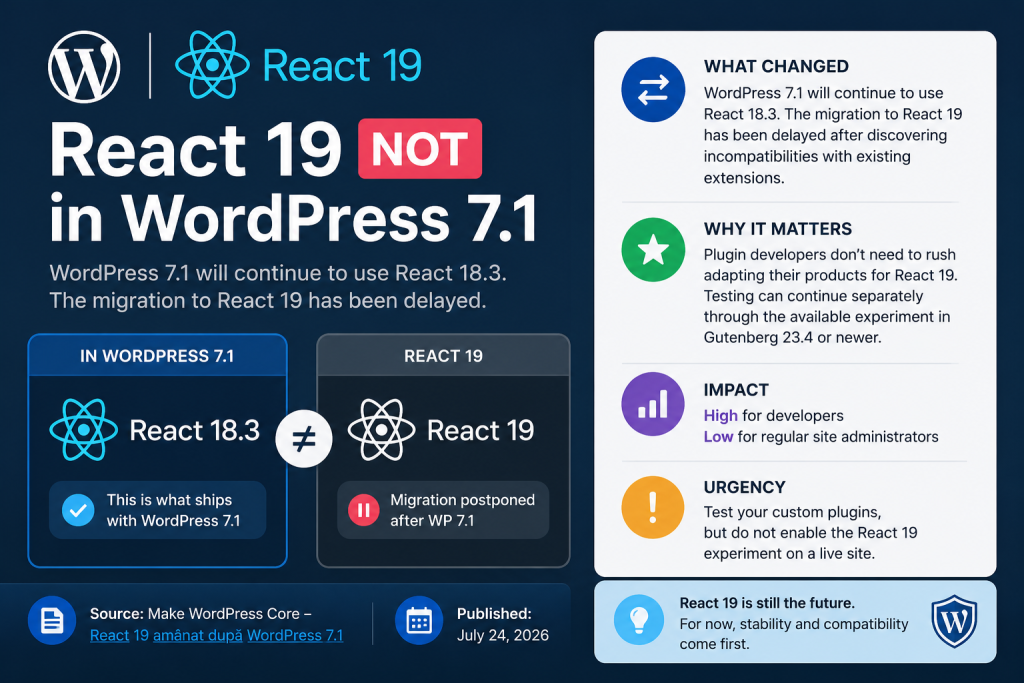
The planned migration from React 18.3 to React 19 will not happen in WordPress 7.1. The WordPress Core team officially postponed the upgrade after developers discovered unexpected compatibility problems between the new React runtime and existing WordPress plugins.
The announcement was published on July 24, 2026, through the Make WordPress Core development blog. According to the official update, WordPress 7.1 will continue using React 18.3 while contributors work on a safer and more gradual migration strategy.
This change matters most to block developers, plugin authors, theme developers, and agencies maintaining custom editor integrations. Many of them expected WordPress 7.1 to introduce React 19 as the standard runtime for the block editor and other React-powered administrative interfaces.
That expectation has now changed.
Developers do not need to rush React 19 compatibility updates into production products before WordPress 7.1 arrives. However, they should not completely ignore the migration either. React 19 remains part of WordPress’s future direction, and testing can continue through an experimental option available in Gutenberg 23.4 and newer versions.
For regular WordPress administrators, site owners, writers, and publishers, the immediate impact should remain low. Most users will not notice any visible difference because WordPress 7.1 will continue loading the familiar React 18.3 environment.
The delay is primarily a compatibility decision rather than an abandonment of React 19.
Quick Summary of the WordPress React 19 Decision
Category
WordPress Core and plugin compatibility.
What Changed
WordPress 7.1 will continue using React 18.3 instead of upgrading the default runtime to React 19.
The React 19 migration was postponed after testing exposed incompatibilities involving existing plugins, bundled React helpers, older element formats, and interactions between different React versions.
Why It Matters
Plugin and theme developers no longer need to prepare emergency production releases solely because WordPress 7.1 was expected to include React 19.
Development teams can continue testing separately through the React 19 experiment in Gutenberg 23.4 or newer.
Expected Impact
The impact is high for developers who build blocks, editor extensions, custom administration screens, or JavaScript applications based on WordPress packages.
The impact is low for ordinary administrators and content creators.
Recommended Urgency
Test custom plugins and editor integrations in a separate development environment.
Do not activate the React 19 experiment on a live production website.
Official Publication Date
July 24, 2026.
Current Runtime for WordPress 7.1
React 18.3.
Future Runtime Direction
React 19 is still expected to arrive in a future WordPress release after the compatibility layer and migration process receive more testing.
What React Means Inside WordPress
React is a JavaScript library used to build interactive interfaces from reusable components. Instead of manually updating every part of a page when data changes, developers create components that React can render and update efficiently.
WordPress uses React extensively throughout the block editor. Gutenberg blocks, editor sidebars, toolbar controls, settings panels, reusable interface elements, and many administrative experiences depend on React-powered components.
The official React documentation describes components as individual interface pieces that developers can combine into complete screens and applications.
Inside WordPress, React is not limited to the post editor. Developers can use WordPress packages to create interactive plugin settings, custom dashboards, block controls, post-management tools, data-driven panels, and modern administrative experiences.
Common WordPress packages built around React include:
@wordpress/element@wordpress/components@wordpress/data@wordpress/blocks@wordpress/block-editor@wordpress/plugins@wordpress/edit-post@wordpress/i18n
WordPress normally encourages plugin developers to use its abstraction packages rather than importing and bundling independent React copies.
For example, @wordpress/element provides access to functions such as createElement, useState, useEffect, useMemo, and other tools that correspond to React functionality.
This abstraction gives WordPress more control over the runtime loaded inside the editor. It also allows multiple plugins to share the React version supplied by WordPress instead of loading separate copies.
However, not every extension follows this pattern perfectly.
Some plugins bundle their own copy of React. Others bundle the JSX runtime generated during their build process. Certain packages compile code against one React version while executing inside another. These differences became central to the decision to postpone React 19.
Why WordPress Planned to Upgrade to React 19
React 19 introduces changes that can improve application development, rendering behavior, form handling, asynchronous workflows, ref management, error reporting, and component architecture.
A major React upgrade also allows WordPress to stay closer to the modern JavaScript ecosystem. Plugin developers increasingly rely on current frameworks, TypeScript definitions, build tools, and third-party packages. Remaining indefinitely on an older runtime could make development more difficult over time.
The original WordPress plan was to introduce React 19 through Gutenberg before merging it into WordPress Core.
In May 2026, the Core team published guidance explaining that the migration would first appear in the Gutenberg plugin and was expected to reach WordPress 7.1. That announcement was later updated to explain that the decision had been reversed.
The transition initially looked manageable because WordPress had already completed an important preparation step.
WordPress 6.6 introduced React 18.3 in 2024. React 18.3 behaves very similarly to React 18.2, but it displays additional warnings for deprecated patterns and behaviors that could create problems under React 19.
This approach was designed to give developers time to detect outdated code before the real upgrade.
In theory, plugins that worked cleanly under React 18.3 without deprecation warnings would have a smoother path toward React 19.
In practice, the WordPress ecosystem presented more complicated challenges.
Why React 18.3 Was an Important Preparation Release

React 18.3 acts as a transitional version. It does not radically change how WordPress interfaces behave, but it reveals code patterns that developers should update before React 19 becomes the default.
That made React 18.3 a sensible choice for WordPress 6.6 and later releases.
When a plugin uses a deprecated API, the browser console may display a warning during development. These warnings help developers find code that still works today but may stop working after a major runtime upgrade.
Examples of patterns requiring attention may include:
- Legacy string refs.
- Older
ReactDOM.render()implementations. - Deprecated component lifecycle behavior.
defaultPropson function components.- Outdated ref handling.
- Direct dependencies on internal React structures.
- Plugins bundling incompatible JSX runtimes.
- Code assuming a specific React element representation.
Gutenberg 23.3 briefly moved forward with React 19 and advised developers using removed legacy patterns to review their code. The release notes specifically referenced string refs, ReactDOM.render() fallbacks, and defaultProps on function components as areas requiring attention.
However, warnings about deprecated APIs were only one part of the migration challenge.
The more serious compatibility failures involved how React elements were generated and interpreted when different runtime versions appeared in the same WordPress environment.
What Went Wrong During the React 19 Upgrade
The first React 19 implementation was enabled in Gutenberg 23.3.0.
Soon after its release, contributors discovered that many plugins built for the existing React 18 environment could crash when running under React 19.
The problem did not affect only plugins using obviously outdated APIs. It also affected extensions that bundled specific React helpers during compilation.
One important example involved react/jsx-runtime.
Modern JavaScript build systems often transform JSX into calls handled by a JSX runtime. A plugin may bundle the runtime helper used when its code is built. If that helper comes from React 18 while WordPress renders the resulting element through React 19, the element can have a structure React 19 does not accept.
The WordPress Core team explained that React 19 actively checks and rejects elements produced by the React 18 runtime in certain situations.
Consequently, a plugin could appear well built and fully functional under current WordPress versions yet fail when React 19 became active.
This was especially dangerous because failures could happen inside the block editor. A broken editor integration can prevent users from editing posts, opening settings, inserting blocks, or interacting with essential controls.
A major WordPress Core release must protect backward compatibility across a huge extension ecosystem. Shipping a runtime change that causes numerous existing plugins to crash would create unacceptable risk.
Therefore, Gutenberg reverted to React 18 in version 23.3.2.
At that stage, the Core team still hoped to develop an improved strategy in time for WordPress 7.1. The June announcement described the reversion as temporary and said contributors remained committed to the WordPress 7.1 target.
Further investigation showed that the compatibility work required more time.
On July 24, 2026, the team officially moved React 19 beyond WordPress 7.1.
Why the Upgrade Was Postponed Instead of Forced
The decision reflects WordPress’s commitment to backward compatibility.
WordPress powers websites with very different technical environments. Some installations use only modern blocks and actively maintained extensions. Others depend on plugins that have not received significant JavaScript changes for years.
Many commercial plugins also distribute compiled production bundles. Their source code may use standard WordPress packages, while their final build unexpectedly includes a React-related dependency or helper.
Forcing React 19 into WordPress 7.1 could have created several problems:
- Block editor crashes.
- Blank plugin settings screens.
- Broken sidebar controls.
- Failed block registration.
- Invalid React element errors.
- Unresponsive editor interfaces.
- JavaScript console exceptions.
- Incompatibilities between plugins.
- Problems that appear only in specific build configurations.
- Support requests that site owners cannot diagnose easily.
A WordPress update should not require every administrator to understand JavaScript runtime conflicts.
Postponing the migration gives Core contributors time to improve the compatibility layer, test real-world extensions, document build requirements, and develop a more gradual upgrade process.
The official July announcement stated that WordPress needs a considerable testing period to improve and fine-tune the compatibility layer so existing plugins can continue operating smoothly.
That wording is important.
The challenge is not simply making WordPress Core itself work under React 19. Core contributors must also ensure that the broader ecosystem can move forward without widespread disruption.
What WordPress 7.1 Will Use Instead
WordPress 7.1 will continue using React 18.3.
This means the standard React environment will remain broadly consistent with the runtime developers already use in current WordPress releases.
Plugins that work correctly today should not suddenly require a React 19 rewrite merely because WordPress 7.1 becomes available.
Developers should still test their products against WordPress 7.1 beta and release candidate versions. WordPress 7.1 will contain many other Core and Gutenberg changes unrelated to React 19.
However, React 19 will not be the default runtime causing immediate compatibility pressure.
For administrators, the decision reduces upgrade risk. They can evaluate WordPress 7.1 without adding a major React runtime change to the same release.
For hosting companies and support teams, the delay should also make troubleshooting easier. React-related incompatibilities will remain inside an optional experiment instead of appearing automatically across production websites.
React 19 Has Not Been Cancelled
The migration has been postponed, not abandoned.
WordPress will eventually need to move beyond React 18.3. The React ecosystem will continue developing, and WordPress cannot reasonably stay on the same major version forever.
The current strategy separates two goals:
- Keep WordPress 7.1 stable and compatible.
- Continue gathering React 19 testing data through Gutenberg.
This separation allows developers to test future behavior without forcing every WordPress installation to participate.
The experiment also gives the Core team an opportunity to observe unusual compatibility failures before selecting a new target release.
A future announcement may place React 19 in WordPress 7.2 or another later version. However, developers should not treat any unconfirmed version as guaranteed.
The official position, as of July 24, 2026, is that React 19 will arrive after WordPress 7.1.
Understanding the Gutenberg React 19 Experiment
Gutenberg 23.4 introduced an experimental option that can register React 19 versions of the following runtime scripts:
reactreact-domreact-jsx-runtime
The experiment gives plugin, theme, and block developers a controlled way to test their projects before React 19 becomes the WordPress default.
The Gutenberg 23.4 release notes confirm that developers can activate the option from the experiments page in the WordPress dashboard.
The experiments screen can normally be opened through this administrative path:
/wp-admin/admin.php?page=experiments-wp-admin
After installing and activating Gutenberg 23.4 or a newer compatible version, developers can open that page and enable the React 19 experiment.
The option should only be used in a disposable, local, staging, or dedicated testing environment.
It should not be treated like an ordinary WordPress setting.
Experimental Gutenberg features may change, behave unexpectedly, or expose compatibility failures. Their purpose is to support development and feedback rather than production stability.
Why You Should Not Enable React 19 on a Live Website
Activating the experiment on a live site can replace the runtime used by editor-related interfaces. Existing plugins may then execute against a React environment they were never tested to support.
A failure could affect administrators rather than public visitors. However, that does not make the risk unimportant.
Potential production consequences include:
- Editors cannot open posts.
- Custom blocks fail to load.
- Plugin sidebars disappear.
- Saving becomes unreliable.
- Administrative screens show blank areas.
- JavaScript errors prevent other tools from initializing.
- A single incompatible plugin disrupts the entire editor.
- Scheduled publishing workflows become delayed.
- Clients lose access to essential content controls.
- Debugging requires development tools unavailable to ordinary users.
Some errors may also appear inconsistently. One post type may work while another fails. A plugin panel may break only after selecting a block. An extension could load normally until a specific component renders.
These conditional failures make production testing especially dangerous.
A staging site allows developers to reproduce problems without interrupting editors, customers, or publishing schedules.
Recommended Testing Environment
A useful React 19 test environment should resemble the production website without sharing its risks.
Create a separate WordPress installation with:
- A recent backup or sanitized copy of the production database.
- The same active theme.
- The same child theme.
- The same plugin versions.
- The same custom blocks.
- The same must-use plugins.
- The same PHP version.
- Development logging enabled.
- Browser developer tools available.
- Gutenberg 23.4 or newer.
- Search engine indexing disabled.
- Outgoing transactional email disabled or redirected.
- Production payment actions blocked.
- Production analytics excluded.
Never perform destructive tests against real customer data.
For WooCommerce or membership websites, replace production API credentials with test credentials. Disable real payments, real subscriptions, webhooks, external automation, and customer notifications.
React 19 testing focuses on JavaScript compatibility, but a staging copy can still trigger normal WordPress actions if it retains production credentials.
A Safe React 19 Testing Process
Step 1: Create a Complete Backup
Before cloning or modifying the test installation, create a complete backup containing the database, uploads, themes, plugins, custom code, and server configuration.
Even though the experiment should run outside production, backups remain essential. A staging website may still contain important development changes.
Verify that the backup can be restored. A backup that has never been tested provides less protection than many administrators assume.
Step 2: Build or Clone a Staging Website
Use your hosting provider’s staging tool, a local development platform, a containerized environment, or a manually created subdomain.
Suitable options may include:
- Local WordPress development software.
- Docker.
- WordPress Studio.
- A hosting staging feature.
- A protected subdomain.
- A temporary development domain.
- An isolated VPS installation.
Protect public staging websites with authentication. Also discourage search engine indexing to avoid duplicate content.
Step 3: Match the Production Configuration
Install the same plugins, theme, child theme, and custom code used on the live website.
A minimal WordPress installation may confirm that React 19 works with Core, but it cannot reveal incompatibilities created by your real plugin stack.
Include must-use plugins because they load automatically and may register editor scripts, blocks, REST endpoints, or administrative components.
Step 4: Enable WordPress Debugging
Add appropriate debugging constants to the staging installation’s wp-config.php file.
define( 'WP_DEBUG', true );
define( 'WP_DEBUG_LOG', true );
define( 'WP_DEBUG_DISPLAY', false );
define( 'SCRIPT_DEBUG', true );
WP_DEBUG_LOG records PHP notices and errors in the WordPress debug log.
SCRIPT_DEBUG can help WordPress load development versions of certain Core JavaScript and CSS files where available. This may produce clearer development information than minified production files.
Do not display PHP errors publicly on a staging URL accessible from the internet.
Step 5: Install a Compatible Gutenberg Version
Install Gutenberg 23.4 or a newer release that contains the React 19 experiment.
Confirm the exact Gutenberg version before testing. Using an earlier version may not provide the experiment, while a much newer version may contain additional changes that affect your results.
Record the version in your test notes.
Step 6: Activate the React 19 Experiment
Open the Gutenberg experiments page:
/wp-admin/admin.php?page=experiments-wp-admin
Find the React 19 experiment and enable it.
After activation, clear relevant browser and WordPress caches before testing. Cached scripts may otherwise make results confusing.
Step 7: Open the Browser Console
Use the browser’s developer tools and keep the Console tab visible.
Look for:
- Uncaught JavaScript errors.
- React element validation failures.
- Deprecated API warnings.
- Errors mentioning
react-jsx-runtime. - Component stack traces.
- Failed script dependencies.
- Duplicate React runtime warnings.
- Block registration failures.
- Errors originating from plugin bundle files.
Save screenshots and copy complete stack traces when an error appears.
The first visible error often causes several secondary errors. Begin debugging with the earliest relevant exception rather than the final message in the console.
Step 8: Test the Block Editor
Create a new post and test all common editor operations.
Check whether you can:
- Add paragraphs.
- Insert headings.
- Upload images.
- Add galleries.
- Use reusable or synced patterns.
- Open the block inserter.
- Search for blocks.
- Move blocks.
- Duplicate blocks.
- Convert block types.
- Open block settings.
- Use document settings.
- Save a draft.
- Preview the post.
- Publish the post.
- Update an existing post.
- Restore a revision.
Repeat the process with pages and custom post types.
Step 9: Test Every Custom Block
Insert every block supplied by your custom plugin or theme.
A block can register successfully but fail during editing, saving, rendering, or attribute updates.
Test each block’s:
- Inspector controls.
- Toolbar controls.
- Media selection.
- Color controls.
- Typography controls.
- Inner blocks.
- Dynamic previews.
- Server-side rendering.
- Transformations.
- Deprecation migrations.
- Save function.
- Edit function.
- Front-end output.
Also reopen saved content. A block that appears functional during insertion may fail when WordPress parses previously stored attributes.
Step 10: Test Plugin Sidebars and Editor Extensions
Plugins can extend the editor without adding visible blocks.
Check:
- SEO panels.
- Social sharing previews.
- Schema settings.
- Featured image tools.
- Editorial workflow panels.
- Custom taxonomy controls.
- Post status controls.
- Meta boxes.
- Custom publishing checks.
- Internal linking tools.
- Translation panels.
- Analytics panels.
- AI writing assistants.
- Custom document settings.
Open and interact with every panel.
Step 11: Test Site Editor Features
When using a block theme, test the Site Editor as well.
Open templates, template parts, styles, navigation, patterns, and global design settings.
Confirm that you can edit and save:
- Headers.
- Footers.
- Single post templates.
- Archive templates.
- Search templates.
- Page templates.
- Navigation menus.
- Global typography.
- Global colors.
- Custom patterns.
React compatibility problems can affect the Site Editor even when the post editor appears stable.
Step 12: Test Plugin Administration Pages
Many plugin developers create React-powered settings screens outside Gutenberg.
Visit each important administration page and test forms, tabs, modals, selectors, and data tables.
A plugin may not interact with the block editor but may still depend on React packages registered by WordPress.
Step 13: Test With Existing Content
New content alone is not enough.
Open older posts containing:
- Legacy block markup.
- Deprecated block versions.
- Reusable content.
- Nested blocks.
- Custom HTML.
- Shortcodes.
- Embedded media.
- Third-party blocks.
- Dynamic blocks.
- Complex layouts.
Existing content can trigger code paths that do not appear when creating a new post.
Step 14: Test Different User Roles
An administrator may receive controls that an editor or author cannot access.
Test at least the roles that actively use the website:
- Administrator.
- Editor.
- Author.
- Contributor.
- Shop manager.
- Custom membership roles.
Role-specific components may render only for particular permissions.
Step 15: Disable the Experiment After Testing
When testing ends, disable the React 19 experiment unless the environment exists solely for continued compatibility development.
Document all failures before changing plugin versions or code. Clear records make comparisons easier during future test cycles.
What Plugin Developers Should Review
The postponement removes immediate release pressure, but it creates a valuable preparation period.
Developers should use this time to review build systems and runtime dependencies.
Avoid Bundling React When WordPress Already Provides It
WordPress plugins should generally rely on WordPress-provided React abstractions.
For block development, import functions from @wordpress/element rather than treating React as a completely independent application dependency.
For example:
import {
    createElement,
    useEffect,
    useMemo,
    useState,
} from '@wordpress/element';
A build process using @wordpress/scripts can externalize WordPress dependencies and generate an asset file containing the script handles WordPress must enqueue.
This approach reduces the risk of loading several React copies into the same administration screen.
Inspect the Final Production Bundle
Source code does not always reveal what appears inside the final JavaScript bundle.
A dependency may bundle React or react/jsx-runtime even when your own code does not import it directly.
Analyze the final output with a bundle inspection tool.
Look for:
- React source code inside plugin bundles.
- Included
react-domcode. - Bundled JSX runtime functions.
- Multiple framework versions.
- Unexpected development builds.
- Large dependency duplication.
- Packages compiled against outdated React assumptions.
A plugin’s distributed ZIP file matters more than the clean source tree stored in development.
Review JSX Runtime Configuration
Modern JSX compilation can use an automatic runtime. Depending on the build configuration, the compiled code may import helpers from react/jsx-runtime.
Inside WordPress, developers must ensure the build process handles these imports in a way compatible with WordPress script dependencies.
The July postponement demonstrates why JSX runtime handling deserves special attention.
Do not assume that excluding the main react package automatically excludes every React-related helper.
Remove Legacy String Refs
Legacy string refs should be replaced with modern ref patterns.
An outdated pattern might resemble:
<input ref="searchField" />
A modern function component can use useRef:
import { useRef } from '@wordpress/element';

export default function SearchField() {
    const inputRef = useRef( null );

    const focusInput = () => {
        inputRef.current?.focus();
    };

    return (
        <div>
            <input ref={ inputRef } type="search" />
            <button type="button" onClick={ focusInput }>
                Focus search
            </button>
        </div>
    );
}
The modern approach is easier to reason about and better aligned with current React behavior.
Replace Old ReactDOM Rendering
Older plugins may use patterns based on ReactDOM.render().
WordPress developers should review current WordPress element APIs and avoid depending on removed or legacy rendering behavior.
A plugin should also consider whether manual mounting is necessary. Gutenberg extension APIs may provide a more stable integration point than attaching a custom React tree directly to arbitrary editor elements.
Replace Function Component defaultProps
Developers should review function components that rely on defaultProps.
A modern alternative uses default parameter values:
export default function StatusBadge( {
    label = 'Active',
    count = 0,
} ) {
    return (
        <span className="status-badge">
            { label }: { count }
        </span>
    );
}
This pattern remains clear and avoids depending on behavior being removed or changed.
Avoid Accessing React Internals
Never depend on undocumented internal properties of React elements, fibers, owners, or component instances.
Internal structures can change between major versions without preserving compatibility.
Use public APIs from React and WordPress packages.
Check TypeScript Definitions
React 19 includes TypeScript-related changes that can expose previously unnoticed typing problems.
Developers using TypeScript should test:
- Component props.
- Refs.
- JSX namespaces.
- Event types.
- Children definitions.
- State initialization.
- Reducers.
- Context values.
- Custom hooks.
- Higher-order components.
A project compiling successfully against one set of React types may need adjustments under another.
Keep runtime testing separate from type testing. A TypeScript error does not always mean the production plugin fails, while successful compilation does not prove runtime compatibility.
How WordPress Script Dependencies Should Work
When WordPress registers scripts, it needs to know which other scripts must load first.
A block build commonly generates two files:
- The compiled JavaScript file.
- A PHP asset metadata file.
The metadata file may look similar to:
<?php

return array(
    'dependencies' => array(
        'wp-blocks',
        'wp-components',
        'wp-element',
        'wp-i18n',
    ),
    'version' => '1.0.0',
);
The plugin can use that metadata when registering the script:
<?php

function wpzone_register_example_block() {
    $asset_file = include plugin_dir_path( __FILE__ ) . 'build/index.asset.php';

    wp_register_script(
        'wpzone-example-block-editor',
        plugins_url( 'build/index.js', __FILE__ ),
        $asset_file['dependencies'],
        $asset_file['version'],
        true
    );

    register_block_type(
        __DIR__ . '/build',
        array(
            'editor_script' => 'wpzone-example-block-editor',
        )
    );
}

add_action( 'init', 'wpzone_register_example_block' );
Using generated dependency information helps WordPress load shared packages in the correct order.
Hardcoding incomplete dependencies can create errors that remain hidden until another plugin changes the page’s script order.
What Theme Developers Need to Know
Classic themes may experience little direct impact unless they include editor integrations or React-powered administrative tools.
Block themes deserve more testing because the Site Editor depends heavily on Gutenberg interfaces.
Theme developers should test:
- Custom blocks bundled with the theme.
- Block styles.
- Editor scripts.
- Theme settings pages.
- Pattern management tools.
- Custom style controls.
- Navigation integrations.
- Custom editor sidebars.
- Template-related extensions.
- Build tools used for JSX.
A theme that only supplies PHP templates, CSS, and standard theme configuration may not require major React-specific work.
Still, every actively maintained theme should be tested with WordPress 7.1 independently of the React 19 experiment.
What Custom Plugin Owners Should Do
Many businesses use private plugins created for one website. These projects often receive less testing than public plugins.
A custom plugin may contain:
- A block developed several years ago.
- A React administration dashboard.
- A custom post workflow.
- An internal publishing panel.
- A WooCommerce product editor extension.
- A membership management interface.
- A custom analytics screen.
- A page-builder integration.
- A JavaScript application mounted in WordPress admin.
Identify every custom plugin that loads JavaScript in the administration area.
Search its source files and production bundles for terms such as:
react
react-dom
react/jsx-runtime
ReactDOM.render
createRoot
defaultProps
@wordpress/element
wp.element
This search does not prove compatibility, but it helps prioritize testing.
Plugins using only PHP are unlikely to be affected directly by a React runtime change. However, PHP code may enqueue JavaScript bundles that require investigation.
How to Test a Custom Plugin Without Changing Production
Create a dedicated branch in the plugin repository for React 19 compatibility work.
Record the current stable build before making changes.
A useful workflow can follow these stages:
- Install the unchanged production plugin on the React 19 test site.
- Reproduce every relevant workflow.
- Record console errors and broken interfaces.
- Identify the first incompatible dependency or API.
- Update one area at a time.
- Rebuild the production bundle.
- Retest with React 19 enabled.
- Disable React 19 and retest under React 18.3.
- Confirm backward compatibility.
- Package a test ZIP.
- Test the ZIP on a clean installation.
- Document the supported WordPress and Gutenberg versions.
Testing both React 18.3 and React 19 is essential.
A fix designed for the experiment must not break the runtime used by WordPress 7.1.
Example Compatibility Test Checklist
Editor Startup
- The post editor opens without a white screen.
- No fatal JavaScript exception appears.
- The block inserter loads.
- Document settings load.
- Editor preferences open.
Block Registration
- Every custom block appears in the inserter.
- Block icons render.
- Block categories remain correct.
- Block variations load.
- Block transforms work.
Block Editing
- Text controls accept input.
- Media selectors open.
- Inspector panels respond.
- Toolbar buttons work.
- Nested blocks remain editable.
- Dynamic previews refresh.
Data and Saving
- Meta values load.
- REST requests complete.
- Draft saving works.
- Publishing works.
- Autosave works.
- Existing posts reopen correctly.
Administrative Interfaces
- Plugin settings pages load.
- Tabs switch correctly.
- Modals open and close.
- Notices render.
- Tables update.
- Forms submit.
- Data filters work.
Site Editor
- Templates open.
- Template parts open.
- Global Styles load.
- Navigation editing works.
- Changes save correctly.
Browser Console
- No uncaught React errors appear.
- No invalid element errors appear.
- No missing dependency errors appear.
- No repeated rendering loop appears.
- No outdated API warning remains unexplained.
Understanding Compatibility Layers
A compatibility layer allows older code to continue running while the underlying platform changes.
For the React 19 migration, WordPress contributors need to manage interactions between:
- React 18-generated elements.
- React 19 rendering behavior.
- WordPress package abstractions.
- Bundled plugin runtimes.
- JSX runtime helpers.
- Existing compiled plugin files.
- New plugins built specifically for React 19.
A good compatibility layer should reduce breakage without permanently hiding outdated development practices.
That balance is difficult.
When compatibility code is too strict, older plugins fail immediately.
When it is too permissive, bugs may remain hidden and become harder to remove later.
When it is too complex, WordPress Core may carry long-term maintenance costs.
The extended testing period allows contributors to evaluate these trade-offs with real plugins rather than relying only on isolated examples.
Why the WordPress Ecosystem Makes Major JavaScript Upgrades Difficult
WordPress is not a single controlled application.
It is a platform supporting tens of thousands of public plugins, commercial products, agency extensions, must-use plugins, custom blocks, abandoned tools, and private integrations.
Each product may use a different build process.
One developer may use the latest @wordpress/scripts. Another may use Webpack with custom externals. A third may distribute a bundle compiled several years ago. A fourth may load React from an external source.
These variations make major runtime transitions difficult.
WordPress also maintains a strong backward compatibility culture. Website owners reasonably expect a Core update to preserve their existing publishing environment.
React 19 therefore cannot be evaluated only by asking whether WordPress Core passes its own test suite.
The migration must also account for code WordPress does not control.
Impact on Ordinary WordPress Administrators
Most administrators do not need to take immediate action.
WordPress 7.1 will not automatically replace React 18.3 with React 19. Therefore, the specific compatibility risk described in the July announcement will not become part of the standard WordPress 7.1 update.
Administrators should continue following normal update practices:
- Create a current backup.
- Test major releases on staging.
- Update actively maintained plugins.
- Update the active theme.
- Review critical workflows.
- Check the Site Health screen.
- Monitor error logs.
- Clear caches after updating.
- Confirm that editing and publishing still work.
Do not install Gutenberg solely to activate React 19 on a production site.
The Gutenberg plugin often includes features ahead of WordPress Core. It can be useful for testing and early access, but production administrators should understand its faster development cycle.
Impact on Plugin Developers
The impact for plugin developers remains high, even though the deadline has moved.
The postponement provides more preparation time, but React 19 will return.
Developers should use the additional time to:
- Modernize deprecated React patterns.
- Audit production bundles.
- Externalize WordPress dependencies.
- Test the JSX runtime configuration.
- Update TypeScript definitions carefully.
- Add React 19 tests to quality assurance.
- Test both React 18.3 and React 19.
- Report reproducible problems to Gutenberg.
- Document temporary incompatibilities.
- Avoid promising support without testing.
The worst response would be to ignore React 19 until another WordPress release places it back on the Core roadmap.
Impact on Agencies
Agencies often maintain many websites with different plugin combinations.
They should create a React 19 inventory rather than testing every site randomly.
Group websites by:
- Theme.
- Page builder.
- Block library.
- E-commerce stack.
- Membership stack.
- Multilingual stack.
- Custom plugin collection.
- Hosting configuration.
- Editorial workflow.
Test one representative installation from each group first.
When a shared custom plugin fails, fix and retest it before checking every client website.
Agencies should also distinguish between Core compatibility testing and Gutenberg experiment testing. The React 19 experiment is not a requirement for approving WordPress 7.1 updates.
Impact on WooCommerce Websites
WooCommerce websites often contain complex React-powered administration interfaces and editor extensions. Store owners should not enable the experiment on a live shop.
Developers maintaining WooCommerce customizations should test:
- Product editing.
- Order management.
- Coupon interfaces.
- Analytics screens.
- Store configuration.
- Checkout blocks.
- Cart blocks.
- Product collection blocks.
- Custom product fields.
- Subscription tools.
- Payment plugin settings.
- Shipping plugin settings.
Use payment gateways in sandbox mode.
A JavaScript error in an administration interface may not break the public checkout, but it can still prevent staff from managing products or orders.
Impact on Page Builders
Page builders may bundle their own interface frameworks or maintain extensive compatibility layers.
Do not assume that a builder is affected simply because it has a visual editor. Some builders isolate their dependencies, while others use WordPress-provided packages.
Check the builder developer’s official compatibility guidance before testing.
On a staging site, verify:
- Editor loading.
- Widget insertion.
- Responsive controls.
- Template saving.
- Global settings.
- Revision history.
- Popup editing.
- Theme builder features.
- Dynamic data.
- Front-end rendering.
Avoid reporting a React 19 experiment failure as a normal WordPress 7.1 bug unless the issue also occurs with the experiment disabled.
What the Delay Means for WordPress 7.1 Testing
WordPress 7.1 still requires serious testing.
The absence of React 19 does not mean the release contains no compatibility changes.
The WordPress 7.1 development roadmap includes other editor and Core improvements. Earlier roadmap guidance encouraged developers to test React 19 through Gutenberg’s experiments page, showing that the experiment was already separate from normal Core testing.
When testing WordPress 7.1, create two distinct test reports:
Standard WordPress 7.1 Test
Use WordPress 7.1 without enabling the React 19 experiment.
This confirms compatibility with the actual planned Core release.
Experimental React 19 Test
Install an appropriate Gutenberg version and enable React 19 separately.
This confirms readiness for a future WordPress runtime.
Never mix the results.
A plugin that fails only under the experiment may still support WordPress 7.1 correctly.
How to Report a React 19 Compatibility Problem
A useful bug report should include enough detail for another developer to reproduce the failure.
Include:
- WordPress version.
- Gutenberg version.
- Browser and version.
- Operating system.
- PHP version.
- Active theme.
- Active plugins.
- Plugin version producing the error.
- Whether React 19 is enabled.
- Exact steps to reproduce.
- Expected behavior.
- Actual behavior.
- Full console error.
- Relevant screenshots.
- Minimal example when possible.
- Build tool and configuration.
- Information about bundled React dependencies.
Before reporting, disable unrelated plugins and switch to a standard theme when practical.
If the error disappears, reactivate components one at a time until the conflict returns.
A minimal reproduction gives Core contributors much better information than a screenshot of a blank editor.
Common Mistakes to Avoid
Enabling the Experiment on Production
The React 19 option exists for testing. It is not a recommended production optimization.
Assuming WordPress 7.1 Includes React 19
The plan changed officially on July 24, 2026. WordPress 7.1 will remain on React 18.3.
Ignoring React 19 Completely
The delay provides more preparation time. It does not remove the future migration.
Testing Only a New Empty Post
Existing blocks, older content, plugin panels, and administration pages may reveal different failures.
Checking Only PHP Logs
React problems usually appear in the browser console. PHP logs alone cannot show the complete picture.
Bundling Another React Copy as a Quick Fix
Adding a private React runtime may create duplicate framework instances and new compatibility problems.
Updating Code Without Testing React 18.3
WordPress 7.1 still uses React 18.3. Compatibility fixes must support the current runtime.
Blaming WordPress Core for Every Experiment Failure
Experimental features are designed to expose problems before they reach Core. Record the environment accurately.
A Practical Decision Table
Regular Blogger or Content Creator
Action: No React-specific action is required.
Risk: Low.
Recommendation: Update WordPress through normal staging and backup procedures.
WordPress Administrator
Action: Confirm plugins and themes remain maintained.
Risk: Low under standard WordPress 7.1.
Recommendation: Do not activate the React 19 experiment on production.
Plugin Developer Using Only PHP
Action: Review whether the plugin enqueues hidden JavaScript dependencies.
Risk: Usually low.
Recommendation: Perform a basic WordPress 7.1 compatibility test.
Block Plugin Developer
Action: Test every block with React 18.3 and experimental React 19.
Risk: High.
Recommendation: Audit JSX runtime and package externalization.
Theme Developer
Action: Test editor scripts, theme settings, and block integrations.
Risk: Medium to high depending on JavaScript usage.
Recommendation: Include Site Editor tests for block themes.
Agency With Custom Plugins
Action: Build a representative staging matrix.
Risk: High.
Recommendation: Prioritize shared plugins and client publishing workflows.
WooCommerce Developer
Action: Test administration interfaces and block-based commerce features.
Risk: High.
Recommendation: Use sandbox payments and isolated store copies.
Frequently Asked Questions
Will WordPress 7.1 Include React 19?
No. The WordPress Core team announced on July 24, 2026, that React 19 had been postponed beyond WordPress 7.1. The release will continue using React 18.3.
Why Was React 19 Removed From the WordPress 7.1 Plan?
Testing revealed unexpected incompatibilities involving older plugins, different React element formats, bundled JSX runtimes, and interactions between React 18 and React 19 code. Some plugins could crash when React 19 attempted to render elements created through the older runtime.
Does the Delay Mean React 19 Is Cancelled for WordPress?
No. The migration remains planned for a future WordPress release. Contributors need more time to improve the compatibility layer and test the upgrade across the plugin ecosystem.
Which React Version Will WordPress 7.1 Use?
WordPress 7.1 will use React 18.3. This transitional version already includes warnings that help developers identify patterns requiring changes before React 19.
Do Plugin Developers Need to Release Emergency Updates?
Not solely because of WordPress 7.1. React 19 will not be the default runtime in that release. Developers should still test WordPress 7.1 and continue preparing for React 19 separately.
How Can Developers Test React 19?
Install Gutenberg 23.4 or newer on a staging or local website. Open the Gutenberg experiments page and enable the React 19 option. The experiment registers React 19 runtime scripts for compatibility testing.
Should I Enable the React 19 Experiment on My Live Website?
No. The feature is experimental and may break existing blocks, editor panels, settings screens, or other plugin interfaces. Use an isolated development or staging installation.
Will Visitors Notice Any Difference in WordPress 7.1?
Most visitors and content creators should not notice a React-related difference. React 19 will not be enabled by default, and the existing React 18.3 environment will remain in place.
Can a PHP-Only Plugin Be Affected?
A genuinely PHP-only plugin is unlikely to be affected directly. However, many plugins described as PHP plugins also enqueue compiled JavaScript for settings pages, blocks, or administrative controls. Those files should be reviewed.
What Is the Most Important Task for Block Developers?
Audit the final JavaScript bundle and test it under both React 18.3 and the React 19 Gutenberg experiment. Pay special attention to bundled React copies, JSX runtime helpers, legacy rendering methods, refs, and function component defaults.
React 19
Postponing React 19 beyond WordPress 7.1 is a sensible stability decision.
The original migration exposed compatibility problems that could have disrupted block editors and plugin interfaces across many websites. Rather than forcing the ecosystem to absorb those failures, WordPress contributors returned to React 18 and created an experimental testing path through Gutenberg.
WordPress 7.1 administrators can therefore prepare for the release without treating React 19 as an immediate production requirement.
Developers should view the delay as preparation time rather than permission to postpone all work. React 19 remains part of WordPress’s future, and the experiment already provides a practical way to identify problems.
The best approach is straightforward: keep production on the supported React 18.3 runtime, test WordPress 7.1 normally, and evaluate React 19 only in an isolated environment.
That strategy protects current websites while helping the WordPress ecosystem prepare for its next major JavaScript transition.
⚠️ Disclaimer and Source Hygiene
This article provides general educational and technical information about WordPress Core, Gutenberg, React compatibility, and plugin development. It does not replace advice from a qualified WordPress developer, security professional, hosting provider, or software maintainer familiar with your website.
Test Core updates, Gutenberg releases, custom plugins, themes, and experimental features in a staging or local environment before using them on a production website. Always create a verified backup before changing important software.
The information in this article is based primarily on official Make WordPress Core development announcements and official React documentation available at the time of publication. Development plans can change as new compatibility findings become available.
🔔 For more tutorials like this, consider subscribing to our blog.
📩 Do you have questions or suggestions? Leave a comment or contact us!
🏷️ Tags: React 19, WordPress 7.1, WordPress React compatibility, Gutenberg 23.4, WordPress Core, plugin development, block development, React 18.3, WordPress testing, Gutenberg experiments
📢 Hashtags: #WordPress, #WordPress71, #React19, #React18, #Gutenberg, #WordPressDevelopment, #PluginDevelopment, #BlockEditor, #WebDevelopment, #WordPressCore
Sources and References
Make WordPress Core: React 19 Punted Beyond WordPress 7.1
The primary source for this article is the official Make WordPress Core announcement published on July 24, 2026. It confirms that React 19 will not become part of WordPress 7.1 and explains the need for additional compatibility-layer testing.
Make WordPress Core: React 19 Upgrade Temporarily Reverted
The June 5, 2026 development update explains why Gutenberg 23.3.2 returned to React 18. It describes incompatibilities involving plugins built with the React 18 JSX runtime and React 19’s validation behavior.
Make WordPress Core: React 19 Upgrade in WordPress
The original migration announcement documents the earlier plan to introduce React 19 through Gutenberg and WordPress 7.1. The post was later updated to reflect the postponement.
Make WordPress Core: What Is New in Gutenberg 23.4
The Gutenberg 23.4 release notes explain the new experimental React 19 flag and provide the administrative experiments page used for testing.
Make WordPress Core: Preparation for React 19 Upgrade
This earlier developer note explains why WordPress 6.6 introduced React 18.3 and how its additional deprecation warnings were intended to prepare developers for a future React 19 migration.
Official React Documentation
The official React website provides the primary documentation for React components, hooks, APIs, migration guidance, and modern interface-development practices.
Secondary Sources and Testimonials
The most reliable evidence for this topic comes directly from WordPress Core and Gutenberg contributors because the React 19 migration remains an active development project.
Plugin reviews, community forum reports, agency testing notes, and developer testimonials may provide useful real-world examples. However, such reports should be checked against the exact WordPress, Gutenberg, plugin, and browser versions involved.
An error found under the optional Gutenberg experiment should not automatically be described as a standard WordPress 7.1 compatibility failure.
Developers publishing test results should clearly state whether React 19 was enabled, which Gutenberg release was installed, and whether the same problem occurred under the default React 18.3 runtime.