
Table of Contents
Elementor and Gutenberg are two of the most popular WordPress page builders available today. This detailed comparison explores performance, SEO, ease of use, customization, pricing, and design flexibility to help bloggers, businesses, and beginners choose the right builder for their WordPress website.
Complete WordPress Page Builder Comparison
Choosing the right WordPress page builder can completely change the way you create and manage your website. Today, most WordPress users rely on visual builders to design pages without touching code. Among all available options, Elementor and Gutenberg dominate the conversation.
Both tools help users build modern websites, but they approach web design in very different ways. Gutenberg focuses on simplicity, speed, and native WordPress integration. Elementor focuses on visual creativity and advanced customization.
Many beginners struggle to decide which one deserves their attention. Some prioritize website speed and SEO. Others care more about drag-and-drop flexibility and design freedom. This guide compares Elementor and Gutenberg in depth so you can confidently choose the best page builder for your needs.
Understanding WordPress Page Builders
Before comparing these tools directly, it is important to understand what a page builder actually does.
A page builder allows users to create and customize website layouts visually. Instead of editing code manually, users can drag elements into place and adjust settings through a visual interface.
Modern page builders help users create:
- Landing pages
- Business websites
- Blogs
- Portfolio pages
- Online stores
- Marketing funnels
Page builders save time and reduce the technical skills required to build a professional website.
What Is Gutenberg?
Gutenberg is the default WordPress editor introduced in WordPress 5.0. It replaced the old Classic Editor with a block-based editing system.
Every piece of content becomes an individual block. Paragraphs, headings, images, videos, and buttons can all be added separately. This modern approach improves content flexibility while keeping the editing experience lightweight.
Main Features of Gutenberg
Block-Based Editing
Gutenberg uses blocks for everything. Users can insert and arrange content easily without shortcodes.
Popular blocks include:
- Paragraphs
- Images
- Galleries
- Buttons
- Lists
- Videos
- Columns
- Tables
Native WordPress Integration
Because Gutenberg is part of WordPress core, users do not need extra plugins to access it.
This improves compatibility and stability.
Full Site Editing
Modern WordPress themes now support Full Site Editing through Gutenberg.
Users can customize:
- Headers
- Footers
- Templates
- Global styles
without relying on additional builders.
Lightweight Structure
Gutenberg creates cleaner code than many third-party builders. This usually improves performance and loading speed.
What Is Elementor?

Elementor is a visual drag-and-drop WordPress page builder plugin. It allows users to design pages in real time using a live editing interface.
- Since its launch, Elementor has become one of the most widely used WordPress builders worldwide.
- Its popularity comes from its beginner-friendly visual experience and advanced design tools.
Main Features of Elementor
Visual Drag-and-Drop Editor
Users can move elements freely around the page while seeing changes instantly.
This makes design easier for beginners.
Large Widget Collection
Elementor includes many widgets such as:
- Forms
- Sliders
- Testimonials
- Pricing tables
- Image galleries
- Icons
- Tabs
- Accordions
These widgets help users create professional layouts quickly.
Theme Builder
Elementor Pro allows users to customize complete website templates, including:
- Blog layouts
- Product pages
- Headers
- Footers
- Archive pages
WooCommerce Builder
Online store owners can customize WooCommerce pages visually. This feature is especially useful for improving product page design and conversions.
Ready-Made Templates
Elementor provides hundreds of templates and design kits for faster website creation.
Elementor vs Gutenberg: Ease of Use
Ease of use matters for beginners and non-technical users.
Gutenberg User Experience
Gutenberg offers a clean and minimal editing interface. Users familiar with WordPress often learn it quickly.
The editor focuses heavily on content creation rather than visual design. However, advanced layouts may feel restrictive without extra block plugins.
Elementor User Experience
Elementor provides a more visual experience. Users can design pages exactly as they appear on the front end. The drag-and-drop system feels intuitive and beginner-friendly. Still, the large number of settings may initially overwhelm some users.
Which Is Easier?
- For simple blogging and content creation, Gutenberg feels easier.
- For advanced visual design, Elementor offers a smoother experience.
Design Flexibility Comparison
Design freedom is one of Elementor’s biggest advantages.
Gutenberg Design Options
Gutenberg supports basic layouts and responsive content structures.
Users can create:
- Multi-column sections
- Basic landing pages
- Styled blog posts
However, precise visual customization remains limited compared to Elementor.
Elementor Design Options
Elementor offers extensive customization controls including:
- Margin adjustments
- Padding settings
- Motion effects
- Animations
- Custom positioning
- Hover effects
- Background overlays
Users can build highly customized websites without coding.
Winner for Design Flexibility
Elementor clearly wins in design flexibility.
Performance and Website Speed
Website speed affects user experience, SEO rankings, and conversions.
Gutenberg Performance
Gutenberg is lightweight because it is built directly into WordPress.
Benefits include:
- Faster loading times
- Cleaner HTML output
- Reduced server requests
- Better Core Web Vitals
Performance-focused users often prefer Gutenberg for this reason.
Elementor Performance
Elementor loads additional CSS and JavaScript files. Complex layouts may increase page size and loading time.
- However, Elementor has improved performance significantly in recent years.
- With proper optimization, Elementor websites can still achieve strong speed scores.
Common Elementor Speed Issues
Heavy Elementor websites may suffer from:
- Large DOM size
- Excessive animations
- Unoptimized images
- Too many third-party addons
Careful optimization is essential.
Which Builder Is Faster?
Gutenberg generally performs better out of the box.
SEO Comparison
SEO is important for visibility and long-term traffic growth.
Gutenberg SEO Advantages
Gutenberg’s lightweight structure helps improve:
- Website speed
- Mobile performance
- Core Web Vitals
- Accessibility
These factors support better SEO performance.
Elementor SEO Advantages
Elementor integrates well with popular SEO plugins including:
- Yoast SEO
- Rank Math
- All in One SEO
It also helps create engaging landing pages that improve user interaction.
Potential SEO Drawbacks With Elementor
Poorly optimized Elementor pages may slow down websites.
Slow loading speeds can negatively impact:
- Bounce rates
- User engagement
- Mobile experience
Which Builder Is Better for SEO?
Gutenberg has a slight advantage due to performance benefits. Still, optimized Elementor websites can rank extremely well.
Pricing Comparison
Budget plays an important role for many website owners.
Gutenberg Pricing
Gutenberg is completely free because it is included with WordPress.
Users only pay for:
- Hosting
- Themes
- Optional plugins
Elementor Pricing
Elementor offers both free and premium versions. The free version includes basic widgets and layout tools.
Elementor Pro unlocks advanced features such as:
- Theme Builder
- Popup Builder
- WooCommerce Builder
- Dynamic content
- Marketing integrations
Hidden Costs to Consider
Elementor websites may require stronger hosting due to heavier resource usage. Gutenberg users sometimes purchase premium block plugins for extra design features.
Which Option Is More Affordable?
Gutenberg wins for overall affordability.
Blogging Experience
Bloggers often prioritize writing experience and performance.
Gutenberg for Blogging
Gutenberg was designed primarily for content publishing.
Advantages include:
- Faster editing
- Cleaner writing experience
- Better focus on content
- Lightweight blog posts
Many bloggers prefer Gutenberg for long-form articles.
Elementor for Blogging
Elementor works well for designing blog templates and featured pages. However, writing long articles directly inside Elementor may feel slower.
Best Choice for Bloggers
Gutenberg is usually the better option for content-heavy blogs.
WooCommerce and Online Stores
Online stores require advanced product customization and conversion optimization.
Gutenberg for WooCommerce
WooCommerce supports several Gutenberg blocks for displaying:
- Products
- Categories
- Filters
- Featured items
Still, design customization remains somewhat limited.
Elementor for WooCommerce
Elementor Pro offers powerful WooCommerce customization tools.
Users can visually design:
- Product pages
- Shop archives
- Checkout pages
- Cart pages
This flexibility helps improve branding and conversions.
Which Builder Is Better for eCommerce?
Elementor is usually better for WooCommerce customization.
Mobile Responsiveness
Mobile optimization is essential in modern web design.
Gutenberg Mobile Features
Most Gutenberg blocks automatically adapt to mobile screens. However, mobile-specific customization options are limited.
Elementor Mobile Features
Elementor offers advanced responsive controls including:
- Device-specific typography
- Mobile spacing adjustments
- Visibility controls
- Responsive layouts
This helps users create highly optimized mobile experiences.
Winner for Mobile Design
Elementor wins due to advanced responsive editing tools.
Security and Stability
Website security should never be ignored.
Gutenberg Security
Because Gutenberg is maintained by the WordPress core team, it benefits from:
- Frequent updates
- Strong testing
- Better compatibility
Elementor Security
Elementor is generally secure and well-maintained. Still, as a third-party plugin, vulnerabilities occasionally appear. Keeping Elementor updated is very important.
Which Builder Is More Secure?
Gutenberg has a small advantage because it is part of WordPress core.
Theme Compatibility
Theme compatibility affects website stability and customization.
Gutenberg-Compatible Themes
Popular Gutenberg themes include:
- GeneratePress
- Kadence
- Astra
- Blocksy
These themes focus on speed and block-based editing.
Elementor-Compatible Themes
Popular Elementor themes include:
- Hello Elementor
- Astra
- OceanWP
These themes provide full-width layouts and builder compatibility.
Which Builder Has Better Theme Support?
Both builders work well with modern WordPress themes.
Common Mistakes Beginners Make
Many users make avoidable mistakes while using page builders.
Installing Too Many Addons
Too many Elementor addons or Gutenberg block plugins can slow down websites.
Choose high-quality extensions only.
Ignoring Mobile Optimization
Always test designs on phones and tablets.
Overusing Animations
Excessive animations may reduce website speed and distract users.
Forgetting SEO Basics
Beautiful designs alone are not enough.
Always optimize:
- Headings
- Images
- Internal links
- Meta descriptions
- Loading speed
Choosing the Wrong Builder for Your Goals
Your website needs should guide your decision.
Best Use Cases for Gutenberg
Gutenberg works best for:
- Bloggers
- News websites
- Content-focused websites
- Performance-focused projects
- SEO-driven websites
Best Use Cases for Elementor
Elementor works best for:
- Business websites
- Landing pages
- Marketing campaigns
- Portfolio sites
- WooCommerce stores
- Agency projects
Can You Use Elementor and Gutenberg Together?
Yes. Many website owners combine both builders successfully.
For example:
- Gutenberg for blog posts
- Elementor for homepage and landing pages
This approach balances performance and design flexibility.
Future of Gutenberg and Elementor
Both builders continue evolving rapidly.
Gutenberg’s Future
WordPress is investing heavily in Full Site Editing and block-based design.
Future improvements will likely include:
- Better design tools
- Enhanced collaboration
- More block patterns
- Improved usability
Elementor’s Future
Elementor continues adding:
- AI features
- Performance improvements
- Advanced workflows
- Cloud tools
Its ecosystem remains extremely active.
Which WordPress Page Builder Should You Choose?
There is no single perfect answer.
Choose Gutenberg if you want:
- Faster websites
- Better performance
- Simplicity
- Lower costs
- A blogging-focused experience
Choose Elementor if you want:
- Advanced visual design
- Drag-and-drop flexibility
- Marketing tools
- WooCommerce customization
- Professional landing pages
Your website goals should determine the best option.
Frequently Asked Questions
Is Gutenberg better than Elementor?
Gutenberg is better for speed and lightweight performance, while Elementor is better for advanced visual design and customization.
Is Elementor free to use?
Yes. Elementor offers a free version, but advanced features require Elementor Pro.
Does Elementor slow down websites?
Elementor can slow websites if pages are heavily designed or poorly optimized.
Is Gutenberg good for SEO?
Yes. Gutenberg’s lightweight structure often improves loading speed and Core Web Vitals.
Can I switch from Elementor to Gutenberg?
Yes, but some Elementor layouts may require manual rebuilding.
Which builder is better for beginners?
Gutenberg is easier for blogging. Elementor is easier for visual website design.
Is Gutenberg completely free?
Yes. Gutenberg is included with WordPress at no additional cost.
Which builder is best for WooCommerce?
Elementor Pro provides more WooCommerce customization features.
Can I use both Elementor and Gutenberg together?
Yes. Many users combine both builders on the same website.
Which builder is faster?
Gutenberg is generally faster and more lightweight.
WordPress Page Builders
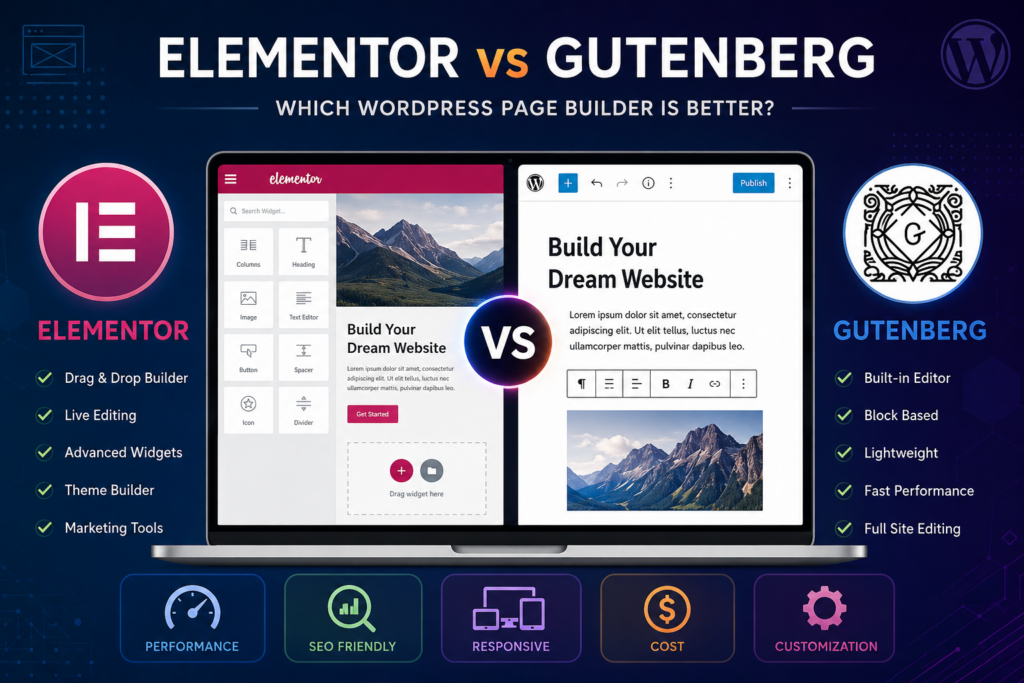
Both Elementor and Gutenberg are excellent tools, but they serve different purposes. Gutenberg focuses on simplicity, speed, and content publishing. It works exceptionally well for bloggers, publishers, and performance-focused websites. Elementor focuses on creativity and visual flexibility. It is ideal for businesses, marketers, agencies, and users who want full design control without coding. Neither option is universally better. The best builder is the one that matches your workflow, budget, and website goals. As WordPress continues evolving, both Elementor and Gutenberg will remain major players in the future of web design.
⚠️ Disclaimer and Source Hygiene
This article is intended for informational purposes only. Website performance, SEO rankings, and user experience may vary depending on hosting, themes, plugins, and optimization methods. Always consult experienced developers or web professionals before making technical website decisions.
The information in this article is based on research from authoritative WordPress documentation, official plugin resources, developer guides, and trusted industry publications.
🔔 For more tutorials like this, consider subscribing to our blog.
📩 Do you have questions or suggestions? Leave a comment or contact us!
🏷️ Tags: Elementor, Gutenberg, WordPress page builder, Elementor vs Gutenberg, WordPress SEO, website builder, WooCommerce, blogging, WordPress tutorial, web design
📢 Hashtags: #Elementor, #Gutenberg, #WordPress, #SEO, #WebDesign, #WooCommerce, #PageBuilder, #Blogging, #DigitalMarketing, #WebsiteDevelopment
📚 Sources and References
- Official WordPress Documentation
- Elementor Official Website
- WooCommerce Documentation
- Yoast SEO Documentation
- Rank Math SEO Resources
- WordPress Developer Handbook
- Google PageSpeed Insights Documentation
🕊️ Secondary Sources and Testimonials
- WordPress community discussions
- Web developer experiences
- SEO expert case studies
- Freelance designer feedback
- WooCommerce user reviews