
Table of Contents
Learn what Core Web Vitals are, why they matter for SEO, and how to improve them on WordPress. This beginner-friendly guide covers Google’s key performance metrics, optimization techniques, caching, hosting, image compression, and practical strategies to boost website speed and user experience.
Understanding Core Web Vitals in WordPress
Website speed and user experience are more important than ever. Visitors expect pages to load instantly, respond quickly, and remain stable while browsing. When a website feels slow or unstable, users often leave before interacting with the content.
Google introduced Core Web Vitals to help measure real-world user experience on websites. These metrics focus on performance, responsiveness, and visual stability. They also play a role in search engine optimization because Google considers page experience when ranking websites.
For WordPress website owners, understanding Core Web Vitals is essential. Whether you manage a personal blog, business website, WooCommerce store, or news portal, improving these metrics can lead to better rankings, increased engagement, and higher conversions.
This complete guide explains Core Web Vitals in simple terms and shows how to optimize them effectively on WordPress.
What Are Core Web Vitals?
Core Web Vitals are a group of performance metrics created by Google. They measure how users experience a webpage in real-world conditions.
These metrics focus on three important areas:
- Loading speed
- Interactivity
- Visual stability
Google collects this information using real user data from Chrome browsers. The purpose is to ensure websites provide fast, smooth, and stable experiences for visitors.
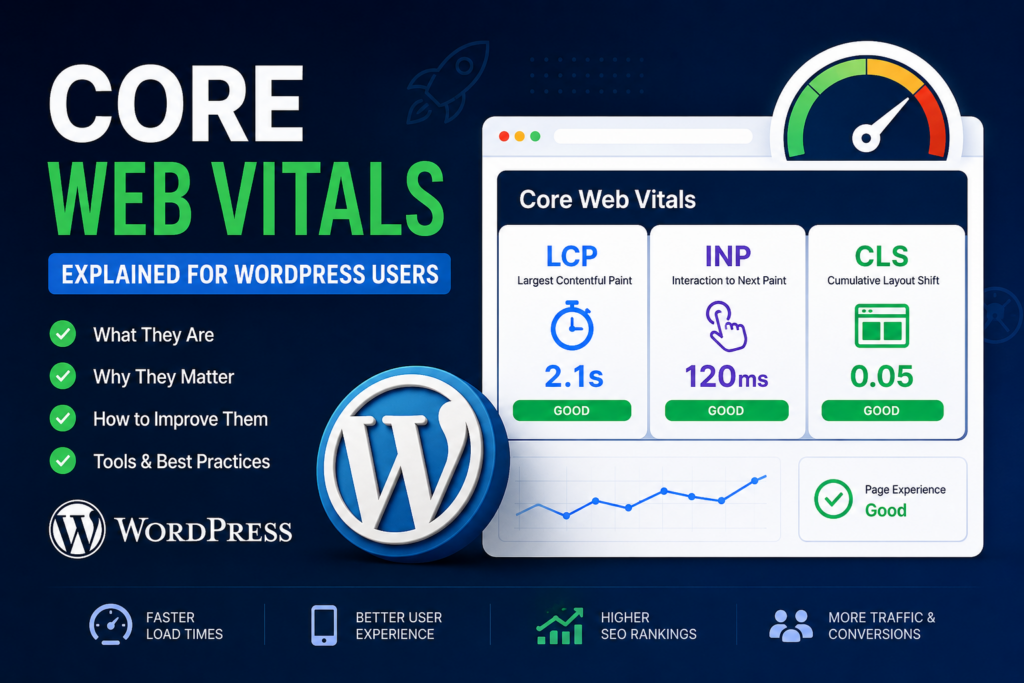
The three main Core Web Vitals metrics are:
- Largest Contentful Paint (LCP)
- Interaction to Next Paint (INP)
- Cumulative Layout Shift (CLS)
Each metric measures a different aspect of website performance.
Why Core Web Vitals Matter for WordPress Websites
Many website owners focus heavily on design and content but ignore technical performance. Unfortunately, slow websites can negatively affect user satisfaction and search visibility.
Poor performance often leads to:
- Higher bounce rates
- Lower user engagement
- Reduced conversions
- Poor SEO rankings
- Frustrated visitors
Google wants users to enjoy a smooth browsing experience. As a result, websites with better performance may gain advantages in search rankings.
Core Web Vitals also influence business results. Faster websites often generate:
- More page views
- Better ad revenue
- Higher sales
- Improved customer trust
Even a one-second delay can impact conversion rates significantly.
Largest Contentful Paint (LCP) Explained
Largest Contentful Paint measures loading performance. It tracks how long it takes for the largest visible element on a webpage to load fully.
This largest element may include:
- Hero images
- Large text headings
- Videos
- Featured images
- Banner sections
Google considers a good LCP score to be under 2.5 seconds.
LCP Score Benchmarks
- Good: Under 2.5 seconds
- Needs Improvement: 2.5–4 seconds
- Poor: Over 4 seconds
Common Causes of Poor LCP
Several factors can slow down loading performance.
Slow Hosting
Cheap hosting environments often suffer from overloaded servers and slow response times.
Large Images
Oversized images dramatically increase loading times.
Render-Blocking CSS and JavaScript
Heavy scripts and stylesheets may prevent the page from displaying quickly.
Too Many Plugins
Excessive plugins can create unnecessary requests and processing overhead.
No Caching
Without caching, WordPress must generate pages dynamically every time someone visits.
How to Improve Largest Contentful Paint in WordPress

Choose Fast WordPress Hosting
Hosting quality directly affects performance.
Managed WordPress hosting providers usually offer:
- Faster servers
- Built-in caching
- Optimized databases
- Better PHP performance
Popular performance-focused hosting providers include:
- Kinsta
- Rocket.net
- SiteGround
- WP Engine
- Cloudways
Optimize Images Properly
Images should always be compressed and resized before uploading.
Modern image formats such as WebP and AVIF provide better compression than traditional JPEG and PNG files.
Useful image optimization plugins include:
- ShortPixel
- Imagify
- Smush
- EWWW Image Optimizer
Enable Page Caching
Caching creates static versions of webpages. This reduces server processing time significantly.
Popular caching plugins include:
- WP Rocket
- LiteSpeed Cache
- FlyingPress
- W3 Total Cache
Remove Unused CSS
Unused stylesheets increase page size unnecessarily.
Many optimization plugins now offer automatic CSS cleanup features.
Delay Non-Essential JavaScript
JavaScript files that are not critical should load later to improve perceived speed.
Interaction to Next Paint (INP) Explained
Interaction to Next Paint measures responsiveness.
It tracks how quickly a webpage reacts after a user interacts with it.
Examples of interactions include:
- Clicking buttons
- Typing in forms
- Opening menus
- Adding products to cart
Google recommends an INP score below 200 milliseconds.
INP Score Benchmarks
- Good: Under 200 ms
- Needs Improvement: 200–500 ms
- Poor: Over 500 ms
What Causes Poor INP?
Several issues can hurt responsiveness.
Heavy JavaScript Execution
Large JavaScript files may block the browser from responding quickly.
Bloated Themes
Some WordPress themes include excessive animations and scripts.
Too Many Plugins
Plugins that load large scripts can increase processing time.
Complex Page Builders
Heavy page builders sometimes generate inefficient code.
How to Improve INP in WordPress
Use Lightweight Themes
Fast themes generate cleaner code and fewer requests.
Recommended lightweight themes include:
- GeneratePress
- Astra
- Kadence
- Blocksy
- Neve
Reduce Plugin Usage
Deactivate and remove plugins you no longer use.
Fewer plugins generally lead to better performance.
Avoid Heavy Animations
Complex animations and sliders can reduce responsiveness dramatically.
Minimal designs often perform better.
Delay JavaScript Execution
Delaying unnecessary scripts improves interactivity and reduces blocking time.
Optimize Third-Party Scripts
External services such as ads, chat widgets, and analytics tools may slow responsiveness.
Only use essential third-party integrations.
Cumulative Layout Shift (CLS) Explained
- Cumulative Layout Shift measures visual stability.
- It tracks unexpected movement of page elements during loading.
- Users dislike pages where buttons, images, or text suddenly move.
- Google recommends keeping CLS below 0.1.
CLS Score Benchmarks
- Good: Under 0.1
- Needs Improvement: 0.1–0.25
- Poor: Over 0.25
Common Causes of High CLS
Images Without Dimensions
Images that load without width and height attributes may shift surrounding content.
Ads Without Reserved Space
Ads often push content downward while loading.
Slow Font Loading
Custom fonts may cause text to jump unexpectedly.
Dynamic Content Injection
Popups and banners added after loading can create instability.
How to Improve CLS in WordPress
Always Set Image Dimensions
WordPress automatically handles this in modern versions, but checking manually is still important.
Reserve Space for Advertisements
Ad containers should have fixed dimensions to prevent movement.
Optimize Font Loading
Hosting fonts locally and preloading them can improve stability.
Avoid Injecting Content Above Existing Elements
New content inserted at the top of the page often causes layout shifts.
How Google Measures Core Web Vitals
- Google uses real-world browsing data collected through Chrome browsers.
- This information comes from the Chrome User Experience Report.
- Google also provides several testing tools to analyze website performance.
Best Tools for Testing Core Web Vitals
Google PageSpeed Insights
PageSpeed Insights provides:
- Mobile and desktop analysis
- Optimization recommendations
- Real user data
- Performance diagnostics
Google Search Console
Search Console includes a dedicated Core Web Vitals report.
It helps identify:
- Slow pages
- Layout shift problems
- Mobile usability issues
GTmetrix
GTmetrix provides advanced speed testing and waterfall analysis.
Lighthouse
Lighthouse is built into Chrome Developer Tools.
It audits:
- Performance
- Accessibility
- SEO
- Best practices
WebPageTest
WebPageTest allows performance testing from multiple locations and devices.
How WordPress Themes Affect Core Web Vitals
Themes strongly influence performance.
Heavy themes often contain:
- Excessive CSS
- Large JavaScript files
- Multiple font libraries
- Unnecessary animations
Lightweight themes generally provide better performance and cleaner code.
Best Lightweight WordPress Themes for Speed
GeneratePress
GeneratePress is highly optimized and lightweight.
It works well for blogs, business websites, and WooCommerce stores.
Astra
Astra offers excellent flexibility while maintaining strong performance.
Kadence
Kadence combines modern design with lightweight performance optimization.
Blocksy
Blocksy focuses heavily on speed and user experience.
Neve
Neve is optimized specifically for mobile performance and fast loading.
The Impact of Images on Core Web Vitals
Images improve engagement but can significantly slow websites if not optimized properly.
Large images affect:
- Loading speed
- Mobile performance
- User experience
- Bandwidth usage
Image Optimization Best Practices
Use Modern Image Formats
WebP and AVIF provide smaller file sizes while maintaining image quality.
Compress Images Before Uploading
Compression reduces unnecessary file weight.
Enable Lazy Loading
Lazy loading delays offscreen images until users scroll near them.
Resize Images Correctly
Avoid uploading massive images that display in small containers.
Why Hosting Matters for Website Performance
Hosting quality directly impacts Core Web Vitals.
Slow hosting increases:
- Server response times
- Downtime
- Database latency
Fast hosting environments improve overall speed dramatically.
Important Hosting Features for Better Performance
Look for hosting providers that offer:
- NVMe storage
- PHP 8+
- Built-in caching
- CDN integration
- HTTP/3 support
- LiteSpeed servers
Understanding Content Delivery Networks (CDNs)
A Content Delivery Network stores copies of website files on global servers. Visitors receive content from the nearest location.
Benefits include:
- Faster loading times
- Lower latency
- Reduced server load
- Improved global performance
Popular CDN providers include:
- Cloudflare
- Bunny.net
- KeyCDN
- StackPath
How Page Builders Affect Core Web Vitals
Page builders simplify design but sometimes generate bloated code.
Heavy builders can increase:
- CSS size
- JavaScript execution
- DOM complexity
Performance Comparison of Popular Page Builders
Gutenberg
The native WordPress block editor usually delivers the best performance.
Elementor
Elementor offers advanced design flexibility but requires optimization.
Bricks Builder
Bricks is known for cleaner output and better speed optimization.
Beaver Builder
Beaver Builder focuses on stability and moderate performance.
Database Optimization for Faster WordPress Performance
Over time, WordPress databases collect unnecessary data such as:
- Revisions
- Spam comments
- Expired transients
- Draft posts
Cleaning the database improves efficiency.
Useful Database Optimization Plugins
WP-Optimize
WP-Optimize helps clean and optimize WordPress databases.
Advanced Database Cleaner
This plugin removes orphaned and unnecessary database entries.
Perfmatters
Perfmatters also includes database cleanup tools.
Mobile Optimization and Core Web Vitals
Google uses mobile-first indexing. This means Google primarily evaluates the mobile version of your website. Poor mobile performance can reduce rankings and user engagement.
Mobile Optimization Best Practices
Use Responsive Design
Responsive layouts adapt properly to all screen sizes.
Reduce Mobile Popups
Aggressive popups can frustrate mobile users.
Optimize Fonts for Smaller Screens
Too many font families increase loading times.
Test on Real Devices
Real-device testing provides more accurate performance insights.
How WooCommerce Sites Can Improve Core Web Vitals
WooCommerce websites are usually heavier than standard blogs.
They contain:
- Product galleries
- Dynamic carts
- Checkout systems
- Filtering tools
Optimization becomes especially important for online stores.
WooCommerce Performance Tips
Disable Unused WooCommerce Assets
Store scripts should only load where necessary.
Optimize Product Images
Large product images can slow category pages dramatically.
Use Fast Checkout Plugins
Lightweight checkout systems improve responsiveness.
Choose WooCommerce-Optimized Hosting
Specialized hosting environments improve store performance.
Advanced Optimization Techniques
Preload Important Resources
Preloading tells browsers which resources are critical.
Use Critical CSS
Critical CSS loads essential styles first.
Reduce Third-Party Scripts
External tools often create major performance bottlenecks.
Host Fonts Locally
Local fonts improve both speed and privacy.
Common Core Web Vitals Mistakes
Many website owners unknowingly damage performance.
Common mistakes include:
- Installing too many plugins
- Using oversized images
- Running excessive ads
- Choosing bloated themes
- Ignoring caching
- Using autoplay videos
How Often Should You Monitor Core Web Vitals?
Performance changes over time.
You should test your website regularly, especially after:
- Installing plugins
- Changing themes
- Updating WordPress
- Adding advertisements
Monthly testing is recommended for most websites.
Lab Data vs Real User Data
Performance tools often display two types of data.
Lab Data
Lab tests simulate website performance under controlled conditions.
Field Data
Field data comes from actual users visiting the site.
Google relies heavily on field data for rankings.
The Future of Core Web Vitals
Google continues refining performance metrics to reflect real-world browsing experiences. Future updates may introduce new measurements and standards. Instead of chasing perfect scores, website owners should focus on creating genuinely fast and user-friendly experiences.
Frequently Asked Questions
What are Core Web Vitals in WordPress?
Core Web Vitals are Google performance metrics that measure loading speed, responsiveness, and visual stability on WordPress websites.
Do Core Web Vitals affect SEO rankings?
Yes. They are part of Google’s page experience signals and can influence search rankings.
What is a good Core Web Vitals score?
Google recommends:
- LCP under 2.5 seconds
- INP under 200 milliseconds
- CLS under 0.1
Can plugins improve Core Web Vitals?
Yes. Caching, image optimization, and script management plugins can improve website performance significantly.
Which WordPress theme is best for speed?
GeneratePress, Astra, Kadence, and Blocksy are among the fastest themes available.
Does hosting affect Core Web Vitals?
Absolutely. Fast hosting improves server response times and overall performance.
How do images impact Core Web Vitals?
Large or unoptimized images slow loading speed and may increase layout shifts.
Is Elementor bad for Core Web Vitals?
Not necessarily. Elementor can perform well if optimized properly.
How often should I test my website speed?
Testing monthly or after major website changes is recommended.
What is the best Core Web Vitals testing tool?
Google PageSpeed Insights and Google Search Console are the most popular tools.
Why Website Performance Should Never Be Ignored
Core Web Vitals have become one of the most important parts of modern SEO and user experience optimization.
A fast, responsive, and stable WordPress website improves:
- Search visibility
- User engagement
- Customer satisfaction
- Conversion rates
Fortunately, improving website performance is achievable for most WordPress users.
Choosing quality hosting, optimizing images, reducing unnecessary scripts, and using lightweight themes can dramatically improve Core Web Vitals scores. Performance optimization should always be treated as an ongoing process rather than a one-time task.
⚠️ Disclaimer and Source Hygiene
This article is intended for educational and informational purposes only. Website performance results may vary depending on hosting environment, plugins, themes, and server configuration. Always consult qualified developers or hosting professionals before making major technical changes. Information in this guide is based on research from authoritative sources including Google documentation, WordPress resources, and industry best practices.
🔔 For more tutorials like this, consider subscribing to our blog.
📩 Do you have questions or suggestions? Leave a comment or contact us!
🏷️ Tags: Core Web Vitals, WordPress Speed Optimization, WordPress SEO, Largest Contentful Paint, Interaction to Next Paint, Cumulative Layout Shift, Website Performance, WordPress Caching, WordPress Hosting, PageSpeed Insights
📢 Hashtags: #CoreWebVitals, #WordPress, #SEO, #WebsiteSpeed, #PageSpeed, #WordPressTips, #WebPerformance, #GoogleSEO, #Blogging, #WooCommerce
📚 Sources and References
- Google Search Central
- Google PageSpeed Insights Documentation
- web.dev by Google
- WordPress.org Documentation
- WooCommerce Developer Documentation
- GTmetrix Performance Guides
- Cloudflare Learning Center
🕊️ Secondary Sources and Testimonials
- Case studies from WordPress hosting providers
- Insights from web performance experts
- Community optimization discussions from WordPress developers
- Real-world speed improvement reports from WooCommerce store owners