
Table of Contents
Want better rankings without using risky SEO tactics? Discover five proven SEO tricks that help create a strong, clean, and search-engine-friendly website. Learn how proper site structure, optimized content, technical SEO, internal linking, and page speed work together for long-term organic growth.
Tricks for a Strong and Clean SEO
Search engine optimization has changed dramatically over the past decade. Years ago, many websites ranked simply by stuffing keywords into articles or building thousands of low-quality backlinks. Today, Google’s algorithms are far more intelligent. They reward websites that offer excellent user experiences, high-quality content, fast loading speeds, and technically optimized pages.
If you want your WordPress website to grow steadily over time, you should focus on clean SEO rather than shortcuts. Clean SEO means optimizing your website according to Google’s best practices without manipulating rankings through spammy techniques. This approach builds long-term authority, improves user satisfaction, and reduces the risk of algorithm penalties.
The good news is that you don’t need hundreds of complicated SEO strategies. In reality, a handful of well-executed techniques often outperform dozens of outdated tricks.
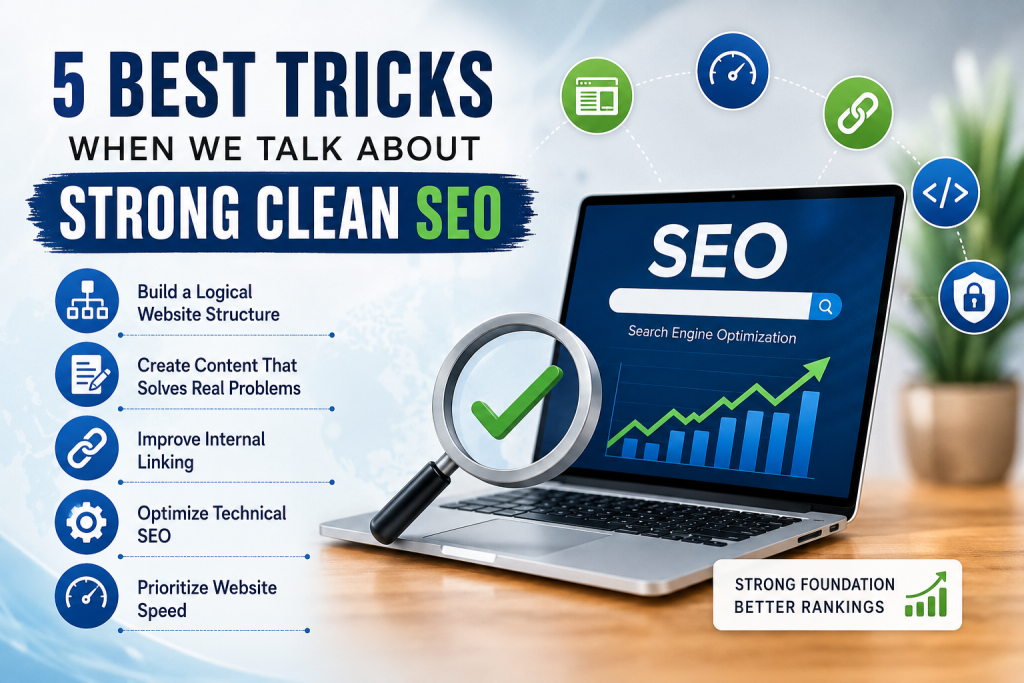
This guide explains five of the most important SEO practices every WordPress website owner should implement.
Build a Logical Website Structure
A clean website begins with a clean structure. Search engines need to understand how every page relates to the others. Visitors should also find information quickly without clicking through endless menus.
A poorly organized website confuses both Google and users.
Instead, organize your website into logical categories that naturally group related topics.
Example:
- WordPress
- SEO
- Hosting
- Security
- Plugins
- Tutorials
Each category should contain closely related articles.
Avoid creating dozens of categories with only one post inside them.
Create SEO-Friendly URLs
URLs should remain simple and descriptive.
Good example:
example.com/wordpress-security-guidePoor example:
example.com/post?id=58392&page=4A good URL tells both users and search engines exactly what the page discusses.
Use Breadcrumb Navigation
Breadcrumbs improve navigation while helping search engines understand page hierarchy.
Example:
Home → WordPress → Security → XML-RPC GuideBreadcrumbs also increase the chances of enhanced search results.
Limit Menu Complexity
Many websites try to place every page inside the main navigation.
Instead:
- Keep menus simple
- Highlight important pages
- Use categories intelligently
- Place secondary pages inside the footer
Visitors should never feel lost.
Create Content That Solves Real Problems
Content remains Google’s number one ranking factor.
Instead of asking:
“How many keywords should I use?”
Ask:
“What problem does my visitor want solved?”
Every article should answer a specific question.
For example:
Instead of writing:
WordPress Security
Write:
How to Secure a WordPress Website After Installation
Specific content performs much better.
Focus on Search Intent
Search intent explains why someone performs a search.
There are four main types:
Informational
People want information.
Example:
How does XML-RPC work?Navigational
People already know where they want to go.
Example:
WordPress.orgCommercial
Users compare products.
Example:
Best caching pluginsTransactional
People are ready to buy.
Example:
Buy WordPress hostingYour content should satisfy the intent behind the search.
Cover Topics Completely
Google prefers comprehensive articles that answer multiple related questions.
For example, instead of explaining only:
“How to install WordPress”
also include:
- minimum requirements
- installation methods
- common errors
- security after installation
- recommended plugins
- FAQs
Comprehensive content keeps readers on your website longer.
Write Naturally
Avoid repeating the same keyword every sentence.
Instead of:
WordPress SEO plugin is the best WordPress SEO plugin because WordPress SEO plugin improves WordPress SEO.
Write naturally:
A quality SEO plugin helps optimize titles, metadata, XML sitemaps, and structured data while simplifying technical optimization.
Natural language improves readability.
Improve Internal Linking
Internal links remain one of the most underrated SEO techniques.
Every article should connect to related content.
Imagine your website as a network rather than isolated pages.
Why Internal Links Matter
Internal links help:
- distribute authority
- improve crawling
- reduce orphan pages
- increase page views
- improve user experience
Google discovers new content faster through internal links.
Link Naturally
Never force links.
Instead of writing:
Click here.
Write:
Learn how to disable XML-RPC securely in WordPress.
Descriptive anchor text provides context.
Update Older Articles
Many website owners only publish new content.
Instead, revisit older posts regularly.
Add links to:
- new tutorials
- updated guides
- related resources
Older articles can regain rankings after updates.
Optimize Technical SEO

Technical SEO ensures search engines can crawl, understand, and index your website efficiently.
Even outstanding content struggles if technical issues exist.
Use HTTPS
- HTTPS protects visitor data.
- Google also treats HTTPS as a ranking signal.
- Every modern website should use SSL certificates.
Create XML Sitemaps
- XML sitemaps help search engines discover pages quickly.
- Most SEO plugins automatically generate them.
- Always submit your sitemap to Google Search Console.
Fix Broken Links
Broken links create poor user experiences.
Regularly check for:
- 404 pages
- missing images
- outdated redirects
Repair them immediately.
Optimize Robots.txt
A clean robots.txt file prevents search engines from wasting crawl budget.
Example:
User-agent: *

Disallow: /wp-admin/

Allow: /wp-admin/admin-ajax.php

Sitemap: https://example.com/sitemap.xml
Avoid blocking important pages accidentally.
Use Structured Data
Structured data helps Google understand page content.
Examples include:
- Articles
- FAQs
- Reviews
- Recipes
- Organizations
- Breadcrumbs
Rich results often improve click-through rates.
Prioritize Website Speed
- Speed has become a major ranking factor.
- Visitors rarely wait several seconds for pages to load.
- Even a one-second delay can reduce conversions.
Optimize Images
Images often account for most page weight.
Best practices include:
- compress images
- resize correctly
- use WebP
- lazy load below-the-fold images
Never upload a 5000-pixel image when displaying only 800 pixels.
Enable Caching
Caching reduces server load.
Popular methods include:
- browser caching
- object caching
- page caching
- CDN caching
WordPress plugins simplify implementation.
Minimize CSS and JavaScript
- Remove unused code.
- Combine and minify files where appropriate.
- Avoid loading unnecessary scripts on every page.
Choose Quality Hosting
Hosting affects SEO more than many people realize.
A fast server improves:
- response times
- Core Web Vitals
- uptime
- crawl efficiency
Cheap hosting often becomes expensive through lost rankings.
Monitor Core Web Vitals
Google evaluates:
- Largest Contentful Paint (LCP)
- Interaction to Next Paint (INP)
- Cumulative Layout Shift (CLS)
Improving these metrics creates a better experience for visitors.
Common SEO Mistakes to Avoid
Even experienced website owners make mistakes.
Avoid these common problems:
- Publishing thin content
- Copying articles
- Keyword stuffing
- Ignoring internal links
- Slow hosting
- Missing meta descriptions
- Duplicate titles
- Too many plugins
- Broken redirects
- Large uncompressed images
- Poor mobile experience
- Not updating old content
Fixing these issues often produces faster ranking improvements than publishing dozens of new articles.
Building Long-Term SEO Success
- SEO is not about finding secret tricks.
- The strongest websites grow through consistency.
- Publish useful content regularly.
- Update existing articles.
- Monitor technical issues.
- Improve user experience.
- Earn backlinks naturally by creating resources worth sharing.
- Over months and years, these small improvements compound into significant organic traffic.
- Clean SEO always wins over shortcuts.
Frequently Asked Questions
What is clean SEO?
Clean SEO refers to optimization methods that follow search engine guidelines without using manipulative tactics like keyword stuffing or buying spammy backlinks.
Does page speed affect rankings?
Yes. Faster websites generally provide better user experiences and can perform better in search results.
How many keywords should I use?
Focus on one primary keyword and several related terms. Write naturally rather than aiming for a specific keyword density.
Are backlinks still important?
Yes. High-quality backlinks remain an important ranking factor, but quality matters far more than quantity.
How often should I update old content?
Review important articles every 6–12 months or sooner if information changes significantly.
Is internal linking important?
Absolutely. Internal links help search engines understand your website while improving navigation for visitors.
Do meta descriptions improve rankings?
They are not a direct ranking factor, but compelling meta descriptions can improve click-through rates.
Should every image have alt text?
Yes. Descriptive alt text improves accessibility and helps search engines understand image content.
Is mobile optimization necessary?
Yes. Google primarily uses mobile-first indexing, making mobile usability essential.
Can I rank without expensive SEO tools?
Yes. Excellent content, strong technical SEO, proper internal linking, and consistent optimization often matter more than expensive software.
The Foundation of Sustainable Rankings
Strong SEO is not built overnight. It grows through careful planning, useful content, technical excellence, and a great user experience. By focusing on a logical site structure, solving real user problems, strengthening internal links, maintaining excellent technical SEO, and optimizing website performance, you create a website that search engines trust and visitors enjoy. These five principles may seem simple, but together they form the foundation of sustainable organic growth that can continue delivering traffic for years.
⚠️ Disclaimer and Source Hygiene
The information in this article is intended for educational purposes only. Search engine algorithms change regularly, and SEO best practices evolve over time. Always review the latest recommendations from Google and test changes carefully before implementing them on a live website.
🔔 For more tutorials like this, consider subscribing to our blog.
📩 Do you have questions or suggestions? Leave a comment or contact us!
🏷️ Tags: SEO, Clean SEO, WordPress SEO, Technical SEO, Internal Linking, Core Web Vitals, Website Speed, Google Ranking, SEO Tips, WordPress Optimization
📢 Hashtags: SEO #WordPress #TechnicalSEO #GoogleSEO #WebsiteOptimization #CoreWebVitals #DigitalMarketing #SearchEngineOptimization #Blogging #WordPressTips
Sources and References
Primary Sources
- Google Search Central Documentation
- Google Search Quality Evaluator Guidelines
- Google PageSpeed Insights
- Google Search Console Help Center
- web.dev Core Web Vitals Documentation
Secondary Sources and Testimonials
- Moz SEO Learning Center
- Ahrefs Blog
- Semrush Blog
- Search Engine Journal
- Search Engine Land