
Table of Contents
Improve your WooCommerce store with a lightweight MU plugin built for SEO, speed, crawl control, product image optimization, and cleaner performance. This guide explains how the plugin works, why it helps rankings, and how to install it safely on your WordPress website.
- PHP MU Plugin
- WordPress Post INFO
1. PHP MU Plugin: WooCommerce Boost Rankings SEO Performance
Create this file:
wp-content/mu-plugins/wc-boost-rankings-seo-performance.php
<?php
/**
 * Plugin Name: WC Boost Rankings SEO Performance MU
 * Description: WooCommerce-specific SEO and performance improvements for better speed, crawl control, and product page optimization.
 * Version: 1.0.0
 * Author: Tokyo Blade
 * License: GPL-2.0+
 */

if (!defined('ABSPATH')) {
    exit;
}

final class WC_Boost_Rankings_SEO_Performance_MU {

    public function __construct() {
        add_action('wp_enqueue_scripts', [$this, 'optimize_woocommerce_assets'], 99);
        add_action('wp_enqueue_scripts', [$this, 'disable_cart_fragments_where_safe'], 100);
        add_filter('wp_get_attachment_image_attributes', [$this, 'improve_product_image_loading'], 10, 3);
        add_action('wp_head', [$this, 'add_woocommerce_seo_meta'], 5);
        add_action('wp_head', [$this, 'add_product_preload_image'], 2);
        add_filter('robots_txt', [$this, 'improve_robots_txt'], 10, 2);
        add_filter('woocommerce_redirect_single_search_result', '__return_false');
        add_action('template_redirect', [$this, 'remove_unwanted_wc_generator']);
    }

    public function is_woocommerce_active() {
        return class_exists('WooCommerce');
    }

    public function optimize_woocommerce_assets() {
        if (!$this->is_woocommerce_active()) {
            return;
        }

        if (is_admin()) {
            return;
        }

        $is_wc_page = is_woocommerce() || is_cart() || is_checkout() || is_account_page();

        if (!$is_wc_page) {
            wp_dequeue_style('woocommerce-general');
            wp_dequeue_style('woocommerce-layout');
            wp_dequeue_style('woocommerce-smallscreen');

            wp_dequeue_script('woocommerce');
            wp_dequeue_script('wc-add-to-cart');
        }
    }

    public function disable_cart_fragments_where_safe() {
        if (!$this->is_woocommerce_active()) {
            return;
        }

        if (is_cart() || is_checkout() || is_account_page()) {
            return;
        }

        wp_dequeue_script('wc-cart-fragments');
    }

    public function improve_product_image_loading($attr, $attachment, $size) {
        if (!$this->is_woocommerce_active()) {
            return $attr;
        }

        if (is_product()) {
            if (empty($attr['loading'])) {
                $attr['loading'] = 'lazy';
            }

            if (empty($attr['decoding'])) {
                $attr['decoding'] = 'async';
            }

            if (!empty($attr['class']) && strpos($attr['class'], 'wp-post-image') !== false) {
                $attr['loading'] = 'eager';
                $attr['fetchpriority'] = 'high';
            }
        }

        return $attr;
    }

    public function add_woocommerce_seo_meta() {
        if (!$this->is_woocommerce_active()) {
            return;
        }

        if (is_cart() || is_checkout() || is_account_page()) {
            echo "n" . '<meta name="robots" content="noindex,follow">' . "n";
        }

        if (is_search()) {
            echo "n" . '<meta name="robots" content="noindex,follow">' . "n";
        }

        if (is_product_category()) {
            $term = get_queried_object();

            if ($term && !is_wp_error($term)) {
                $description = term_description($term->term_id, 'product_cat');

                if (!empty($description)) {
                    $clean_description = wp_strip_all_tags($description);
                    $clean_description = mb_substr($clean_description, 0, 155);

                    echo "n" . '<meta name="description" content="' . esc_attr($clean_description) . '">' . "n";
                }
            }
        }
    }

    public function add_product_preload_image() {
        if (!$this->is_woocommerce_active() || !is_product()) {
            return;
        }

        global $post;

        if (!$post) {
            return;
        }

        $thumbnail_id = get_post_thumbnail_id($post->ID);

        if (!$thumbnail_id) {
            return;
        }

        $image_url = wp_get_attachment_image_url($thumbnail_id, 'woocommerce_single');

        if ($image_url) {
            echo "n" . '<link rel="preload" as="image" href="' . esc_url($image_url) . '" fetchpriority="high">' . "n";
        }
    }

    public function improve_robots_txt($output, $public) {
        if (!$this->is_woocommerce_active()) {
            return $output;
        }

        $extra = "n# WooCommerce crawl optimizationn";
        $extra .= "Disallow: /cart/n";
        $extra .= "Disallow: /checkout/n";
        $extra .= "Disallow: /my-account/n";
        $extra .= "Disallow: /*?add-to-cart=n";
        $extra .= "Disallow: /*?orderby=n";
        $extra .= "Disallow: /*?filter_n";
        $extra .= "Disallow: /*?min_price=n";
        $extra .= "Disallow: /*?max_price=n";

        return $output . $extra;
    }

    public function remove_unwanted_wc_generator() {
        remove_action('wp_head', 'wc_generator_tag');
    }
}

new WC_Boost_Rankings_SEO_Performance_MU();
How to Install
Create folder if missing:
wp-content/mu-plugins/- Upload the PHP file inside that folder.
- MU plugins activate automatically. You do not need to activate it from the WordPress dashboard.
WooCommerce SEO Performance MU Plugin for Better Rankings
WooCommerce stores often become slower than normal WordPress blogs because they load extra scripts, styles, cart features, product images, filters, and dynamic pages. These features are useful, but they can also affect speed, crawl efficiency, and user experience. Search engines prefer websites that load quickly, have clean structure, and avoid wasting crawl budget on low-value pages.
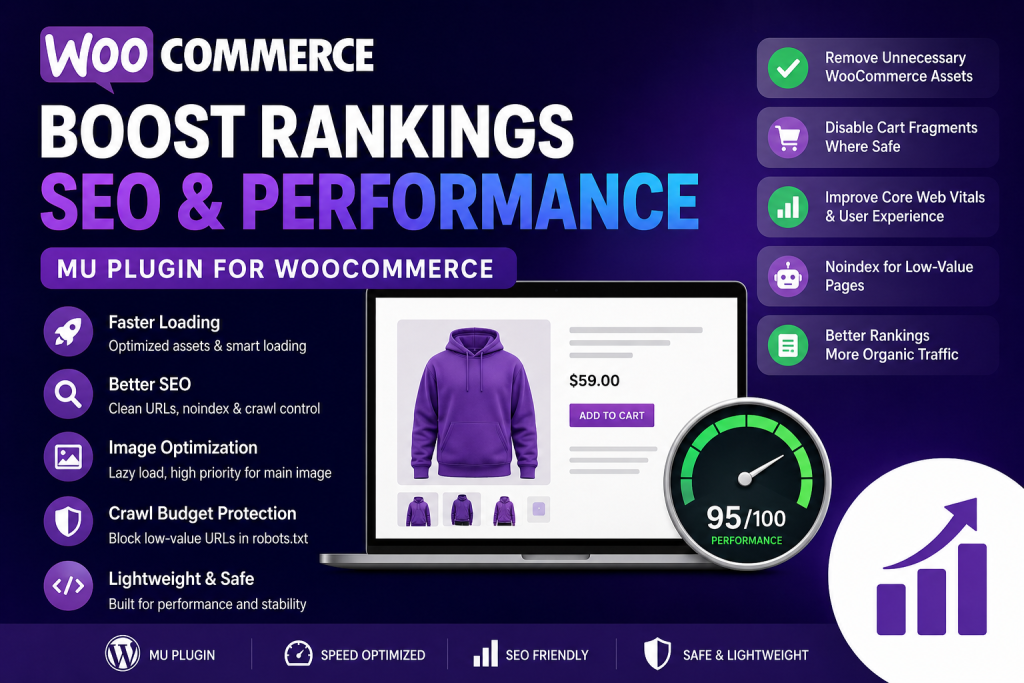
This WooCommerce-specific MU plugin helps your store by removing unnecessary WooCommerce files from non-shop pages, reducing cart fragment usage, improving product image loading, adding crawl-control rules, and applying simple SEO improvements. It does not replace Yoast SEO, Rank Math, LiteSpeed Cache, or a full optimization setup. Instead, it works as a small technical layer that improves the foundation of your WooCommerce website.
What This WooCommerce MU Plugin Does
The plugin focuses on practical WooCommerce SEO and performance improvements. It disables unnecessary WooCommerce assets on pages that do not need them. This can reduce page weight and improve loading speed across your website.
It also disables WooCommerce cart fragments where safe. Cart fragments are useful for dynamic cart updates, but they can slow down many pages. The plugin keeps them active on cart, checkout, and account pages, where they are actually needed.
Product images also receive small improvements. The main product image loads with high priority, while other images can use lazy loading and async decoding. This can help product pages feel faster, especially on mobile devices.
Why This Can Help Rankings

Google does not rank a website only because it has a plugin installed. Rankings depend on content quality, backlinks, topical authority, user experience, speed, technical SEO, and trust. However, performance and crawl control can support better SEO results.
A fast WooCommerce store gives users a better shopping experience. Visitors are more likely to stay, browse products, and complete purchases. Search engines can also crawl important pages more efficiently when useless URLs are blocked or marked as noindex.
This plugin helps reduce SEO waste by discouraging search engines from indexing cart, checkout, account, search, and filter-style URLs. These pages usually do not provide search value and may create duplicate or thin content issues.
Main Features
WooCommerce Asset Optimization
WooCommerce loads CSS and JavaScript files to support shop features. On a blog post or normal page, these files are often not needed. The plugin detects whether the current page is a WooCommerce page. If it is not, it removes unnecessary WooCommerce styles and scripts.
This can improve speed on homepage pages, blog articles, landing pages, and informational content.
Cart Fragment Optimization
WooCommerce cart fragments can create extra AJAX requests. These requests help update the cart dynamically, but they can slow pages that do not need cart updates.
The plugin disables cart fragments outside cart, checkout, and account pages. This keeps important shopping functionality safe while reducing unnecessary background requests.
Product Image Loading Improvements
Images are extremely important in WooCommerce. A beautiful product image can help conversions, but large images can also hurt speed.
The plugin gives the main product image high loading priority. This helps the most important image appear faster. Other images can load more efficiently with lazy loading and async decoding.
Crawl Budget Protection
WooCommerce stores can generate many low-value URLs through filters, sorting, cart actions, price parameters, and search pages. Search engines may waste time crawling these pages instead of your important product and category pages.
The plugin adds helpful robots.txt rules to discourage crawling of URLs such as cart, checkout, my account, add-to-cart, orderby, filter, minimum price, and maximum price parameters.
Noindex for Low-Value Pages
Cart, checkout, account, and internal search pages should usually not appear in Google search results. The plugin adds a noindex, follow meta tag to these pages.
This helps search engines focus on valuable pages like products, product categories, blog posts, and buying guides.
Best Pages to Optimize for WooCommerce SEO
Your most important WooCommerce SEO pages are usually product pages, product category pages, and helpful blog content. Product pages should include clear titles, original descriptions, specifications, images, FAQs, shipping information, and trust signals.
Product category pages should not be empty. Add useful descriptions, buying advice, product comparisons, and internal links. A strong category page can rank for commercial keywords better than a single product page.
Blog content can support the store by targeting informational keywords. For example, a store selling shoes can publish guides about choosing running shoes, caring for leather shoes, or comparing shoe materials.
Important Safety Notes
This plugin is designed to be lightweight and safe, but every WooCommerce store is different. Some themes or cart plugins may depend on cart fragments across the whole website. After installing the plugin, test the cart, checkout, mini cart, product pages, and mobile menu.
If your mini cart stops updating on the homepage, you may need to keep cart fragments enabled. In that case, remove or comment out this line from the plugin:
wp_dequeue_script('wc-cart-fragments');
Always test changes on a staging site before using them on a live store.
Recommended SEO Setup
This MU plugin works best with a complete SEO setup. Use Yoast SEO or Rank Math for titles, meta descriptions, canonical URLs, XML sitemaps, and schema settings. Use LiteSpeed Cache, WP Rocket, or another performance plugin for caching, CSS optimization, and image optimization.
Also make sure your hosting is strong enough for WooCommerce. Online stores need better hosting than simple blogs because checkout, cart, and account pages are dynamic.
Common Mistakes to Avoid
Do not block important product or category pages in robots.txt. Only block pages that do not need to rank.
Do not copy manufacturer product descriptions. Write original product content whenever possible.
Do not upload huge product images without compression. Use WebP or optimized JPEG files.
Do not create dozens of thin product categories with no text. Each important category should have helpful content.
Do not rely only on plugins. SEO still needs content, structure, links, and trust.
Final Thoughts for Store Owners
This WooCommerce MU plugin gives your store a cleaner technical foundation. It helps reduce unnecessary scripts, improves product image behavior, protects crawl budget, and keeps low-value pages out of search results.
It will not magically push your store to page one overnight. However, it can support better rankings when combined with strong product content, good internal linking, fast hosting, optimized images, and a smart SEO strategy.
⚠️ Disclaimer and Source Hygiene
This article is for educational purposes only. SEO results depend on many factors, including competition, content quality, backlinks, hosting, technical setup, and search engine updates. Always test code on a staging website before using it on a live WooCommerce store. For advanced technical SEO or performance work, consult a qualified WordPress developer or SEO specialist.
🔔 For more tutorials like this, consider subscribing to our blog.
📩 Do you have questions or suggestions? Leave a comment or contact us!
🏷️ Tags: WooCommerce SEO, WooCommerce performance, WordPress MU plugin, boost rankings, WooCommerce speed, product SEO, WordPress optimization, technical SEO, crawl budget, WooCommerce plugin
📢 Hashtags: #WooCommerceSEO, #WordPressSEO, #WooCommercePerformance, #WordPressPlugin, #MUPlugin, #TechnicalSEO, #BoostRankings, #WordPressSpeed, #ProductSEO, #OnlineStoreSEO