
Table of Contents
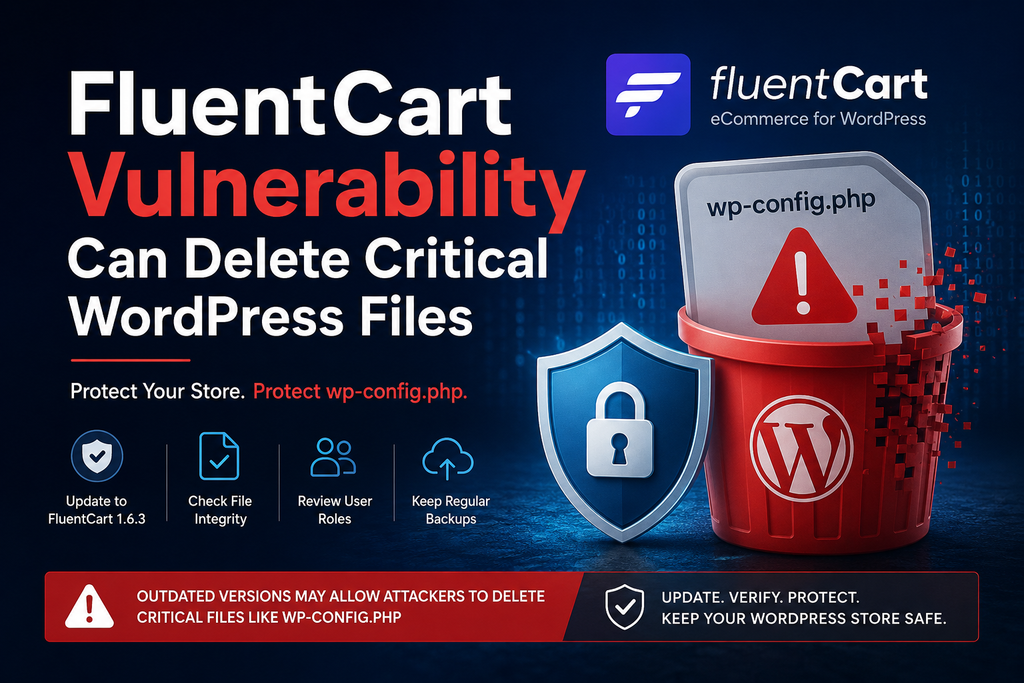
A FluentCart vulnerability involving unsafe file path handling could put important WordPress files at risk, including wp-config.php. Store owners should update to FluentCart 1.6.3 immediately, verify WordPress core files, inspect configuration files, and review privileged FluentCart users to reduce the chance of serious site disruption.
FluentCart Vulnerability: What Store Owners Need to Know
A newly addressed FluentCart vulnerability highlights why file operations inside WordPress plugins require strict path validation. FluentCart is an eCommerce plugin that handles products, orders, payments, subscriptions, and downloadable files. That makes its storage functionality particularly sensitive. When a plugin accepts or constructs file paths, it must ensure those paths remain inside directories where the plugin is supposed to operate. Otherwise, a file-management feature can potentially reach files elsewhere in the WordPress installation.
FluentCart version 1.6.3, released on August 22, 2026, includes an important security improvement for file storage. According to the official WordPress.org changelog, the update ensures that downloadable file paths resolve inside the WordPress uploads directory. This restriction is important because a WordPress store contains files that should never be accessible through normal product-file management functions.
One of the most important files is wp-config.php. It usually contains the WordPress database connection details, authentication salts, table prefix, debugging settings, and other installation-specific constants. A vulnerability that allows an attacker or insufficiently trusted user to manipulate file paths outside an intended storage directory can therefore become much more serious than a broken download.
For administrators running FluentCart, the safest response is straightforward: update to version 1.6.3 or newer, back up the site, verify critical WordPress files, and review accounts with FluentCart management permissions.
How the File Deletion Vulnerability Works
Modern eCommerce plugins need file-management functionality for legitimate reasons. A store may sell software, PDFs, digital books, templates, photographs, license packages, or other downloadable products. Administrators need ways to upload, replace, organize, and sometimes delete those files. The security boundary should be simple: FluentCart should operate only on files that belong to its permitted storage locations.
Problems arise when a file operation trusts a path without sufficiently confirming where that path resolves on the server. An apparently legitimate file reference can potentially contain path components that move outside the expected directory. This family of problems is commonly associated with path traversal or insufficient path validation.
Consider a simplified example. A plugin expects to work with something resembling:
/wp-content/uploads/fluent-cart/product.zip
A secure implementation should resolve the final filesystem location and confirm that it remains inside an approved directory. Checking only the beginning of an untrusted string, filename extension, or submitted value may not provide enough protection.
The security improvement included in FluentCart 1.6.3 addresses this boundary directly. The official changelog says downloadable file paths are now made to resolve inside the uploads folder. That is exactly the type of restriction administrators want from functionality capable of manipulating downloadable files.
The practical concern is not limited to losing a digital product. If vulnerable file handling allows an operation to escape its intended storage location, important application files could potentially become targets. Depending on server permissions and the vulnerable operation, this could affect site availability or configuration.
For defensive purposes, administrators do not need to reproduce the vulnerability. Testing destructive file operations against a production store can create unnecessary damage. Instead, treat an outdated installation as a reason to patch and audit.
Which FluentCart Versions Are Affected
The most important version number for administrators is FluentCart 1.6.3. The release appeared on August 22, 2026 and introduced improved file-storage security by ensuring downloadable file paths resolve inside the uploads folder.
Because the relevant hardening appears in 1.6.3, administrators using an earlier release should not assume their installation has the same protection. Sites running 1.6.2 or older should update to 1.6.3 or a later available security release rather than attempting to work around the problem manually.
At the time of this security update, WordPress.org lists FluentCart 1.6.3 as the current release and reports more than 8,000 active installations. That means the issue deserves attention from store operators who installed FluentCart during its rapid growth.
Before updating, check the installed version from WordPress Dashboard → Plugins → Installed Plugins. Locate FluentCart and compare the displayed version with the current release.
Administrators managing WordPress through WP-CLI can also inspect installed plugins from the command line:
wp plugin list
If FluentCart is below 1.6.3, create a current backup and perform the update promptly. Avoid postponing a security-related update simply because the storefront appears to function normally. Vulnerabilities frequently exist without visible symptoms.
It is also worth checking staging installations, development copies, forgotten subdomains, and cloned stores. An old copy of a production shop can contain similar configuration information and user accounts even when customers no longer use it.
Why Deleting wp-config.php Is Dangerous
The wp-config.php file is one of the most important files in a WordPress installation. WordPress reads it during startup to obtain essential configuration information. Without a usable configuration file, the application may no longer connect correctly to its database or initialize normally.
A typical wp-config.php contains database settings such as the database name, username, password, and host. It also contains WordPress authentication keys and salts. Many site owners place additional configuration constants inside the same file.
Plugins may add settings there as well. FluentCart’s own documentation, for example, recommends storing certain storage credentials as constants in wp-config.php rather than keeping them in the database. This demonstrates why protecting the configuration file matters even more on an eCommerce installation.
If wp-config.php disappears, visitors may encounter errors instead of the storefront. Checkout, account pages, webhooks, scheduled tasks, API integrations, and administrative access may also stop working because WordPress cannot initialize normally.
The operational impact can be significant for an online store. Even a temporary outage can interrupt purchases and payment processing. Customers may abandon carts, automated integrations may fail, and administrators can lose access precisely when they need it most.
Deletion should also trigger a security investigation rather than only a restoration. Restoring wp-config.php from backup may bring the website back online, but it does not explain why the file disappeared.
Administrators should inspect WordPress users, FluentCart permissions, recent plugin changes, server logs, file modification times, and other indicators of unexpected activity. If there is evidence that secrets were exposed rather than merely deleted, rotate affected credentials and authentication keys.
Updating to FluentCart 1.6.3

Updating FluentCart is the most important immediate action. Before making changes to a production store, create a reliable backup containing both the WordPress database and website files. An eCommerce backup should be recent because orders, customers, subscriptions, and payment information can change continuously.
From the WordPress dashboard, open Plugins → Installed Plugins, locate FluentCart, and install the available update. Afterward, confirm that the displayed version is 1.6.3 or newer.
- WP-CLI users can update the plugin through the command line:
wp plugin update fluent-cart- After the update completes, verify the installed version:
wp plugin get fluent-cart --field=version
The update should not be considered complete until the storefront has been tested. Open a product page, add a product to the cart, visit checkout, and verify customer account functionality. Stores selling downloadable products should also test a legitimate download.
Check scheduled tasks, payment integrations, subscriptions, and any custom code that interacts with FluentCart. Security updates sometimes change validation behavior, which can expose an older customization that depended on behavior the plugin no longer permits.
Version 1.6.3 also fixes pricing-format issues affecting Advanced Variations, so stores using advanced product variations should verify displayed and stored prices after updating.
Do not downgrade back to an older release simply because a compatibility problem appears. If an update causes trouble, investigate the conflicting theme, plugin, or customization while keeping the secured version whenever possible.
Checking WordPress File Integrity
Updating FluentCart closes the known file-storage weakness, but administrators should also determine whether important files have already changed or disappeared.
Start with the WordPress root directory. Confirm that wp-config.php exists and that the site operates normally. Also inspect directories such as wp-admin, wp-includes, wp-content/plugins, and wp-content/uploads.
WP-CLI provides a useful integrity check for WordPress core:
wp core verify-checksums
This compares WordPress core files against official checksums for the installed WordPress release. Unexpected modifications should be investigated. Keep in mind that wp-config.php is installation-specific and therefore cannot simply be validated against a universal WordPress checksum.
Plugin integrity requires additional care. If a plugin came from WordPress.org and checksum information is available, WP-CLI can help identify unexpected modifications. Administrators can also compare plugin files against a clean copy of the exact same release.
Do not focus exclusively on missing files. Attackers sometimes modify files instead of deleting them. Look for recently changed PHP files, unfamiliar files in normally static directories, unexpected administrator accounts, unusual scheduled tasks, and unexplained changes to .htaccess or other server configuration files.
The uploads directory deserves attention as well. Normal WordPress uploads mostly contain media and legitimate downloadable assets. Unexpected executable PHP files inside uploads can justify further investigation, although their presence alone does not automatically prove compromise.
Compare suspicious files with known backups whenever possible. A backup from before the suspected incident can help establish when a modification occurred.
Finally, check the website from the outside. Test the homepage, product pages, checkout, customer login, downloads, REST API functionality used by integrations, and administrative dashboard.
Reviewing FluentCart User Roles
A security patch is only one part of protecting a WordPress store. Administrators should also review who can access FluentCart management functionality.
Open Users → All Users and examine every account with elevated permissions. Pay particular attention to Administrators and any custom roles that receive store-management capabilities.
Ask whether each account still needs its current level of access. Former employees, temporary developers, agencies, freelancers, test accounts, and abandoned integration users frequently remain on WordPress installations longer than necessary.
Apply the principle of least privilege. A person who only needs to review orders should not automatically receive full WordPress Administrator access. Likewise, someone responsible for customer support may not need permission to modify plugins, storage settings, or downloadable product files.
FluentCart 1.6.2 introduced export permissions configurable by user role, illustrating how store functionality can increasingly depend on granular permissions rather than a single Administrator-or-nothing model. Administrators should periodically review these permissions as new FluentCart capabilities are added.
Remove accounts that are no longer required. Downgrade excessive privileges where practical. Require strong, unique passwords for privileged users and enable two-factor authentication through a reputable WordPress security solution when appropriate.
Do not share administrator accounts among several people. Individual accounts provide much better accountability because activity can be associated with a particular user.
A permission review is particularly important after a vulnerability involving authenticated functionality. Even when exploitation requires an account, public registration or overly broad customer roles can change the practical risk dramatically.
Protecting wp-config.php Beyond the FluentCart Update
Updating FluentCart should remain the priority, but basic server hardening can reduce the consequences of future plugin vulnerabilities.
File permissions should prevent unnecessary modification while still allowing WordPress and required services to operate correctly. Avoid solving permission errors by applying overly permissive filesystem settings across the entire installation.
Maintain automatic off-site backups and test restoration procedures. A backup that has never been restored is not a fully verified recovery plan. For an active store, determine how much order data the business can afford to lose and configure backup frequency accordingly.
Protect hosting, SFTP, SSH, database, CDN, and WordPress administrator credentials with unique passwords. Enable multi-factor authentication wherever available.
Store secrets carefully. FluentCart documentation recommends defining supported S3 and R2 storage credentials in wp-config.php instead of the database when appropriate. If your configuration file contains additional API keys or external service credentials, include those secrets in your incident-response plan.
Production sites should also avoid unnecessary developer functionality. FluentCart documentation specifically warns that Developer Mode exposes destructive migration operations and should be used only on staging, local, or otherwise isolated environments.
These measures cannot replace secure plugin code. However, layered defenses can reduce both the likelihood and impact of a future WordPress security incident.
What to Do If wp-config.php Is Already Missing
If wp-config.php has unexpectedly disappeared, treat the situation as an incident rather than simply recreating the file and continuing business as usual.
First, preserve available evidence. Record the approximate time the failure started and save relevant web server, PHP, WordPress, hosting, firewall, and authentication logs before normal log rotation removes useful information.
Restore the missing configuration from a trusted backup if possible. Confirm that the backup predates the incident and has not been modified unexpectedly.
Next, update FluentCart to 1.6.3 or later before returning the store to normal operation. Update WordPress core and other outdated plugins or themes after checking compatibility.
Review administrator accounts and other privileged roles. Look for newly created accounts, changed email addresses, altered passwords, unexpected role promotions, or accounts that no longer belong to legitimate users.
If evidence suggests credentials may have been exposed, rotate database credentials, relevant API keys, storage credentials, and WordPress authentication salts. Changing salts will invalidate existing WordPress sessions, which can help remove unauthorized logged-in sessions.
Then verify WordPress core checksums and inspect plugins, themes, MU-plugins, uploads, scheduled tasks, and server configuration for unauthorized changes.
For a business-critical store, consider involving the hosting provider or a qualified WordPress security professional before deleting suspicious evidence. Logs and filesystem metadata can be valuable when reconstructing what happened.
Frequently Asked Questions
What is the FluentCart vulnerability?
The issue involves unsafe file-storage path handling. FluentCart 1.6.3 introduced a security improvement that ensures downloadable file paths resolve within the WordPress uploads directory. Administrators running earlier versions should update promptly.
Which FluentCart version fixes the file-storage problem?
FluentCart 1.6.3, released on August 22, 2026, contains the relevant file-storage security improvement. Install 1.6.3 or any newer security release available for your site.
Can the vulnerability affect wp-config.php?
The security concern with insufficiently restricted filesystem paths is that operations may escape the intended storage location. wp-config.php is particularly sensitive because deleting it can prevent WordPress from initializing correctly.
Why is wp-config.php so important?
It contains essential WordPress configuration, including database connection information, authentication salts, and potentially plugin or service credentials. WordPress depends on this configuration during startup.
Should I restore wp-config.php if it disappears?
Yes, but restore it from a trusted backup and investigate why it disappeared. Simply restoring the file without addressing the underlying security problem could leave the site exposed.
How can I check WordPress core files?
WP-CLI users can run wp core verify-checksums. Investigate unexpected differences and compare customized or non-core files separately against trusted backups.
Should I disable FluentCart until I update?
If an immediate update is impossible, temporarily disabling affected functionality may reduce exposure. However, updating to the fixed release is preferable because disabling an eCommerce plugin can disrupt checkout and other store operations.
Do I need to change my database password?
Not automatically. However, if investigation indicates wp-config.php contents may have been disclosed or unauthorized filesystem access occurred, rotating database and other exposed credentials is a prudent incident-response measure.
Should I check WordPress users after updating?
Yes. Review Administrators and FluentCart-related permissions, remove unused accounts, downgrade unnecessary privileges, and investigate unexpected accounts or role changes.
Is updating FluentCart enough?
Updating addresses the known vulnerable behavior, but stores that ran an affected version should also verify critical files, review privileged accounts, check logs, confirm backups, and investigate any signs of compromise.
A Safer FluentCart Store Starts With the Update
The FluentCart vulnerability is a useful reminder that file-management features deserve the same security attention as login systems and payment processing. A downloadable product manager may appear harmless, but filesystem operations become dangerous when paths are not confined to an approved directory.
FluentCart 1.6.3 strengthens that boundary by ensuring downloadable file paths resolve inside the uploads directory. Store owners should therefore update without unnecessary delay, especially when older versions remain installed on production or staging environments.
After patching, verify WordPress files, confirm wp-config.php is intact, review administrator and FluentCart permissions, inspect unusual filesystem changes, and test the storefront. Reliable off-site backups and sensible user privileges provide additional protection if another plugin issue appears in the future.
For a commercial WordPress store, prevention is considerably easier than recovering from missing configuration files during active sales.
⚠️ Disclaimer and Source Hygiene
This article is provided for educational and defensive WordPress security purposes. Vulnerability details, affected conditions, and software behavior can change as developers and security researchers publish additional information. Administrators should verify the latest FluentCart release notes and authoritative security advisories before making production decisions. Avoid attempting destructive vulnerability tests on live websites. For suspected compromise involving customer information, payment systems, or business-critical infrastructure, consult a qualified WordPress security professional or hosting provider.
The technical recommendations in this article prioritize safe remediation, patching, access review, integrity checking, backups, and incident response rather than exploitation. FluentCart also maintains a responsible security-disclosure process and participates in coordinated vulnerability reporting through Patchstack.
🔔 For more tutorials like this, consider subscribing to our blog.
📩 Do you have questions or suggestions? Leave a comment or contact us!
🏷️ Tags: FluentCart vulnerability, FluentCart security, WordPress security, wp-config.php security, WordPress file deletion, FluentCart 1.6.3, WordPress vulnerabilities, WordPress eCommerce security, WordPress file integrity, FluentCart update
📢 Hashtags: #FluentCart, #WordPressSecurity, #WordPress, #CyberSecurity, #WebsiteSecurity, #FluentCartSecurity, #WordPressVulnerability, #WPSecurity, #eCommerceSecurity, #WordPressTips
Sources and References
The primary source for the remediation is the official FluentCart listing on WordPress.org, whose changelog documents the file-storage security improvement introduced in version 1.6.3.
Additional product-security guidance is available through FluentCart’s security reporting page and the official FluentCart documentation covering storage security and Developer Mode.
Secondary Sources and Testimonials
FluentCart’s official documentation recommends keeping destructive migration functionality behind Developer Mode and explicitly warns against enabling those operations on production stores. This reinforces the broader security principle used throughout this guide: production eCommerce sites should expose only the filesystem and administrative capabilities that are genuinely required.
Security information should be rechecked whenever new FluentCart releases or coordinated vulnerability advisories become available, particularly when a store previously operated a version older than 1.6.3.
Sign in with a Subscriber account to vote.