
Table of Contents
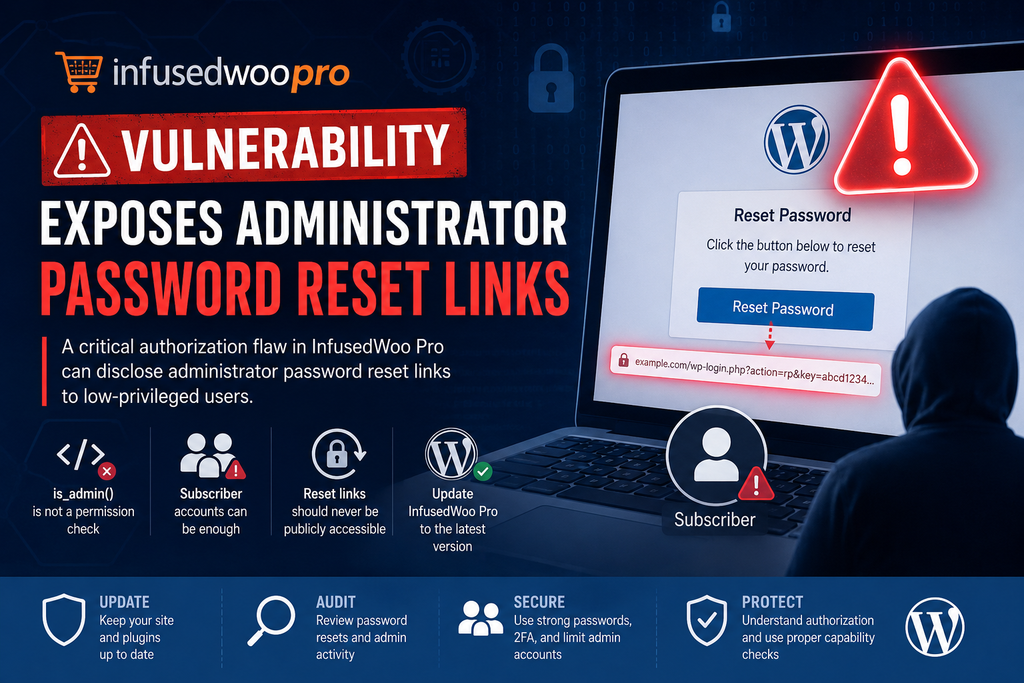
The reported InfusedWoo Pro vulnerability highlights a dangerous WordPress authorization mistake: treating an admin-area request as proof that a user has administrator privileges. Site owners should update the plugin, review administrator accounts, audit password-reset activity, and understand why is_admin() is not a permission check.
What Is CVE-2026-19892?
The reported InfusedWoo Pro vulnerability, identified as CVE-2026-19892, concerns improper authorization that may expose sensitive administrator password-reset information to lower-privileged authenticated users. The key security lesson is the difference between WordPress is_admin() and an actual capability check. Despite its name, is_admin() does not confirm that the current user is an Administrator. It primarily tells WordPress whether the current request is being handled in an administrative context. Code that protects sensitive information with is_admin() alone can therefore create a dangerous authorization gap. Secure plugin code should verify what the logged-in user is actually permitted to do, normally through functions such as current_user_can() with an appropriate capability. Public vulnerability databases also document other authorization problems in InfusedWoo Pro versions through 5.1.2, making prompt updates especially important.
How Password Reset Links Are Disclosed
A WordPress password-reset URL is sensitive because possession of a valid reset token can potentially allow someone to replace the account password. If plugin functionality reveals that information merely because a request occurs within an administrative context, the application may expose data to users who should never receive it. This demonstrates why developers should not use is_admin() as a substitute for authorization. A secure implementation must separately determine whether the requester has the required capability before returning account-management information.
Why Subscriber Accounts Are Enough
Subscriber accounts normally have very limited WordPress permissions. However, authentication alone becomes dangerous when vulnerable code fails to distinguish Subscribers from Editors or Administrators. A Subscriber may be able to reach certain WordPress administrative endpoints while remaining a low-privileged user. That does not mean the account should receive administrator-level information. Public security research has already documented a separate InfusedWoo Pro issue affecting versions through 5.1.2 in which Subscriber-level users could manipulate their own capabilities and obtain Administrator privileges because proper authorization checks were missing.
Updating InfusedWoo Pro
Administrators running InfusedWoo Pro should first identify the exact installed version and obtain updates only through the plugin’s legitimate distribution channel. For the publicly documented InfusedWoo Pro vulnerabilities affecting versions 5.1.2 and earlier, Wordfence lists 5.1.3 as the patched release and recommends updating to 5.1.3 or a newer patched version. Because several different authorization vulnerabilities were disclosed for the plugin, updating should take priority over attempting to mitigate individual vulnerable functions manually.
Auditing Password Resets

Updating removes known vulnerable code, but it does not automatically tell you whether an account was previously targeted. Administrators should review security-plugin logs, authentication records, password-reset emails, unexpected account changes, and unfamiliar sessions around the period when the vulnerable plugin was installed. Pay particular attention to administrator accounts whose passwords changed unexpectedly. If suspicious activity appears, invalidate existing sessions, reset administrator passwords from trusted devices, review all privileged accounts, and inspect the site for unauthorized configuration or content changes.
Securing WordPress Administrator Accounts
The safest response goes beyond installing a patch. Keep the number of Administrator accounts as small as practical, remove dormant users, apply strong unique passwords, enable two-factor authentication where possible, and avoid giving ordinary users unnecessary capabilities. WordPress developers should also remember the central lesson behind this class of vulnerability: is_admin() identifies administrative context; it does not authorize a user. Sensitive actions should require explicit capability checks and, where appropriate, nonce validation. This distinction can prevent a seemingly minor programming mistake from becoming an account-takeover path.
Frequently Asked Questions
What is the InfusedWoo Pro vulnerability?
It refers to security weaknesses involving insufficient authorization controls in InfusedWoo Pro. Multiple authorization-related vulnerabilities affecting versions through 5.1.2 have been publicly documented.
Does is_admin() mean the user is an Administrator?
No. is_admin() determines whether WordPress is processing an administrative-interface request. It does not verify the current user’s role or capabilities.
What should developers use instead?
For privileged operations, developers should use an appropriate capability check such as current_user_can() and select the capability that matches the protected operation.
Why can a Subscriber become a security risk?
A Subscriber is normally harmless because the role has very few capabilities. Vulnerable plugin code can change that equation if it checks only whether the user is authenticated or whether the request occurs in an admin context.
Which InfusedWoo Pro versions have publicly documented vulnerabilities?
Security databases document multiple vulnerabilities affecting InfusedWoo Pro versions up to and including 5.1.2. Version 5.1.3 is listed as the patched version for those publicly documented issues.
Should I change administrator passwords after updating?
If you have evidence of suspicious password resets, unfamiliar sessions, unexpected administrator changes, or other signs of compromise, changing passwords and invalidating active sessions is a sensible precaution.
Is updating the plugin enough?
Updating addresses vulnerable code, but administrators should also investigate previous activity when there is reason to believe the site may have been exposed or compromised.
Should WordPress sites allow public Subscriber registration?
Only enable registration when the website actually needs it. Keep the default role at the lowest required privilege and regularly review registered accounts.
Protecting Administrator Access Going Forward
The broader lesson from the InfusedWoo Pro vulnerability is relevant to every WordPress developer and administrator. Authentication answers who the user is, while authorization determines what that user may do. Likewise, is_admin() describes the context of a WordPress request rather than granting administrative authority. Plugins that confuse these concepts can unintentionally expose powerful functionality to low-privileged accounts. Keep InfusedWoo Pro updated, audit privileged accounts and password-reset activity, remove unnecessary users, and use layered authentication controls to reduce the consequences of future plugin vulnerabilities.
⚠️ Disclaimer and Source Hygiene
This article provides general WordPress security information and should not replace professional incident-response or cybersecurity advice. Vulnerability information should always be checked against current vendor notices and authoritative vulnerability databases before making production decisions. At publication time, CVE-2026-19892 could not be independently verified in the public sources reviewed, so claims specifically associated with that identifier should be treated as provisional until an authoritative CVE record or vendor advisory is available.
🔔 For more tutorials like this, consider subscribing to our blog.
📩 Do you have questions or suggestions? Leave a comment or contact us!
🏷️ Tags: InfusedWoo Pro vulnerability, InfusedWoo Pro, WordPress vulnerability, WordPress security, password reset security, administrator security, WordPress authorization, is_admin WordPress, current_user_can, plugin security
📢 Hashtags: #WordPress, #WordPressSecurity, #InfusedWoo, #CyberSecurity, #PluginSecurity, #WebsiteSecurity, #WooCommerce, #WordPressTips, #SecurityUpdate, #WebSecurity
Sources and References
Public vulnerability information was cross-checked against the NIST National Vulnerability Database and Wordfence Intelligence. Confirmed InfusedWoo Pro disclosures include authorization and privilege-escalation vulnerabilities affecting versions through 5.1.2.
Secondary Sources and Testimonials
Patchstack’s InfusedWoo Pro vulnerability history independently lists four patched vulnerabilities affecting versions through 5.1.2, including authenticated privilege escalation and unauthenticated privilege escalation.
Sign in with a Subscriber account to vote.