
Table of Contents
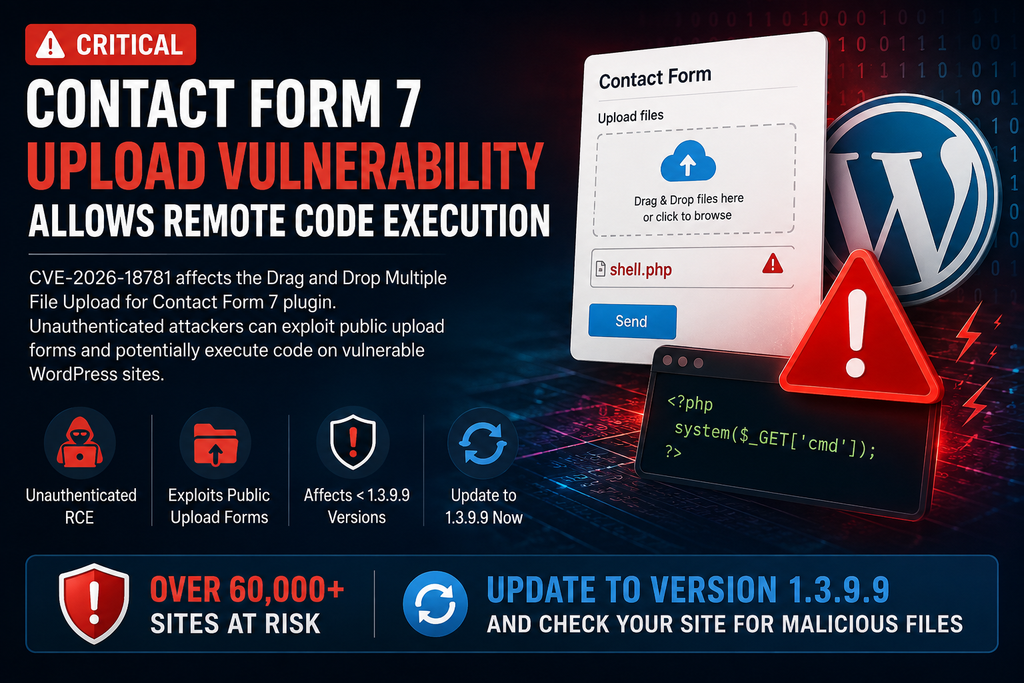
A critical Contact Form 7 upload vulnerability affects the popular Drag and Drop Multiple File Upload extension. Attackers may exploit public upload forms without authentication and potentially execute code on vulnerable WordPress servers. Site owners should update immediately and inspect their installations for suspicious files or activity.
Important: This vulnerability affects the Drag and Drop Multiple File Upload for Contact Form 7 extension, not the core Contact Form 7 plugin itself. The affected extension has more than 60,000 active installations.
What Is CVE-2026-18781?
CVE-2026-18781 is a high-severity security vulnerability affecting Drag and Drop Multiple File Upload for Contact Form 7, a WordPress extension that adds drag-and-drop and multiple-file upload functionality to Contact Form 7 forms. The flaw exists because vulnerable versions do not properly revalidate the final filename after certain characters are removed during upload processing. A specially crafted filename can therefore bypass file-type restrictions and potentially place executable content on the server. Most importantly, exploitation does not require an authenticated WordPress account. This makes websites with publicly accessible upload forms particularly important to patch quickly. CVE-2026-18781 carries a CVSS 3.1 score of 8.1 (High), while WPScan describes the issue as unauthenticated remote code execution through a filename control-character bypass.
Which Plugin Versions Are Vulnerable?
The Contact Form 7 upload vulnerability affects versions earlier than 1.3.9.9 of Drag and Drop Multiple File Upload for Contact Form 7. Version 1.3.9.9 contains the security fix and should be treated as the minimum safe version for this specific issue. WordPress.org’s official changelog explicitly states that version 1.3.9.9 fixes unauthenticated remote code execution through a filename and also introduces stronger spam-upload protections. The extension currently has more than 60,000 active installations, making rapid patching important for administrators who use public forms for resumes, documents, images, support attachments, quotations, or other customer uploads. Administrators can check the installed version under WordPress Dashboard → Plugins → Installed Plugins. If the site runs anything older than 1.3.9.9, update immediately rather than relying only on configured file-extension restrictions.
How Unauthenticated RCE Affects WordPress
Remote code execution, commonly shortened to RCE, is dangerous because successful exploitation may move an attack beyond simply uploading an unwanted file. In this case, inadequate validation of the final uploaded filename can allow an unauthenticated attacker to bypass restrictions and potentially execute arbitrary code on the server. Depending on the hosting configuration and permissions available to PHP, a successful compromise could potentially lead to modified WordPress files, malicious PHP files, injected redirects, spam pages, new administrator accounts, altered plugins, stolen configuration secrets, or persistent backdoors. Administrators should therefore avoid assuming that installing the update automatically removes anything an attacker may already have planted. The vulnerability should be treated as both a patching issue and a possible incident-response issue, especially on sites that exposed file-upload forms while running an affected version.
Updating to Version 1.3.9.9
The first defensive action is straightforward: update Drag and Drop Multiple File Upload for Contact Form 7 to version 1.3.9.9 or later. Before updating a production website, create a reliable backup of both the WordPress database and site files. Then open Dashboard → Plugins → Installed Plugins, locate the extension, and install the available update. Clear page, object, CDN, and server caches afterward if your hosting configuration uses them. Finally, verify that forms and legitimate uploads continue working normally. If an immediate update is impossible, temporarily disabling the affected extension or restricting public upload functionality is safer than leaving a vulnerable upload endpoint exposed. Remember that updating Contact Form 7 itself is not enough if the vulnerable third-party upload extension remains outdated. WordPress.org confirms that 1.3.9.9 specifically includes the unauthenticated RCE fix.
How to Search for Malicious Files

After patching the Contact Form 7 upload vulnerability, administrators should inspect the website for unexpected executable files, especially when public uploads were enabled before the update. The plugin documentation states that the free version normally places temporary uploads under /wp-content/uploads/wp_dndcf7_uploads/, making that location an important starting point for investigation. Look for unexpected PHP or executable files, unfamiliar filenames, recently modified files, and content that does not match normal form submissions. However, do not limit the investigation to one directory. Check the wider uploads directory, plugin and theme directories, the WordPress root, and other writable locations. Review web-server access logs and security logs for unusual upload requests or subsequent requests to unfamiliar files. Compare WordPress core files against clean originals, and use a reputable security scanner as an additional check rather than the sole method of detection.
WordPress Compromise Checklist
If suspicious files or unexplained activity appear, treat the website as potentially compromised instead of simply deleting the first malicious file you find. Put the site into a controlled maintenance state when appropriate, preserve backups and relevant logs, and determine when suspicious changes began. Check WordPress administrator accounts for unknown users, inspect recently modified plugins and themes, verify scheduled tasks and MU-plugins, and examine wp-config.php, .htaccess, and writable upload directories for unauthorized modifications. Replace compromised WordPress core files with trusted copies and reinstall affected plugins or themes from legitimate sources when necessary. Rotate WordPress administrator passwords, hosting credentials, SFTP/SSH credentials, database credentials, API keys, and WordPress security salts if compromise is confirmed or strongly suspected. Finally, update WordPress, plugins, and themes and continue monitoring logs afterward. A clean backup from before the intrusion may be the safest recovery option when the full extent of a compromise cannot be established.
Frequently Asked Questions
Is Contact Form 7 itself vulnerable to CVE-2026-18781?
No. The vulnerability discussed here affects the separate Drag and Drop Multiple File Upload for Contact Form 7 extension. It should not be confused with the core Contact Form 7 plugin.
Which version fixes CVE-2026-18781?
Version 1.3.9.9 fixes the reported unauthenticated RCE vulnerability. Administrators should install 1.3.9.9 or a newer available release.
Does an attacker need a WordPress account?
No. The vulnerability is described as unauthenticated, meaning exploitation does not require an attacker to sign in to WordPress first.
How serious is this vulnerability?
CVE-2026-18781 has been assigned a CVSS 3.1 score of 8.1 (High). The potential for arbitrary code execution makes prompt remediation important.
How many WordPress websites use the affected plugin?
The WordPress.org listing reports more than 60,000 active installations of Drag and Drop Multiple File Upload for Contact Form 7.
Is updating enough after a possible attack?
Updating closes the known vulnerability, but it does not necessarily remove malicious files or changes created before the patch was installed. Potentially exposed sites should also be inspected.
Where should I look for suspicious uploads?
Start with /wp-content/uploads/wp_dndcf7_uploads/, then inspect other writable directories and recently modified website files. Server logs can provide additional evidence.
Should I disable file uploads?
If you cannot update immediately, temporarily disabling the affected extension or public upload functionality can reduce exposure. Once patched, keep upload permissions as restrictive as your site’s legitimate requirements allow.
Protect Public Upload Forms Before They Become an Entry Point
The Contact Form 7 upload vulnerability demonstrates why public file-upload functionality deserves special attention on WordPress websites. CVE-2026-18781 can allow unauthenticated attackers to bypass file restrictions and potentially achieve remote code execution on installations running vulnerable versions of Drag and Drop Multiple File Upload for Contact Form 7. Administrators should upgrade to 1.3.9.9 or later immediately, then review uploaded files, server logs, administrator accounts, and recently modified website files. Sites that accepted public uploads while vulnerable deserve a deeper inspection even when there are no obvious symptoms. Keeping WordPress extensions updated remains important, but public upload components also require restrictive configuration, logging, monitoring, and regular security reviews.
⚠️ Disclaimer and Source Hygiene
This article is provided for defensive cybersecurity education and WordPress administration purposes. Vulnerability details can change as researchers, vendors, and security databases publish additional information. Always verify current plugin releases and security advisories before making production changes. If you suspect an active compromise, consider contacting your hosting provider or a qualified WordPress security professional. This article intentionally avoids exploit instructions and focuses on mitigation, detection, and recovery.
🔔 For more tutorials like this, consider subscribing to our blog.
📩 Do you have questions or suggestions? Leave a comment or contact us!
🏷️ Tags: Contact Form 7 upload vulnerability, CVE-2026-18781, WordPress vulnerability, WordPress security, Contact Form 7 security, remote code execution, WordPress RCE, file upload vulnerability, WordPress malware, plugin security
📢 Hashtags: #WordPressSecurity, #ContactForm7, #WordPress, #CVE202618781, #CyberSecurity, #WordPressVulnerability, #WebsiteSecurity, #PluginSecurity, #RemoteCodeExecution, #WordPressAdmin
Sources and References
The primary verification source is the official WordPress.org plugin page, whose version 1.3.9.9 changelog confirms the unauthenticated remote-code-execution fix and stronger upload protections.
WPScan independently lists CVE-2026-18781, identifies versions below 1.3.9.9 as vulnerable, lists 1.3.9.9 as the fixed release, and reports a CVSS score of 8.1.
Secondary Sources and Testimonials
Patchstack’s vulnerability history confirms that this extension has received multiple security fixes involving file uploads and related functionality during 2026, reinforcing the importance of keeping the plugin current.
The official WordPress.org listing reports more than 60,000 active installations and documents how temporary uploaded files are handled by the free version of the extension.
Sign in with a Subscriber account to vote.