
Table of Contents
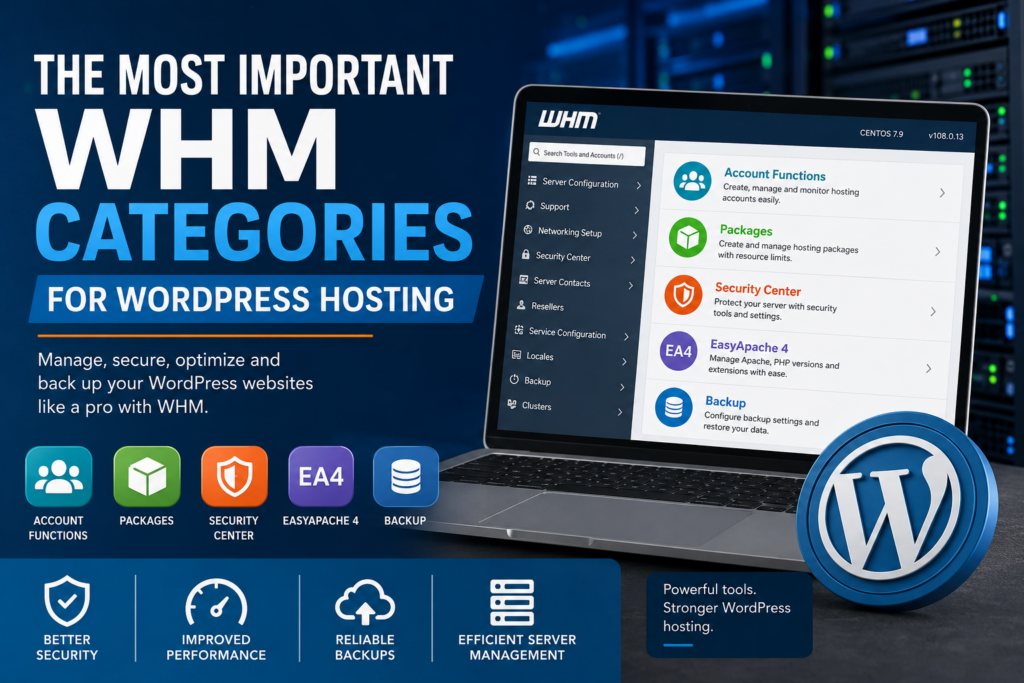
Learn the most important WHM categories for WordPress hosting management. Discover how Account Functions, Packages, Security Center, EasyApache 4, and Backup tools improve website performance, security, and server administration for WordPress websites.
Understanding WHM for WordPress Hosting
WHM, also known as Web Host Manager, is one of the most important tools for managing WordPress hosting servers. It provides administrators, hosting providers, and developers with advanced server management capabilities through a user-friendly interface.
Unlike cPanel, which focuses on individual hosting accounts, WHM allows complete server administration. It simplifies the process of managing multiple WordPress websites while improving performance, security, and scalability.
For anyone running several WordPress websites or offering hosting services, WHM becomes an essential part of the hosting environment.
WordPress websites require reliable hosting infrastructure. Without proper server management, websites may experience slow loading times, security vulnerabilities, downtime, and resource limitations. WHM helps solve these problems through centralized control and advanced configuration tools.
Why WHM Is Important for WordPress Websites
Modern WordPress websites demand optimized server environments. Themes, plugins, databases, and media files consume server resources continuously. As website traffic grows, hosting requirements become more demanding.
WHM provides tools that help administrators maintain stable and secure WordPress hosting environments.
Key benefits include:
- Simplified hosting management
- Better resource allocation
- Improved security controls
- Easier PHP configuration
- Automated backup management
- Faster account deployment
- Server performance optimization
WHM is especially useful for:
- Hosting providers
- WordPress agencies
- Freelance developers
- Server administrators
- Resellers
- Businesses managing multiple websites
Understanding the most important WHM categories can significantly improve website management and hosting reliability.
Account Functions in WHM
Account Functions is one of the most frequently used WHM sections. It allows administrators to create, modify, suspend, and manage hosting accounts efficiently.
Each WordPress website typically operates under its own cPanel account. WHM simplifies the administration of all these accounts from a single dashboard.
Creating New WordPress Hosting Accounts
The “Create a New Account” feature allows administrators to deploy new WordPress hosting environments quickly.
During account creation, WHM allows configuration of:
- Domain names
- Usernames
- Passwords
- Contact emails
- Hosting packages
- Resource limitations
This automation reduces setup time and improves consistency across hosting accounts.
For agencies managing multiple WordPress clients, this feature saves a significant amount of time.
Managing Existing Hosting Accounts
WHM provides centralized management for all hosting accounts hosted on the server.
Administrators can:
- Access cPanel directly
- Change account passwords
- Upgrade resources
- Modify account settings
- Suspend accounts
- Restore backups
- Terminate accounts
Managing WordPress websites becomes much easier with centralized account administration.
Password and Authentication Management
Weak passwords remain a common cause of hacked WordPress websites.
WHM includes password management tools that help improve security by enforcing stronger credentials.
Administrators can:
- Reset passwords
- Enforce password strength requirements
- Manage authentication policies
- Monitor login activity
Strong password policies reduce the risk of brute-force attacks and unauthorized access.
Suspending Compromised Accounts
When a WordPress website becomes infected with malware or consumes excessive resources, suspension tools become extremely useful.
WHM allows administrators to suspend accounts temporarily while investigating problems.
Common reasons for suspension include:
- Malware infections
- Excessive bandwidth usage
- Spam activity
- Security violations
- Billing issues
Suspension prevents infected websites from affecting the entire server.
Monitoring Bandwidth and Disk Usage
WordPress websites can quickly consume storage and bandwidth resources, especially high-traffic websites with many images and videos.
WHM helps administrators monitor:
- Disk space usage
- Monthly bandwidth
- Email storage
- Database growth
- CPU consumption
Resource monitoring helps maintain stable server performance.
Packages in WHM
The Packages category helps administrators organize hosting plans efficiently.
Packages define the resource limits assigned to hosting accounts. Instead of configuring every account manually, administrators can create standardized hosting plans.
This feature is essential for WordPress hosting businesses and resellers.
What Are WHM Hosting Packages?
A hosting package is a predefined resource allocation template.
Packages may include limits for:
- Disk storage
- Monthly bandwidth
- Email accounts
- FTP accounts
- Databases
- Subdomains
- Addon domains
These settings simplify account creation and improve hosting consistency.
Benefits of Packages for WordPress Hosting
Hosting packages offer several advantages for WordPress environments.
Standardized Hosting Plans
Every client receives the correct resource allocation automatically.
Faster Account Setup
New WordPress hosting accounts can be deployed quickly.
Resource Control
Packages prevent websites from consuming excessive server resources.
Simplified Upgrades
Clients can upgrade hosting plans without complex migrations.
Beginner WordPress Hosting Packages
Entry-level WordPress hosting packages often include:
- 5 GB storage
- 50 GB monthly bandwidth
- 5 email accounts
- 2 databases
- SSL support
These packages work well for blogs and small business websites.
Advanced WordPress Hosting Plans
Larger websites require higher server resources.
Advanced packages may include:
- Unlimited databases
- Higher memory limits
- Increased CPU allocation
- Daily backups
- Staging environments
- Advanced caching support
These plans are ideal for eCommerce stores and high-traffic websites.
Avoiding Overselling Problems
Overselling occurs when hosting providers allocate more resources than the server can support.
This often causes:
- Slow website performance
- Frequent downtime
- Server crashes
- Poor customer experience
WHM packages help administrators maintain balanced resource allocation.
Security Center in WHM

Security is one of the most important aspects of WordPress hosting. Because WordPress powers millions of websites globally, attackers frequently target WordPress installations.
The Security Center in WHM provides essential server protection tools.
Proper server security reduces the risk of:
- Malware infections
- Brute-force attacks
- Unauthorized access
- Data breaches
- Spam abuse
cPHulk Brute Force Protection
cPHulk is WHM’s built-in brute-force protection system.
It monitors login attempts for:
- WHM accounts
- cPanel accounts
- SSH access
- Email services
Administrators can configure:
- Failed login limits
- Temporary IP bans
- Permanent blacklists
- Whitelists
This helps prevent password guessing attacks.
Two-Factor Authentication
Two-factor authentication adds another security layer to hosting accounts.
Even if attackers obtain passwords, they still need a second authentication method.
WHM supports 2FA for:
- Administrators
- Resellers
- Hosting clients
This feature greatly improves account protection.
SSL and HTTPS Management
Modern WordPress websites should always use SSL certificates.
WHM simplifies SSL administration by supporting:
- AutoSSL
- Manual SSL installation
- TLS configuration
- HTTPS enforcement
Encrypted connections improve both security and SEO rankings.
ModSecurity Firewall Protection
ModSecurity acts as a web application firewall.
It helps block:
- SQL injection attacks
- Malicious scripts
- WordPress exploit attempts
- Spam requests
- Vulnerability scanning bots
A properly configured firewall significantly improves WordPress security.
Managing Shell Access
SSH access provides powerful server control, but unrestricted shell access can become dangerous.
WHM allows administrators to:
- Disable shell access
- Limit permissions
- Configure jailed shell environments
These settings reduce security risks while maintaining server flexibility.
Password Strength Enforcement
- Weak passwords are one of the largest security threats in shared hosting environments.
- WHM allows administrators to enforce minimum password strength requirements for all users.
- This simple feature dramatically improves server security.
EasyApache 4 in WHM
EasyApache 4 is one of the most powerful features available in WHM.
It allows administrators to manage:
- Apache
- PHP versions
- PHP extensions
- Web server modules
Because WordPress depends heavily on PHP, proper EasyApache configuration directly affects website performance.
What Is EasyApache 4?
EasyApache 4 is a software management system integrated into WHM.
It simplifies:
- PHP installation
- Apache configuration
- Software updates
- Extension management
Administrators can customize hosting environments without advanced command-line knowledge.
Managing Multiple PHP Versions
Different WordPress websites may require different PHP versions for compatibility reasons.
EasyApache 4 allows multiple PHP versions to run simultaneously on the same server.
Benefits include:
- Better plugin compatibility
- Easier migrations
- Improved flexibility
- Reduced compatibility conflicts
This feature is especially valuable for hosting providers.
Choosing the Best PHP Version for WordPress
Modern WordPress websites perform best using recent PHP versions.
Newer PHP versions provide:
- Faster processing
- Better security
- Lower memory usage
- Improved plugin compatibility
Outdated PHP versions often create performance and security problems.
Installing Essential PHP Extensions
WordPress relies on several PHP extensions for full functionality.
EasyApache 4 allows quick installation of extensions such as:
- curl
- mysqli
- mbstring
- imagick
- gd
- zip
- intl
These extensions improve compatibility and website functionality.
Apache Optimization for Better Performance
Apache configuration affects website speed and server stability.
EasyApache 4 helps optimize:
- Compression settings
- KeepAlive configurations
- Worker limits
- Caching modules
Optimized Apache settings improve WordPress loading speeds.
Using PHP-FPM for WordPress
PHP-FPM improves PHP processing efficiency.
Advantages include:
- Faster page loading
- Better traffic handling
- Lower memory consumption
- Improved scalability
Most optimized WordPress hosting environments use PHP-FPM.
LiteSpeed Integration
Some hosting providers replace Apache with LiteSpeed for additional performance improvements.
LiteSpeed offers:
- Advanced caching
- Lower server load
- Faster dynamic content delivery
- Better scalability
Many WordPress hosting providers combine WHM with LiteSpeed for maximum performance.
Backup Features in WHM
Backups are critical for every WordPress website.
Unexpected problems such as malware infections, plugin conflicts, server failures, or accidental deletions can destroy website data.
WHM includes powerful backup management tools that simplify recovery processes.
Why WordPress Backups Matter
Without backups, recovering a damaged WordPress website becomes extremely difficult.
Backups protect:
- Website files
- Databases
- Emails
- Server configurations
Reliable backups minimize downtime and financial losses.
Automated Backup Configuration
WHM supports automated backup scheduling.
Administrators can configure:
- Daily backups
- Weekly backups
- Monthly backups
- Incremental backups
- Compressed backups
Automation ensures regular data protection without manual intervention.
Backup Storage Locations
WHM supports multiple storage destinations.
Backups can be stored on:
- Local disks
- Remote FTP servers
- Amazon S3
- External storage systems
- Cloud storage platforms
Offsite storage improves disaster recovery capabilities.
Full vs Incremental Backups
Full Backups
Full backups copy all website data every time.
Advantages:
- Easier restoration
- Complete recovery
Disadvantages:
- Larger storage requirements
- Longer processing time
Incremental Backups
Incremental backups only save modified files.
Advantages:
- Faster backups
- Lower storage usage
Disadvantages:
- More complex recovery procedures
WHM supports both methods.
Restoring WordPress Websites
WHM allows administrators to restore:
- Entire accounts
- Databases
- Individual files
- Email accounts
This simplifies disaster recovery significantly.
Testing Backup Integrity
Many administrators forget to test backup functionality.
Backup testing helps verify:
- File integrity
- Restoration procedures
- Backup completeness
Regular testing prevents unpleasant surprises during emergencies.
Best Practices for Managing WordPress Servers in WHM
Good server management improves security, performance, and reliability.
Keep WHM Updated
Regular updates provide:
- Security patches
- Performance improvements
- Bug fixes
- Compatibility updates
Outdated software increases vulnerability risks.
Monitor Server Performance
Continuous monitoring helps identify:
- Resource abuse
- Traffic spikes
- Malware infections
- Slow websites
WHM includes several useful monitoring tools.
Implement Strong Security Policies
Effective server security requires multiple protection layers.
Recommended measures include:
- Strong passwords
- Two-factor authentication
- Firewalls
- Malware scanning
- SSL enforcement
Layered protection improves overall server security.
Optimize WordPress Installations
Server optimization alone is not enough.
WordPress websites should also use:
- Caching plugins
- Optimized images
- Lightweight themes
- Database cleanup tools
Combined optimization improves performance dramatically.
Use Automated Backups
Manual backups are unreliable and often forgotten.
Automated backup systems provide consistent protection.
Limit Unnecessary Plugins
Too many plugins can cause:
- Slow loading speeds
- Compatibility conflicts
- Increased security risks
Minimal plugin usage improves WordPress stability.
Common WHM Mistakes to Avoid
Even experienced administrators sometimes make configuration mistakes.
Ignoring Security Settings
Default security configurations are often insufficient.
Always configure:
- Firewalls
- Password policies
- SSL settings
- Login protections
Using Outdated PHP Versions
Old PHP versions expose WordPress websites to vulnerabilities and performance problems.
Always use supported PHP versions.
Skipping Backup Verification
Creating backups without testing them is risky.
Always verify backup functionality regularly.
Overloading Shared Servers
Hosting too many websites on a single server can reduce performance for all users.
Balanced resource allocation is essential.
Poor Resource Planning
Unlimited hosting plans can destabilize servers quickly.
WHM packages help maintain resource balance.
How WHM Supports WordPress Hosting Businesses
WHM helps hosting companies grow more efficiently.
Benefits include:
- Faster customer onboarding
- Simplified server administration
- Better scalability
- Centralized management
- Improved customer experience
For agencies and hosting providers, WHM becomes a powerful business tool.
Frequently Asked Questions
What is WHM used for?
WHM is used for server and hosting account management. It allows administrators to manage WordPress hosting environments efficiently.
What is the difference between WHM and cPanel?
WHM manages the entire server, while cPanel manages individual hosting accounts.
Why is EasyApache 4 important for WordPress?
EasyApache 4 helps optimize PHP and Apache settings, improving WordPress compatibility and performance.
How often should WordPress websites be backed up?
Daily backups are recommended for most websites. Busy websites may require more frequent backups.
What does cPHulk protect against?
cPHulk protects servers against brute-force login attacks.
Can WHM manage multiple WordPress websites?
Yes. WHM is designed to manage multiple hosting accounts and WordPress installations.
What is PHP-FPM?
PHP-FPM improves PHP processing performance and helps WordPress websites load faster.
Why are hosting packages useful?
Packages standardize resource allocation and simplify hosting account management.
Does WHM support automated backups?
Yes. WHM supports fully automated backup scheduling.
Is WHM beginner-friendly?
WHM has a learning curve, but its graphical interface makes server management easier than command-line administration.
Building Better WordPress Hosting Environments
WHM remains one of the most valuable tools for managing WordPress hosting servers effectively. Its powerful categories simplify account management, security configuration, performance optimization, and backup administration.
Understanding Account Functions, Packages, Security Center, EasyApache 4, and Backup systems helps administrators create secure, scalable, and high-performing WordPress hosting environments.
Whether managing a personal website or an entire hosting business, mastering these WHM categories can significantly improve server reliability and user experience.
⚠️ Disclaimer and Source Hygiene
This article is intended for educational and informational purposes only. Server configurations may vary depending on hosting providers and infrastructure. Always consult qualified hosting professionals before making critical server changes. Information presented here is based on research from authoritative cPanel, WHM, and WordPress documentation sources.
🔔 For more tutorials like this, consider subscribing to our blog.
📩 Do you have questions or suggestions? Leave a comment or contact us!
🏷️ Tags: WHM, WordPress hosting, EasyApache 4, WHM backup, WHM security, cPanel hosting, WordPress server optimization, hosting packages, server management, WordPress tutorials
📢 Hashtags: #WHM, #WordPressHosting, #EasyApache4, #cPanel, #WebHosting, #ServerManagement, #WordPressSecurity, #HostingTips, #BackupSolutions, #WordPressTutorial
📚 Sources and References
- Official cPanel & WHM Documentation
- WordPress.org Hosting Documentation
- PHP Official Documentation
- Apache HTTP Server Documentation
- LiteSpeed Documentation
- OWASP Security Best Practices
- EasyApache 4 Official Documentation
- WordPress Hosting Performance Guidelines
🕊️ Secondary Sources and Testimonials
Many hosting providers and WordPress developers rely on WHM for efficient server administration and website management. WHM is widely recommended for improving WordPress performance, scalability, and hosting security in professional environments.