
Table of Contents
Learn how to improve Core Web Vitals in WordPress with practical tips, tools, and proven strategies. This guide explains LCP, CLS, and INP in simple terms and shows how to boost site speed, SEO rankings, and user experience effectively.
Understanding Core Web Vitals in WordPress
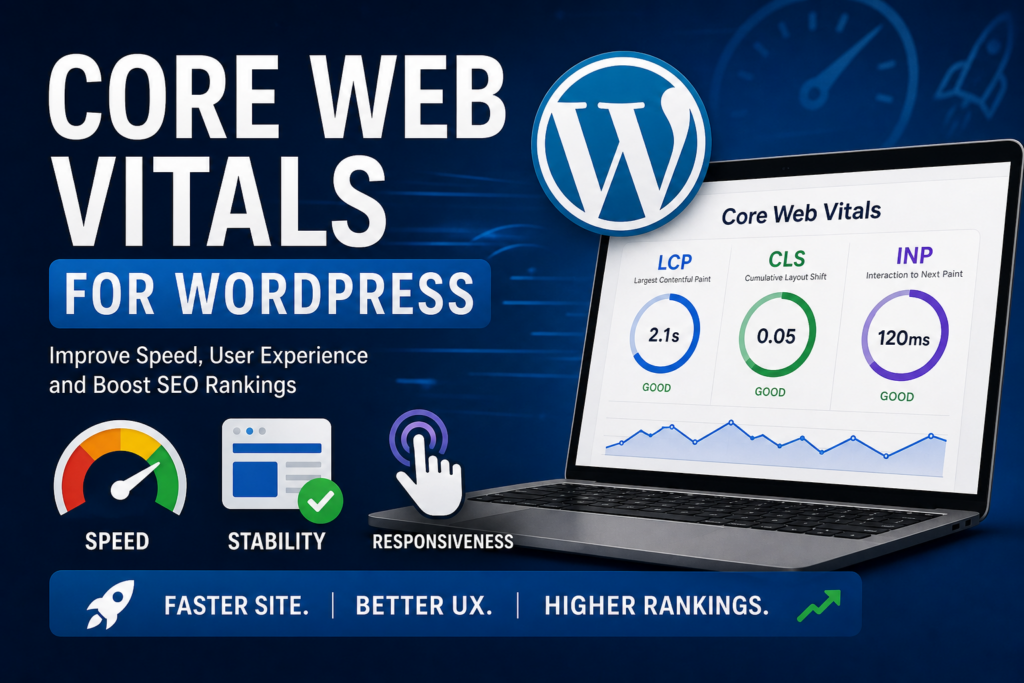
Core Web Vitals are essential performance metrics defined by Google. They measure how users experience your website in real life. For WordPress site owners, these metrics directly affect search rankings, engagement, and conversions.
Google introduced Core Web Vitals as part of its page experience signals. This means your website speed and usability are now critical ranking factors. Unlike traditional speed metrics, Core Web Vitals focus on real user interactions. They evaluate how quickly content loads, how stable the layout is, and how responsive your site feels. If your WordPress site performs poorly in these areas, visitors may leave quickly. That leads to higher bounce rates and lower search visibility.
Why Core Web Vitals Matter for WordPress Sites
Every WordPress website competes for attention. Performance is no longer optional it is expected.
Improved SEO Rankings
Google uses Core Web Vitals as ranking signals. Faster, smoother sites rank better in search results.
Better User Experience
Visitors expect pages to load instantly. A delay of even one second can reduce satisfaction significantly.
Higher Conversion Rates
A fast and stable website builds trust. Users are more likely to complete actions like purchases or sign-ups.
Reduced Bounce Rates
Slow websites frustrate users. Optimizing Core Web Vitals keeps visitors engaged longer.
The Three Core Web Vitals Explained
Largest Contentful Paint (LCP)
LCP measures how long it takes for the main content to load. This is usually a large image or heading.
Good LCP Score
- Under 2.5 seconds
Common Causes of Poor LCP
- Slow hosting
- Large images
- Unoptimized themes
- Too many plugins
How to Improve LCP
- Use fast hosting
- Optimize images
- Enable caching
- Use a CDN
Cumulative Layout Shift (CLS)
CLS measures visual stability. It tracks how much elements move while loading.
Good CLS Score
- Less than 0.1
Common Causes of CLS Issues
- Images without dimensions
- Ads loading late
- Fonts causing layout shifts
How to Improve CLS
- Set width and height for images
- Reserve space for ads
- Use stable fonts
Interaction to Next Paint (INP)
INP measures responsiveness. It shows how quickly your site reacts to user actions.
Good INP Score
- Under 200 milliseconds
Common Causes of Poor INP
- Heavy JavaScript
- Slow server response
- Too many scripts
How to Improve INP
- Reduce JavaScript
- Use lightweight plugins
- Optimize database queries
How WordPress Affects Core Web Vitals
WordPress is flexible, but that flexibility can affect performance. Themes, plugins, and hosting all influence Core Web Vitals. A poorly coded theme or plugin can slow down your site dramatically. However, the good news is that WordPress also offers many optimization tools.
Choosing the Right Hosting for Performance

Your hosting provider plays a major role in speed.
Recommended Hosting Features
- Fast server response times
- SSD storage
- Built-in caching
- HTTP/2 or HTTP/3 support
Best Hosting Types
- Managed WordPress hosting
- VPS hosting for high traffic sites
Cheap shared hosting often leads to poor Core Web Vitals scores.
Optimizing WordPress Themes for Core Web Vitals
Not all themes are created equal.
What to Look for in a Theme
- Lightweight design
- Minimal scripts
- Clean code structure
- Mobile responsiveness
Recommended Practices
- Avoid bloated multipurpose themes
- Use performance-focused themes like Astra or GeneratePress
Plugin Optimization Strategies
Plugins add features, but they can also slow down your site.
Best Practices
- Remove unused plugins
- Avoid duplicate functionality
- Choose well-coded plugins
Performance Plugins to Consider
- Caching plugins (e.g., WP Rocket)
- Image optimization plugins
- Database optimization tools
Image Optimization for Faster Loading
Images often account for most of a page’s size.
Tips to Optimize Images
- Use modern formats like WebP
- Compress images before uploading
- Use lazy loading
Recommended Tools
- ShortPixel
- Smush
- Imagify
Using a Content Delivery Network (CDN)
A CDN stores your site on multiple servers worldwide.
Benefits of CDN
- Faster global loading times
- Reduced server load
- Improved LCP
Popular CDN Services
- Cloudflare
- BunnyCDN
- StackPath
Caching Techniques for WordPress
Caching reduces load times by storing static versions of your pages.
Types of Caching
- Page caching
- Browser caching
- Object caching
Best Practices
- Use a reliable caching plugin
- Enable server-side caching if available
Minifying CSS, JavaScript, and HTML
Minification removes unnecessary code.
Benefits
- Smaller file sizes
- Faster load times
- Improved INP
Tools for Minification
- Autoptimize
- WP Rocket
Reducing JavaScript Execution Time
Heavy JavaScript slows down responsiveness.
Optimization Tips
- Defer non-critical scripts
- Remove unused JavaScript
- Use lightweight libraries
Database Optimization for Speed
Over time, WordPress databases accumulate unnecessary data.
Optimization Steps
- Remove post revisions
- Delete spam comments
- Optimize database tables
Plugins for Database Cleanup
- WP-Optimize
- Advanced Database Cleaner
Mobile Optimization for Core Web Vitals
Most users access websites via mobile devices.
Key Strategies
- Use responsive design
- Optimize mobile images
- Reduce mobile scripts
Testing Your Core Web Vitals
You need to measure performance regularly.
Best Tools
- Google PageSpeed Insights
- Google Search Console
- Lighthouse
- GTmetrix
What to Monitor
- LCP score
- CLS score
- INP score
Common Mistakes to Avoid
Many WordPress users unknowingly harm performance.
Frequent Errors
- Using too many plugins
- Ignoring image optimization
- Choosing poor hosting
- Not testing performance regularly
Advanced Optimization Techniques
Preloading Key Resources
Preloading helps browsers load important files faster.
Font Optimization
Use fewer font styles and preload critical fonts.
Critical CSS
Load essential styles first to improve LCP.
Core Web Vitals and SEO Relationship
Google prioritizes user experience.
Better Core Web Vitals lead to:
- Higher rankings
- Better engagement
- Increased traffic
However, content quality still matters. Performance alone cannot guarantee top rankings.
Future of Core Web Vitals in WordPress
Google continues to refine these metrics. INP has replaced older metrics like FID. More updates are expected. WordPress developers are also improving performance with each update.
Frequently Asked Questions
What are Core Web Vitals in WordPress?
Core Web Vitals are performance metrics that measure loading speed, interactivity, and visual stability of your WordPress site.
How do I check my Core Web Vitals?
You can use tools like Google PageSpeed Insights or Google Search Console.
Does Core Web Vitals affect SEO?
Yes, they are part of Google’s ranking factors and influence search visibility.
What is a good LCP score?
A good LCP score is under 2.5 seconds.
Can plugins improve Core Web Vitals?
Yes, caching and optimization plugins can significantly improve performance.
Do images affect Core Web Vitals?
Yes, large images can slow down loading and worsen LCP scores.
Is hosting important for Core Web Vitals?
Absolutely. Fast hosting is crucial for good performance.
How often should I test my website performance?
You should test regularly, especially after updates or changes.
What is CLS in simple terms?
CLS measures how much your page layout shifts while loading.
Is WordPress good for Core Web Vitals?
Yes, with proper optimization, WordPress can perform very well.
WordPress Performance Mastery
Optimizing Core Web Vitals in WordPress is not a one-time task. It requires ongoing attention and improvements. Every small change adds up to a faster and smoother website. By focusing on speed, stability, and responsiveness, you create a better experience for users and search engines alike.
⚠️ Disclaimer and Source Hygiene
This article is for informational purposes only. Always consult web performance professionals for advanced optimization. The information provided is based on research from reputable sources such as Google Web.dev and industry best practices.
🔔 For more tutorials like this, consider subscribing to our blog.
📩 Do you have questions or suggestions? Leave a comment or contact us!
🏷️ Tags: core web vitals wordpress, wordpress speed optimization, improve LCP wordpress, CLS fix wordpress, INP optimization, wordpress performance tips, website speed SEO, wordpress caching, wordpress CDN, optimize wordpress images
📢 Hashtags: #CoreWebVitals #WordPressSEO #WebsiteSpeed #LCP #CLS #INP #WordPressTips #SEORanking #WebPerformance #SiteOptimization
📚 Sources and References
- Google Web.dev
- PageSpeed Insights Documentation
- WordPress.org Optimization Guides
- GTmetrix Performance Reports
🕊️ Secondary Sources and Testimonials
Many WordPress developers report significant ranking improvements after optimizing Core Web Vitals. Case studies from SEO experts show faster sites consistently outperform slower competitors in both traffic and conversions.