
Table of Contents
Learn everything about Object Cache in WordPress, including how it works, configuration settings, Redis and Memcached setup, benefits, troubleshooting, and optimization tips to improve website speed, reduce server load, and enhance user experience.
Understanding Object Cache in WordPress
Website speed plays a crucial role in user experience, SEO rankings, and server performance. While many website owners focus on page caching, image optimization, and CDN services, Object Cache is often overlooked despite being one of the most powerful performance optimization techniques available in WordPress.
Object Cache stores database query results in memory so WordPress can retrieve information faster without repeatedly querying the database. For dynamic websites with many visitors, WooCommerce stores, membership websites, forums, and large blogs, Object Cache can significantly improve performance and reduce server load.
What Is Object Cache?
Object Cache is a mechanism that stores frequently accessed database query results in memory.
Instead of asking the database for the same information every time a page loads, WordPress retrieves it directly from memory.
This process is much faster because RAM access is significantly quicker than database queries.
For example:
Without Object Cache:
- Visitor loads a page.
- WordPress requests data from MySQL.
- MySQL processes queries.
- Results are returned.
- Page loads.
With Object Cache:
- Visitor loads a page.
- WordPress checks memory cache.
- Data is found instantly.
- Database query is skipped.
- Page loads faster.
How Object Cache Works
WordPress stores various objects during execution:
- Posts
- Pages
- User data
- Settings
- Menus
- Taxonomies
- Query results
- WooCommerce products
Normally these objects exist only during a single request.
Persistent Object Cache extends this functionality by storing objects across multiple requests.
Popular systems include:
- Redis
- Memcached
- APCu
Difference Between Page Cache and Object Cache
Page Cache
Stores fully generated HTML pages.
Benefits:
- Extremely fast delivery
- Reduces PHP processing
- Ideal for static content
Examples:
- LiteSpeed Cache
- WP Rocket
- W3 Total Cache
Object Cache
Stores database query results.
Benefits:
- Faster dynamic content
- Reduced MySQL load
- Better backend performance
Examples:
- Redis Object Cache
- Memcached
Why Object Cache Is Important

Many WordPress websites generate hundreds of database queries per page.
For example:
A WooCommerce product page may generate:
- Product information
- Pricing data
- Stock status
- User sessions
- Cart details
- Related products
Each query consumes resources.
Object Cache reduces these repeated database requests.
Benefits include:
- Faster page generation
- Lower database load
- Reduced CPU usage
- Better scalability
- Improved user experience
Who Should Use Object Cache
Object Cache is especially useful for:
WooCommerce Stores
Large product catalogs generate thousands of database queries.
Object Cache improves:
- Product loading
- Cart performance
- Checkout speed
Membership Websites
Membership plugins constantly check:
- User roles
- Permissions
- Access levels
Object Cache stores these checks for faster access.
Forums
Platforms like:
- bbPress
- BuddyPress
- XenForo integrations
Generate heavy database activity.
Object Cache significantly improves performance.
High-Traffic Blogs
Popular blogs often receive thousands of visits daily.
Object Cache reduces database bottlenecks.
Persistent Object Cache Explained
- Default WordPress Object Cache is temporary.
- It lasts only during a single page request.
- Persistent Object Cache stores data beyond the current request.
Examples:
Without Persistence
Visitor 1:
- Query executed
- Data stored temporarily
Visitor 2:
- Same query executed again
With Persistence
Visitor 1:
- Query executed
- Stored in Redis
Visitor 2:
- Data retrieved instantly
No database query required.
Redis Object Cache
Redis is the most popular Object Cache solution for WordPress.
Redis stores data in RAM and provides extremely fast access.
Benefits:
- High performance
- Reliable
- Persistent storage
- Excellent WooCommerce support
- Minimal server impact
How Redis Works
WordPress sends cache requests to Redis.
Redis stores:
- Query results
- Session data
- User information
- Product data
Data remains available for future requests.
Memcached Object Cache
Memcached is another popular caching system.
Like Redis, it stores information in memory.
Benefits:
- Lightweight
- Fast
- Easy setup
Limitations:
- Fewer advanced features
- No built-in persistence
Redis vs Memcached
| Feature | Redis | Memcached |
|---|---|---|
| Persistence | Yes | No |
| Performance | Excellent | Excellent |
| Advanced Data Types | Yes | No |
| WooCommerce Support | Excellent | Good |
| Scalability | High | Medium |
| Popularity | Very High | High |
Most WordPress hosting providers recommend Redis.
WordPress Object Cache Settings
Many hosting providers offer Redis integration.
Common settings include:
Enable Object Cache
Turns caching on or off.
Recommended:
✅ Enabled
Persistent Cache
Stores cache between requests.
Recommended:
✅ Enabled
Cache Expiration
Controls how long data remains cached.
Typical values:
- 3600 seconds
- 7200 seconds
- 86400 seconds
Recommended:
86400 seconds for most websites.
Cache Purging
Automatically removes outdated entries.
Recommended:
✅ Enabled
Compression
Compresses cached data.
Benefits:
- Lower RAM usage
- Better efficiency
Recommended:
✅ Enabled
Automatic Optimization
Some control panels provide automatic optimization.
Recommended:
✅ Enabled
Redis Configuration Example
Typical Redis configuration:
maxmemory 512mb
maxmemory-policy allkeys-lru
appendonly yes
Explanation:
- maxmemory limits RAM usage.
- allkeys-lru removes least-used items.
- appendonly provides persistence.
Installing Redis on Ubuntu
Install Redis:
apt update
apt install redis-server -y
Enable service:
systemctl enable redis-server
systemctl start redis-server
Check status:
systemctl status redis-server
Install Redis Object Cache Plugin
Popular plugin:
Redis Object Cache
Features:
- Easy setup
- Persistent caching
- WooCommerce support
- Multisite support
Steps:
- Install plugin.
- Activate plugin.
- Enable Object Cache.
- Verify connection.
How to Verify Object Cache Is Working
Methods include:
WordPress Site Health
Navigate:
Tools → Site Health
Look for:
“Persistent Object Cache”
You should see:
✅ Persistent object cache detected.
Redis Status
Use:
redis-cli ping
Expected result:
PONG
Check Statistics
Redis plugin often displays:
- Hit rate
- Memory usage
- Stored objects
- Requests served
Object Cache Best Practices
Use Redis Whenever Possible
Redis offers:
- Better persistence
- Better reliability
- Excellent WordPress compatibility
Monitor Memory Usage
Insufficient memory can reduce effectiveness.
Check:
redis-cli info memory
Avoid Frequent Cache Flushes
Constant flushing eliminates performance benefits.
Only flush when necessary.
Keep WordPress Updated
Updates often improve cache compatibility.
Maintain:
- WordPress core
- Themes
- Plugins
Object Cache for WooCommerce
WooCommerce benefits greatly from Object Cache.
Cached items include:
- Product queries
- Category data
- User sessions
- Customer information
Performance improvements often reach:
- 30%–70% faster page generation
- Lower database load
- Faster checkout experience
Common Object Cache Problems
Stale Data
Problem:
Old content remains visible.
Solution:
Clear cache.
Connection Errors
Problem:
Redis unavailable.
Solution:
Restart service:
systemctl restart redis-server
Memory Full
Problem:
Cache cannot store new objects.
Solution:
Increase memory allocation.
Plugin Conflicts
Problem:
Certain plugins may bypass cache.
Solution:
Update plugins and test compatibility.
Object Cache and LiteSpeed
LiteSpeed Cache works exceptionally well with Redis.
Combination benefits:
- Page Cache
- Object Cache
- Browser Cache
- Image Optimization
This setup provides enterprise-level performance.
Recommended:
✅ LiteSpeed Cache + Redis
Object Cache and WP Rocket
WP Rocket focuses on page caching.
For maximum performance:
- WP Rocket
- Redis Object Cache
Together they improve both frontend and backend speed.
Measuring Performance Improvements
Tools:
Query Monitor
Shows:
- Database queries
- Query time
- Cached requests
GTmetrix
Measures:
- Load times
- Performance scores
Google PageSpeed Insights
Provides:
- Core Web Vitals
- Speed recommendations
Signs You Need Object Cache
Your website may benefit if:
- Database CPU usage is high.
- WooCommerce feels slow.
- Admin dashboard lags.
- Hosting resources spike frequently.
- Queries exceed several hundred per page.
Advanced Optimization Strategies
Combine Object Cache with:
- LiteSpeed Cache
- Cloudflare
- PHP 8.3+
- HTTP/3
- OPcache
- CDN
Together these create a highly optimized WordPress environment.
Frequently Asked Questions
What is Object Cache in WordPress?
Object Cache stores database query results in memory to reduce repeated database requests and improve speed.
Is Redis better than Memcached?
For most WordPress websites, Redis provides more features and better persistence.
Does Object Cache improve SEO?
Indirectly yes. Faster websites often provide better user experience and Core Web Vitals.
Can shared hosting use Redis?
Some shared hosting providers offer Redis support, but many do not.
Does Object Cache replace Page Cache?
No. Both serve different purposes and work best together.
How much RAM does Redis need?
Small sites may require 128–256 MB. Larger WooCommerce stores may need 512 MB or more.
Can Object Cache speed up wp-admin?
Yes. Many admin queries become faster when cached.
Should WooCommerce use Object Cache?
Absolutely. WooCommerce benefits significantly from Redis.
How do I clear Redis cache?
Most Redis plugins provide a “Flush Cache” button.
Can Object Cache break my site?
Generally no. However, plugin conflicts or server misconfiguration can cause issues.
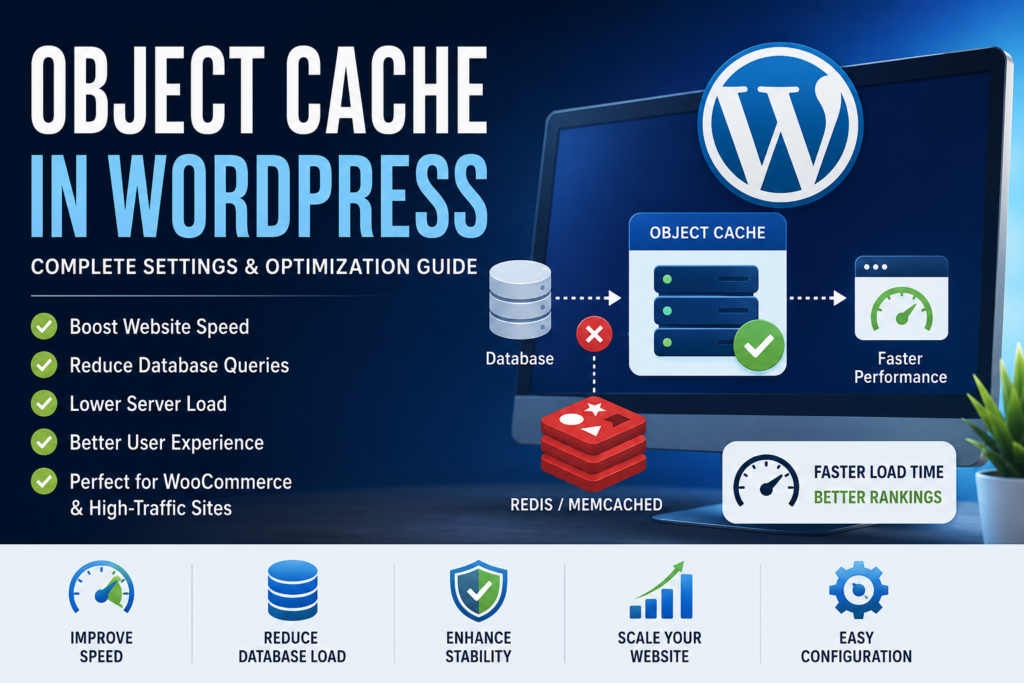
WordPress Object Cache
Object Cache is one of the most effective ways to improve WordPress performance, especially for dynamic websites. By reducing database queries and storing frequently accessed information in memory, it delivers faster page generation, lower server load, and a better experience for visitors. Whether you run a blog, membership site, forum, or WooCommerce store, implementing Redis Object Cache can provide substantial performance gains and help your website scale more efficiently as traffic grows.
⚠️ Disclaimer and Source Hygiene
This article is intended for educational and informational purposes only. Server configurations and hosting environments vary significantly. Always test changes on a staging website before implementing them on a production server. Information in this guide is based on WordPress documentation, Redis documentation, hosting provider recommendations, and industry best practices.
🔔 For more tutorials like this, consider subscribing to our blog.
📩 Do you have questions or suggestions? Leave a comment or contact us!
🏷️ Tags: Object Cache, WordPress Cache, Redis Cache, Memcached, WordPress Optimization, WooCommerce Speed, Redis Object Cache, Website Performance, WordPress Hosting, Core Web Vitals
📢 Hashtags: #WordPress #ObjectCache #Redis #WooCommerce #WebsiteSpeed #WordPressOptimization #WebHosting #Caching #CoreWebVitals #WPPerformance
Sources and References
- WordPress Developer Documentation
- Redis Official Documentation
- Memcached Official Documentation
- LiteSpeed Cache Documentation
- WooCommerce Developer Documentation
- Google PageSpeed Insights Documentation
- Cloudflare Performance Documentation
Secondary Sources and Testimonials
- WordPress hosting provider optimization guides
- WooCommerce performance case studies
- Community experiences from WordPress developers
- Redis deployment best practices from server administrators
- Real-world performance benchmarks from WordPress agencies