
Table of Contents
Discover the most effective UX/UI tips to improve user experience, increase engagement, boost conversions, and create a website visitors love. Learn practical design strategies, common mistakes to avoid, and expert recommendations for modern websites.
Understanding UX and UI Design
User Experience (UX) and User Interface (UI) are two of the most important elements of modern web design. Although they work together, they serve different purposes.
UX focuses on how users interact with a website, application, or digital product. It aims to make every interaction smooth, intuitive, and enjoyable.
UI focuses on the visual aspects of the design. It includes colors, buttons, typography, layouts, icons, and other graphical elements that users see and interact with.
A beautiful interface may attract visitors, but a great user experience keeps them engaged and encourages them to return.
Why UX/UI Matters for Websites
Many website owners focus heavily on content and SEO while overlooking user experience. However, poor UX can negatively impact every aspect of a website.
Benefits of strong UX/UI design include:
- Higher user satisfaction
- Increased engagement
- Better conversion rates
- Lower bounce rates
- Improved brand credibility
- Stronger customer loyalty
- Better accessibility
- Improved SEO performance
Search engines increasingly prioritize websites that offer excellent user experiences. A fast, easy-to-use website often ranks better than a difficult-to-navigate competitor.
Start With User-Centered Design
Every design decision should revolve around users.
Before creating a website, ask important questions:
Who Is the Target Audience?
Understanding visitors helps designers create experiences tailored to user needs.
Consider:
- Age groups
- Technical knowledge
- Interests
- Goals
- Devices used
- Common frustrations
Identify User Goals
Visitors usually arrive with a specific purpose.
Examples include:
- Reading information
- Purchasing products
- Contacting a company
- Booking services
- Downloading resources
The design should help users accomplish these goals quickly.
Keep Navigation Simple
Navigation acts as the roadmap of your website.
Complicated menus often frustrate visitors and increase bounce rates.
Use Clear Menu Labels
Avoid creative names that confuse users.
Good examples:
- Home
- About Us
- Services
- Blog
- Contact
Bad examples:
- Discover Magic
- Begin Your Journey
- Secret Vault
Users prefer familiarity.
Limit Menu Items
Too many options create decision fatigue.
Most websites perform well with:
- 5 to 7 primary menu items
- Logical hierarchy
- Consistent structure
Include Search Functionality
For larger websites, a search feature helps users find content quickly.
This is especially important for:
- Blogs
- E-commerce stores
- Documentation sites
- Educational platforms
Focus on Mobile-First Design

More than half of global web traffic comes from mobile devices.
A website that works perfectly on desktop but poorly on mobile loses valuable visitors.
Design for Smaller Screens First
Mobile-first design encourages simplicity and prioritization.
Benefits include:
- Faster loading
- Cleaner layouts
- Better usability
- Improved accessibility
Optimize Touch Elements
Buttons and links should be easy to tap.
Recommended guidelines:
- Adequate spacing
- Large clickable areas
- Visible interaction states
Test Across Multiple Devices
Always verify performance on:
- Smartphones
- Tablets
- Laptops
- Desktop computers
Improve Website Loading Speed
Speed directly affects user satisfaction.
Even a one-second delay can reduce conversions.
Optimize Images
Large images often slow websites.
Best practices include:
- Compress images
- Use WebP format
- Implement lazy loading
- Resize images appropriately
Reduce Unnecessary Plugins
For WordPress websites, too many plugins can create performance issues.
Regularly review and remove unused plugins.
Use Caching Solutions
Caching helps deliver pages faster by reducing server processing.
Popular options include:
- LiteSpeed Cache
- WP Rocket
- W3 Total Cache
Choose Quality Hosting
A fast hosting provider significantly improves UX.
Reliable hosting delivers:
- Faster loading times
- Better uptime
- Improved security
Create Clear Visual Hierarchy
Visual hierarchy guides users through content.
Visitors should instantly understand where to look first.
Use Strategic Heading Structure
Organize content logically using headings and subheadings.
Benefits include:
- Better readability
- Easier scanning
- Improved accessibility
Highlight Important Elements
Important items should stand out visually.
Examples include:
- Call-to-action buttons
- Pricing sections
- Contact information
- Featured products
Utilize White Space
- White space improves readability and reduces visual clutter.
- Many successful websites intentionally leave space between elements.
- This creates a cleaner and more professional appearance.
Choose Readable Typography
Typography significantly impacts user experience.
Use Easy-to-Read Fonts
Popular choices include:
- Inter
- Roboto
- Open Sans
- Poppins
- Lato
Maintain Proper Font Sizes
Recommended minimum sizes:
- Body text: 16px
- Headings: 24px and above
Ensure Good Contrast
Dark text on light backgrounds generally provides the best readability.
Avoid low-contrast combinations that strain the eyes.
Design Effective Call-to-Action Buttons
Call-to-action (CTA) buttons help users take desired actions.
Examples include:
- Buy Now
- Subscribe
- Contact Us
- Download Guide
- Start Free Trial
Make CTAs Visible
Buttons should stand out from surrounding content.
Use:
- Contrasting colors
- Adequate size
- Clear labels
Use Action-Oriented Text
Strong CTA examples:
- Get Started Today
- Download Free Guide
- Book Your Appointment
Weak CTA examples:
- Click Here
- Submit
Maintain Consistent Design
Consistency improves usability and trust.
Use Consistent Colors
Create a defined color palette and use it throughout the website.
Keep Layouts Predictable
Users expect certain patterns.
Examples:
- Logo in the top-left corner
- Navigation at the top
- Contact information in the footer
Standardize Components
Buttons, forms, and icons should maintain a consistent appearance.
Improve Accessibility
Accessibility ensures everyone can use your website.
Provide Alt Text for Images
Alt text helps screen readers understand image content.
Support Keyboard Navigation
Users should be able to navigate without a mouse.
Use Sufficient Color Contrast
Accessible designs improve usability for visually impaired users.
Add Form Labels
Proper labels help both users and assistive technologies.
Simplify Forms
Complex forms often cause abandonment.
Request Only Necessary Information
Every extra field creates friction.
Ask only for information you truly need.
Provide Helpful Error Messages
Instead of generic errors, explain how users can fix issues.
Example:
Bad:
- Invalid input
Better:
- Please enter a valid email address.
Use Smart Defaults
Auto-fill and smart suggestions improve user convenience.
Use Visual Feedback
Users need confirmation that actions are working.
Examples include:
- Loading indicators
- Success messages
- Hover effects
- Progress bars
Feedback reduces uncertainty and improves satisfaction.
Build Trust Through Design
Trust is critical for conversions.
Display Contact Information
Visible contact details increase credibility.
Show Customer Reviews
Testimonials provide social proof.
Use Security Indicators
For e-commerce websites:
- SSL certificates
- Secure checkout badges
- Privacy policy pages
Maintain Professional Design
Poor design often creates trust issues even when products are excellent.
Leverage UX Writing
Words are part of user experience.
Use Simple Language
Avoid technical jargon whenever possible.
Write Helpful Instructions
Guide users clearly through tasks.
Reduce Cognitive Load
Short, concise text improves comprehension.
Conduct Regular User Testing
Even experienced designers make assumptions.
User testing reveals real problems.
Watch Real User Behavior
Observe:
- Navigation patterns
- Confusion points
- Abandoned tasks
Collect Feedback
Use:
- Surveys
- Interviews
- Feedback forms
Analyze Website Data
Tools like:
- Google Analytics
- Microsoft Clarity
- Hotjar
can reveal user behavior patterns.
Common UX/UI Mistakes to Avoid
Too Many Pop-Ups
Excessive pop-ups frustrate visitors.
Autoplay Videos
Unexpected media often creates a poor experience.
Poor Mobile Optimization
Mobile issues drive users away quickly.
Cluttered Interfaces
Too many elements compete for attention.
Inconsistent Design
Changing styles across pages creates confusion.
Slow Loading Pages
Performance issues significantly impact engagement.
Advanced UX/UI Strategies
Personalization
Tailor experiences based on user preferences and behavior.
Microinteractions
Small animations can improve engagement.
Examples include:
- Button hover effects
- Notification animations
- Progress indicators
Progressive Disclosure
Reveal information gradually instead of overwhelming users.
Data-Driven Design
Use analytics and testing to guide improvements.
UX/UI Tips for WordPress Websites
WordPress users can improve UX by:
Using Lightweight Themes
Popular options include:
- GeneratePress
- Astra
- Kadence
- Blocksy
Optimizing Core Web Vitals
Focus on:
- Largest Contentful Paint (LCP)
- Interaction to Next Paint (INP)
- Cumulative Layout Shift (CLS)
Keeping Plugins Updated
Updates improve:
- Security
- Compatibility
- Performance
Creating Logical Content Structure
Use categories, tags, and internal links effectively.
Frequently Asked Questions
What is the difference between UX and UI?
UX focuses on user experience and usability, while UI focuses on visual design and interface elements.
Why is UX important for SEO?
Good UX reduces bounce rates, improves engagement, and helps search engines identify high-quality websites.
How can I improve website navigation?
Use clear menus, logical structures, and a search function.
What is mobile-first design?
It is a design approach that prioritizes mobile devices before desktop layouts.
How does page speed affect UX?
Faster websites provide smoother experiences and improve conversions.
What is visual hierarchy?
Visual hierarchy organizes content so users naturally focus on important elements first.
How often should I test website usability?
Regular testing every few months helps identify new issues and opportunities.
What are microinteractions?
Small visual responses that provide feedback during user interactions.
Which fonts are best for websites?
Inter, Roboto, Open Sans, Poppins, and Lato are excellent choices.
Can UX improvements increase sales?
Yes. Better UX often leads to higher trust, improved engagement, and increased conversions.
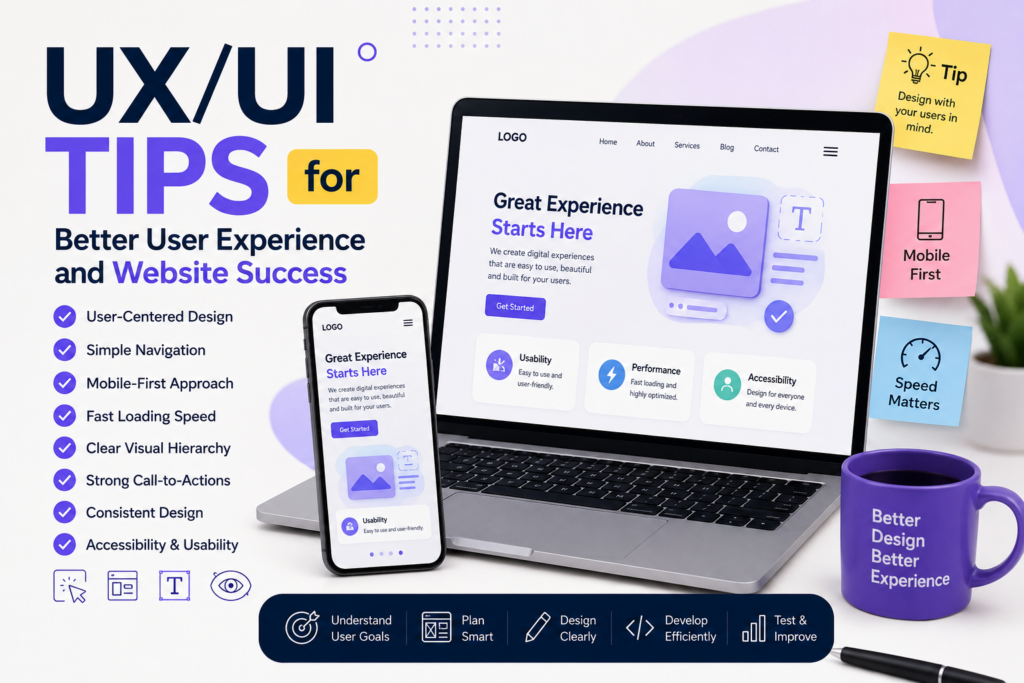
Creating Digital Experiences Users Love
Excellent UX/UI design goes far beyond making a website look attractive. Successful websites combine usability, accessibility, speed, clarity, and visual appeal to create seamless experiences that help users achieve their goals. By focusing on user needs, simplifying navigation, improving performance, and maintaining consistency, website owners can build stronger relationships with visitors while improving engagement, conversions, and long-term success.
⚠️ Disclaimer and Source Hygiene
This article is intended for educational and informational purposes only. UX/UI practices may vary depending on industry, audience, and project requirements. Always consult qualified UX professionals, designers, or developers when making major design decisions. Information presented here is based on established design principles, industry standards, and research from authoritative UX and web design resources.
🔔 For more tutorials like this, consider subscribing to our blog.
📩 Do you have questions or suggestions? Leave a comment or contact us!
🏷️ Tags: UX Design, UI Design, User Experience, User Interface, Website Design, WordPress UX, Web Development, Mobile Design, UX Best Practices, UI Tips
📢 Hashtags: UXDesign, #UIDesign, #UserExperience, #WebDesign, #WordPress, #WebsiteOptimization, #UXTips, #DigitalDesign, #MobileFirst, #WebDevelopment
📚 Sources and References
- Nielsen Norman Group (NNGroup)
- Google Web.dev
- W3C Web Accessibility Initiative (WAI)
- Interaction Design Foundation
- Google Search Central
- Mozilla Developer Network (MDN)
- Smashing Magazine
- Adobe XD Design Resources
- Figma Design Resources
- HubSpot UX Research
🕊️ Secondary Sources and Testimonials
- Case studies from leading SaaS companies
- E-commerce conversion optimization reports
- WordPress performance and UX audits
- User testing insights from digital agencies
- Industry surveys from UX professionals and designers