
Table of Contents
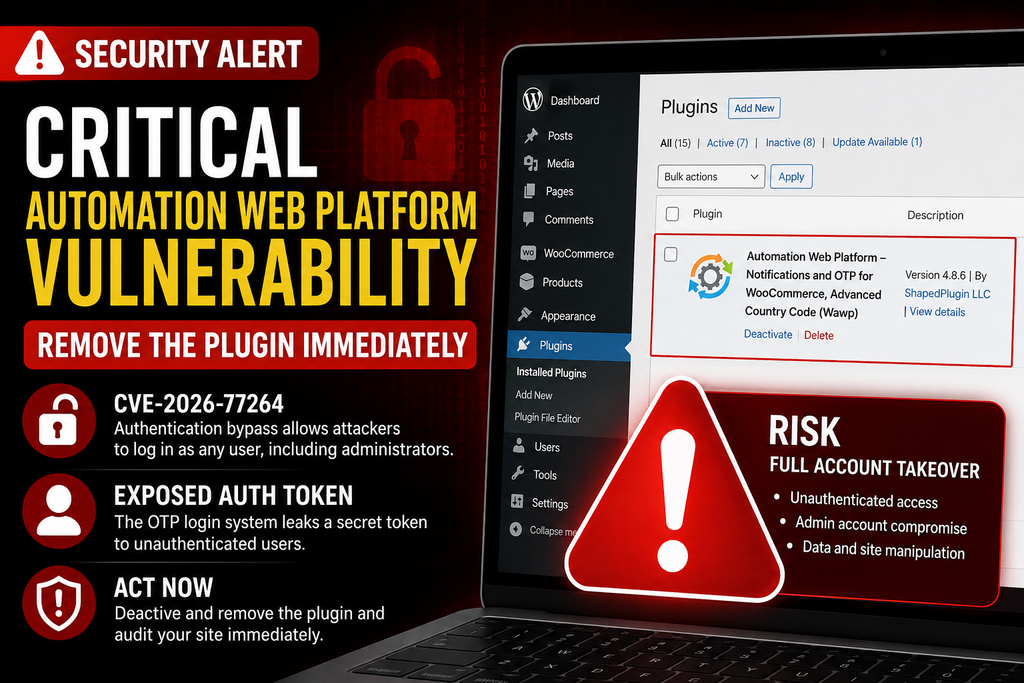
A critical Automation Web Platform vulnerability tracked as CVE-2026-77264 can expose authentication tokens and allow unauthenticated attackers to access WordPress accounts, including administrators. Sites running version 4.8.6 or earlier should treat the issue as urgent and remove or disable the plugin until a verified security fix is available.
Security alert: CVE-2026-77264 was disclosed on August 21, 2026 and affects Automation Web Platform versions up to and including 4.8.6. The vulnerability has a CVSS 3.1 score of 9.8 (Critical) and can lead to unauthenticated account takeover.
What Is CVE-2026-77264?
CVE-2026-77264 is a critical authentication-bypass vulnerability affecting the Automation Web Platform – Notifications and OTP for WooCommerce, Advanced Country Code WordPress plugin, also known as Wawp. The vulnerability affects versions through 4.8.6 and is associated with the plugin’s OTP authentication system. An attacker does not need an existing WordPress account or normal authentication privileges to exploit the underlying weakness. The published vulnerability record explains that the plugin can disclose a secret login token through a publicly accessible OTP request. Because that token is intended to authenticate a user, obtaining it can effectively bypass the normal login process. The vulnerability is particularly serious because successful exploitation may provide access to privileged WordPress accounts, including administrators. CVE records classify the issue under CWE-640 and give it a CVSS 3.1 score of 9.8, placing it firmly in the critical category.
How the Authentication Token Is Exposed
The problem originates in the OTP login workflow. According to the vulnerability disclosure, the plugin’s handle_email_otp_return() functionality returns a secret magic-login token in the response to a publicly accessible OTP request instead of keeping that authentication secret restricted to the intended delivery channel. This means an unauthenticated visitor may obtain the otp_transient authentication value without first proving ownership of the targeted account. Once an attacker possesses the required token, it may be possible to complete the authentication flow as the victim rather than entering that user’s password. This transforms what should be a security feature into an authentication-bypass mechanism. Administrators should therefore avoid assuming that changing only the WordPress password completely addresses possible exploitation. Existing sessions, administrator accounts, authentication logs, API credentials and other security-sensitive data should also be reviewed after the vulnerable plugin has been removed.
Which Accounts Can Be Taken Over?
The potential impact is severe because the weakness is not limited to low-privilege subscribers. Published details indicate that an unauthenticated attacker who knows a user’s email address may potentially authenticate as any WordPress user, including an administrator. An administrator takeover is especially dangerous because WordPress administrators can normally install or modify plugins, create additional users, edit site content and change important configuration settings. On WooCommerce installations, privileged access may also expose customer and order information available through the compromised account. Site owners should therefore inspect Users → All Users for unfamiliar administrators, unexpected email changes, newly created accounts or privilege changes. Also review recent login activity, security-plugin logs, hosting access logs, modified PHP files and unexpected changes inside wp-content. Finding nothing suspicious is reassuring, but it does not prove that exploitation never occurred.
Why the Plugin Should Be Removed Until a Fix Is Confirmed
At the time of this article’s publication on August 21, 2026, version 4.8.6 is identified as affected by CVE-2026-77264, while the official WordPress.org listing still shows 4.8.6 as the current release. Therefore, administrators should not simply reinstall the same version and assume the problem has disappeared. If your site does not absolutely require Automation Web Platform, the safest immediate response is to deactivate and remove it while waiting for a version explicitly confirmed to fix CVE-2026-77264. Importantly, current evidence does not support claiming that the WordPress.org plugin itself has been permanently closed: its directory page remains available and downloadable at the time of checking. The security issue is serious enough to justify removal, but administrators should distinguish a critical unpatched release from a confirmed repository closure.
How to Remove Automation Web Platform Safely

Before changing the site, create a fresh backup of the WordPress database and files so you have a recovery point if removing the plugin affects WooCommerce notifications, OTP login or another connected feature. Next, open Plugins → Installed Plugins, locate Automation Web Platform/Wawp and deactivate it. Confirm that you can still access WordPress through the standard authentication method before deleting the plugin. Then select Delete to remove its executable files from the server. If the Dashboard cannot remove it, an experienced administrator can remove the corresponding automation-web-platform plugin directory through the hosting file manager, SFTP or WP-CLI. Clearing page, object, server and CDN caches afterward can prevent old plugin-generated responses from remaining accessible. Because Wawp can integrate with external messaging services and API credentials, administrators should also review connected services and rotate sensitive credentials if compromise is suspected. Do not restore version 4.8.6 from an old backup simply to regain functionality.
Required Security Checks After Uninstallation
Removing the vulnerable code closes the immediate plugin attack surface, but it does not reverse activity that may already have occurred. Start by reviewing every WordPress administrator account and changing passwords for privileged users. Revoke unknown sessions and inspect user creation, password-reset and login records when logs are available. Check wp-content/plugins, wp-content/themes, wp-content/uploads and the WordPress root for recently modified or unfamiliar PHP files. Compare WordPress Core files against clean originals and reinstall trusted plugins or themes if their integrity is uncertain. Review scheduled tasks, MU-plugins, .htaccess, wp-config.php, database administrator accounts and suspicious redirects as well. Finally, rotate API keys, application passwords and other important secrets when evidence suggests unauthorized administrator access. CVE-2026-77264 should be treated as an account-compromise risk rather than merely another plugin bug because the disclosed flaw can bypass normal authentication.
Frequently Asked Questions
Is CVE-2026-77264 critical?
Yes. Published vulnerability records assign CVE-2026-77264 a CVSS 3.1 score of 9.8, indicating critical severity.
Which Automation Web Platform versions are affected?
Versions up to and including 4.8.6 are listed as vulnerable.
Does an attacker need a WordPress account?
No. The vulnerability is described as an unauthenticated authentication bypass, meaning exploitation does not require a normal authenticated WordPress session.
Can an administrator account be compromised?
Yes. Published details state that the weakness can potentially allow authentication as any targeted user, including an administrator, when the required account information and vulnerable workflow are available.
Should I simply deactivate the plugin?
Deactivation immediately reduces exposure, but deletion is preferable while no confirmed safe version is available, especially when the plugin is not essential.
Is version 4.8.6 safe?
No. Version 4.8.6 is explicitly included in the affected range for CVE-2026-77264.
Has the plugin been permanently closed?
Not according to the information available when this article was prepared. The WordPress.org directory still lists the plugin and version 4.8.6.
Should I change administrator passwords?
Yes, particularly if the vulnerable plugin was active on an internet-accessible site. Password changes should be combined with session revocation and an account audit.
Can removing the plugin prove my site was never hacked?
No. Removing it prevents the vulnerable plugin code from continuing to operate, but administrators still need to investigate for evidence of previous unauthorized access.
Can I reinstall the plugin later?
Yes, but wait until a new release is explicitly documented as fixing CVE-2026-77264, then verify the version and security information before reinstalling it.
Protect the Site Before Restoring Automation
The Automation Web Platform vulnerability deserves immediate attention because it targets the authentication process itself. Sites running version 4.8.6 or earlier should deactivate and preferably remove the plugin until a verified patched version becomes available. More importantly, administrators should treat previous exposure as a potential account-compromise event. Audit administrator users, sessions, files, credentials and logs instead of assuming that deleting the plugin finishes the job. If a patched release appears later, verify that its changelog or a trusted vulnerability database specifically confirms remediation for CVE-2026-77264 before installing it.
⚠️ Disclaimer and Source Hygiene
This article provides general WordPress security information and does not replace professional incident-response or cybersecurity advice. Vulnerability information was checked against current CVE-related security records and the official WordPress.org plugin listing on August 21, 2026. Security advisories can change quickly as developers publish patches or researchers release additional technical details. Always verify the latest affected and patched versions before making production changes.
🔔 For more tutorials like this, consider subscribing to our blog.
📩 Do you have questions or suggestions? Leave a comment or contact us!
🏷️ Tags: Automation Web Platform vulnerability, CVE-2026-77264, WordPress vulnerability, WordPress security, Wawp vulnerability, authentication bypass, WordPress administrator takeover, WooCommerce security, WordPress plugin security, OTP vulnerability
📢 Hashtags: #WordPress, #WordPressSecurity, #CVE202677264, #CyberSecurity, #WooCommerce, #WordPressPlugin, #SecurityAlert, #WebsiteSecurity, #AuthenticationBypass, #Wawp
📚 Sources and References
The primary technical references used for this security alert include the CVE-2026-77264 vulnerability record, current vulnerability intelligence describing the otp_transient token disclosure, and the official WordPress.org listing for Automation Web Platform. The official listing currently identifies 4.8.6 as the available plugin version.
Automation Web Platform on WordPress.org
🕊️ Secondary Sources and Testimonials
Secondary vulnerability records independently describe the issue as an authentication bypass involving disclosure of a magic login token to unauthenticated users. These sources support the recommendation to treat installations running 4.8.6 or earlier as high priority until a verified remediation becomes available.
Sign in with a Subscriber account to vote.
1 thought on “Critical Automation Web Platform Vulnerability”