
Table of Contents
A critical Elementor Pro vulnerability, CVE-2026-32475, can allow unauthenticated attackers to bypass file-upload validation on vulnerable forms. Learn which Elementor Pro versions and form configurations are exposed, how to install the security fix, inspect uploaded files, and respond if your WordPress site may have been compromised.
What Is CVE-2026-32475?
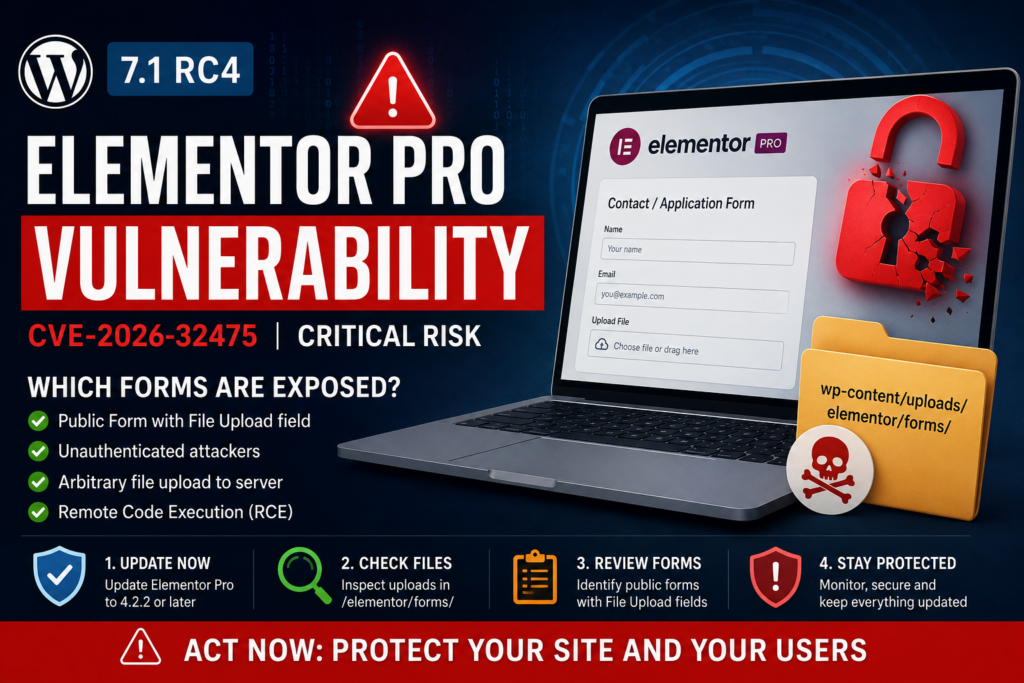
CVE-2026-32475 is a critical unrestricted file-upload vulnerability affecting the Forms functionality in Elementor Pro. The flaw has a CVSS score of 9.0 and can be exploited without authentication when a vulnerable form configuration is publicly accessible. The problem occurs in the file-upload validation process. Under specific conditions involving multiple files, validation can terminate too early, allowing a later file to avoid the expected extension and MIME-type checks. An attacker could therefore attempt to upload a dangerous file, including executable PHP content. If the server permits that uploaded file to execute, the attack can escalate to remote code execution and potentially complete WordPress compromise. Administrators should treat the issue as urgent because exploitation does not require an existing Subscriber, Editor, or Administrator account.
Affected Elementor Pro Versions
The Elementor Pro vulnerability affects versions up to and including 4.2.1. Version 4.2.2 contains the security fix and was released on August 19, 2026. Simply having Elementor Pro installed does not necessarily mean that the site is immediately exploitable, because the vulnerable Forms configuration must also be present. However, administrators running Elementor Pro 4.2.1 or earlier should not rely on whether they remember creating such a form. Check the installed version directly from WordPress Dashboard → Plugins → Installed Plugins, then update Elementor Pro immediately. Sites managed through staging environments, maintenance systems, or disabled automatic updates deserve particular attention because they can remain on an affected release longer than expected. After updating, clear page, object, CDN, and server caches where applicable.
Which Elementor Pro Forms Can Be Exploited?
The highest-priority configuration to locate is a published Elementor page containing the Form widget with a File Upload field that is not required. CERT.LV specifically identifies a Form widget, at least one file-upload field, and that upload field not being configured as required as the conditions for exploitation. Typical examples include contact forms accepting attachments, recruitment forms accepting CVs, customer-support forms, document submission pages, quotation requests, and forms that allow visitors to upload images or other files. Administrators should therefore search published pages, landing pages, templates, and other Elementor content rather than checking only the main Contact page. Temporarily removing or disabling unnecessary upload forms can reduce exposure while the site is being patched, but it should not replace installing the corrected Elementor Pro release.
How to Update to the Patched Version
Create a current backup before making changes, especially on a production or WooCommerce website, and then open Dashboard → Plugins → Installed Plugins. Update Elementor Pro to 4.2.2 or any newer secure release available through your legitimate Elementor Pro update channel. Verify the version again after installation instead of assuming that WordPress completed the update successfully. If Elementor Pro does not offer an update, check the license connection and obtain the current package through the official Elementor distribution channel rather than downloading plugin ZIP files from unofficial websites. Once patched, test important Elementor pages and every form that accepts attachments. Confirm that submissions, email notifications, redirects, integrations, and legitimate file uploads still work. Updating closes the known vulnerability, but it does not automatically remove malicious files that might have been uploaded before the patch was installed.
How to Check Uploaded Files

After updating, inspect /wp-content/uploads/elementor/forms/ and other writable upload locations for unexpected executable files. PHP files inside an Elementor form-upload directory deserve immediate investigation because normal form attachments should not need server-side PHP execution. Check recent modification timestamps, unfamiliar filenames, unexpected .php, .phtml, .phar, or similarly executable files, and files whose contents do not match their apparent extensions. Do not execute a suspicious file in a browser to test it. Instead, preserve a copy for investigation and inspect it safely from the hosting file manager, SSH, or a security scanner. Expand the review beyond uploads if anything suspicious appears. Check WordPress administrators, recently installed plugins, mu-plugins, theme files, scheduled tasks, and server logs for changes that you cannot explain. Security researchers also recommend monitoring for unexpected administrator accounts and unauthorized modifications after possible exploitation.
What to Do If You Suspect Site Compromise
If you discover an unexplained executable upload or other evidence of intrusion, updating Elementor Pro alone is not enough. Put the affected site into a controlled maintenance state if practical, preserve access and server logs, and take a backup or forensic copy before deleting evidence. Remove confirmed malicious files, replace WordPress core and affected plugins with clean trusted copies, inspect themes and wp-content/mu-plugins/, and review every Administrator account. Rotate WordPress administrator passwords, hosting and SFTP credentials, database credentials where appropriate, application passwords, API keys, and WordPress security salts after the environment is clean. Also inspect scheduled tasks and recently modified PHP files for persistence mechanisms. If customer information or uploaded documents may have been accessed, consider applicable breach-notification and privacy obligations and consult a qualified security or legal professional when necessary.
Frequently Asked Questions
What is CVE-2026-32475?
It is a critical Elementor Pro unrestricted file-upload vulnerability that can allow an unauthenticated attacker to bypass expected upload validation under vulnerable conditions and potentially achieve remote code execution.
Which Elementor Pro versions are vulnerable?
Elementor Pro versions 4.2.1 and earlier are affected. Version 4.2.2 contains the security fix.
Does an attacker need a WordPress account?
No. The vulnerability is considered remotely exploitable without authentication when the required vulnerable form configuration exists.
Is every website using Elementor Pro exploitable?
Not automatically. The important exposure condition is a published Elementor Form containing the relevant File Upload configuration. Nevertheless, every site running an affected Elementor Pro version should be updated immediately.
Which forms should I check first?
Prioritize contact, recruitment, support, quotation, registration, and document-submission forms that allow visitors to attach files.
Is updating Elementor Pro enough?
Updating fixes the vulnerability, but it cannot prove that an already exposed website was never attacked. Previously vulnerable sites should also receive a security review.
Where should I look for suspicious uploads?
Start with /wp-content/uploads/elementor/forms/, then investigate other writable directories if suspicious files or other compromise indicators are discovered.
Should PHP files exist in an Elementor form upload directory?
Unexpected PHP files in a public form-upload directory are a serious warning sign and should be investigated rather than opened through the browser.
What should I do if I find a suspicious file?
Preserve evidence, avoid executing the file, investigate logs and filesystem changes, check administrator accounts and plugins, clean the environment, and rotate credentials after remediation.
Patch First, Then Verify the Site
CVE-2026-32475 deserves immediate attention because a seemingly ordinary attachment field can create a serious security exposure when combined with an affected Elementor Pro version. The fastest response is straightforward: identify sites running Elementor Pro 4.2.1 or earlier, locate published forms containing optional File Upload fields, upgrade to 4.2.2 or later, and inspect the upload directories. Administrators should remember that patching and incident investigation solve two different problems. The update prevents the known vulnerability from being exploited going forward, while filesystem, account, and log checks help determine whether anything happened before the patch was installed. For WordPress sites that accept public file submissions, maintaining strict upload controls and routinely reviewing writable directories should remain part of normal security maintenance.
⚠️ Disclaimer and Source Hygiene
This article is provided for informational and defensive WordPress security purposes. Vulnerability details can change as vendors and security researchers publish additional findings. Verify the latest Elementor Pro release and security information before making production changes. Information in this article was cross-checked against current vulnerability reporting, including CERT.LV and security databases. For compromised production systems, sensitive customer data, or regulatory concerns, consult qualified cybersecurity and legal professionals.
🔔 For more tutorials like this, consider subscribing to our blog.
📩 Do you have questions or suggestions? Leave a comment or contact us!
🏷️ Tags: Elementor Pro vulnerability, CVE-2026-32475, Elementor security, WordPress security, Elementor Forms, file upload vulnerability, WordPress vulnerability, remote code execution, Elementor Pro update, WordPress malware
📢 Hashtags: #ElementorPro, #WordPressSecurity, #CVE202632475, #Elementor, #WordPress, #CyberSecurity, #WebsiteSecurity, #WordPressVulnerability, #WebSecurity, #WordPressTips
📚 Sources and References
CERT.LV published a security warning on August 20, 2026 describing the affected Elementor Pro versions, vulnerable form conditions, validation flaw, and potential impact. CERT.LV security advisory
IONIX documents CVE-2026-32475 as a critical unrestricted file-upload vulnerability, lists Elementor Pro through 4.2.1 as affected, and identifies 4.2.2 as the fixed release. IONIX CVE-2026-32475 threat report
🕊️ Secondary Sources and Testimonials
Additional reporting published after disclosure confirms the importance of inspecting Elementor form-upload directories and treating unexpected executable files as potential indicators of compromise. These secondary reports should complement, rather than replace, vendor advisories and primary vulnerability records.
Sign in with a Subscriber account to vote.