
Table of Contents
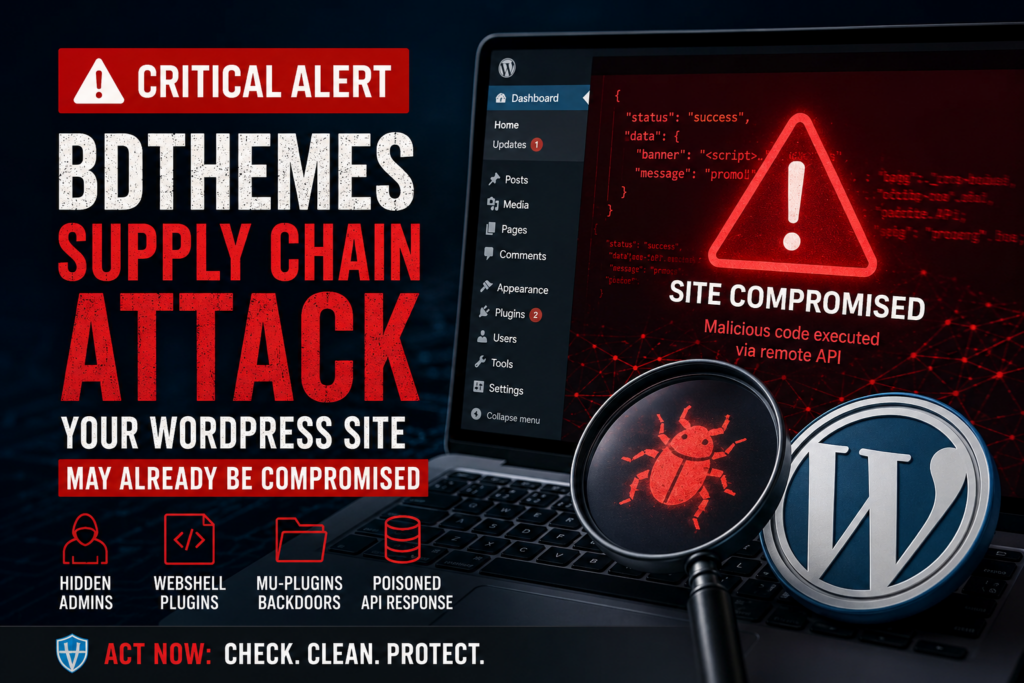
A serious BdThemes supply chain attack exposed WordPress administrators through a compromised remote API. Learn which Elementor plugins were affected, how malicious JavaScript created hidden administrators and persistent backdoors, which indicators of compromise to search for, and how to investigate and secure an affected WordPress website.
BdThemes Supply Chain Attack: What WordPress Owners Need to Know
WordPress security incidents usually begin with a familiar warning: a vulnerable plugin needs an urgent update. The BdThemes incident disclosed in August 2026 is different, and that difference makes it particularly important for WordPress administrators to understand.
The malicious code did not need to arrive through a compromised plugin update. According to Wordfence’s investigation, attackers poisoned an external JSON data source used by a promotional component included in several BdThemes plugins. A legitimate plugin already installed on a WordPress website could therefore become part of the attack when an administrator opened the WordPress Dashboard.
This changes the normal security assumptions many site owners make.
Checking that plugin files match the versions distributed through WordPress.org is useful, but it would not necessarily reveal this attack. The plugin files themselves could remain legitimate while the browser received dangerous data from an external service.
Even more importantly, cleaning the compromised external endpoint does not automatically clean websites that were previously infected. Wordfence reported that successful exploitation could create rogue administrator accounts, install a webshell, and place persistent backdoors inside the WordPress mu-plugins directory.
For administrators who used one of the affected plugins, the correct response is therefore not simply, “The API is clean now, so my website is safe.”
The website itself needs to be investigated.
What Happened to the BdThemes Plugin Ecosystem
BdThemes develops several WordPress extensions, including popular add-ons designed to extend Elementor.
The security incident involved a component called Biggopti. Wordfence describes it as an internal promotional system that retrieves banner information from an external API and displays those notices inside the WordPress administration area. The remote data was stored as JSON in object storage.
That architecture is not inherently malicious or unusual. WordPress plugins commonly communicate with external services for licensing, templates, announcements, updates, analytics, cloud features, and other functionality.
The problem appeared in how information returned by the external service was handled.
A remote display_id value was inserted into an HTML attribute without adequate escaping. Wordfence’s technical analysis found that an attacker who gained the ability to modify the vendor’s JSON data could exploit this behavior to inject JavaScript into the WordPress administration interface.
This produced an unusual supply chain attack.
The WordPress.org Plugin Files Were Not Replaced
One of the most important details is that attackers did not need to upload obviously malicious releases to WordPress.org.
According to Wordfence, no source files in the official WordPress.org repository needed to be modified for the attack to work. Instead, the attackers manipulated data being retrieved remotely by legitimate plugin code.
That distinction matters.
Imagine installing a plugin from the official directory and verifying its files. Everything may appear correct. However, the plugin later contacts an external server and receives data.
If that data is trusted too much, it effectively becomes another source of executable behavior.
The local PHP files can remain unchanged while malicious information arriving from outside causes dangerous JavaScript to execute.
That is why this incident deserves attention beyond the BdThemes ecosystem itself. It demonstrates a broader WordPress security lesson about external dependencies.
Why This Qualifies as a Supply Chain Problem
A software supply chain includes more than downloadable ZIP files.
It can include:
- plugin repositories;
- vendor APIs;
- cloud storage;
- JavaScript libraries;
- update infrastructure;
- licensing servers;
- template libraries;
- remote configuration systems;
- promotional feeds;
- CDN resources.
A website may trust all of these components indirectly.
In this case, the compromised link was the remote data pipeline.
The WordPress website trusted the plugin. The plugin trusted data coming from vendor infrastructure. Attackers compromised that trust relationship and used it against administrators.
Which WordPress Plugins Are Affected
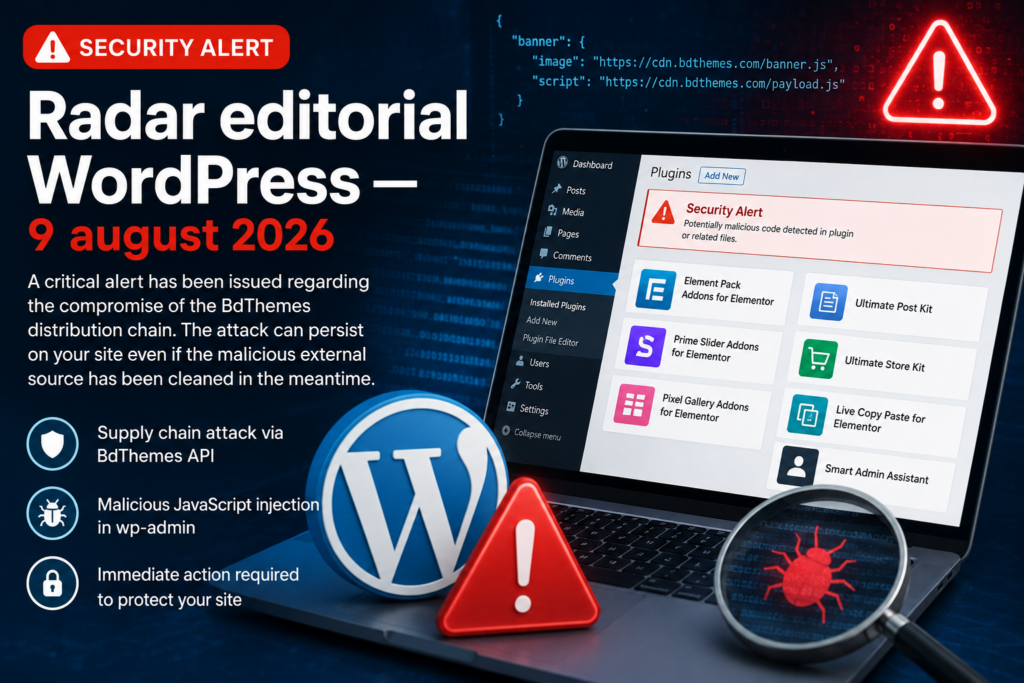
Wordfence identified seven plugins using the affected functionality.
Administrators should check for the following plugins:
- Element Pack Addons for Elementor
- Prime Slider Addons for Elementor
- Pixel Gallery Addons for Elementor
- Ultimate Post Kit Addons for Elementor
- Ultimate Store Kit
- Live Copy Paste for Elementor
- Smart Admin Assistant
The associated plugin slugs reported by Wordfence include:
bdthemes-element-pack-lite
bdthemes-prime-slider-lite
pixel-gallery
ultimate-post-kit
ultimate-store-kit
live-copy-paste
smart-admin-assistant
Do not assume that a website is safe simply because the affected plugin has since been deactivated.
If the malicious JavaScript already executed while an administrator was logged in, persistence mechanisms could remain after the original plugin is disabled.
Element Pack Was Temporarily Closed
The WordPress.org page for Element Pack currently states that the plugin was closed as of August 8, 2026 and is unavailable for download while undergoing a full review.
That temporary closure is important because it tells administrators that this was not merely a theoretical discussion around unsafe programming practices.
Wordfence reported that the attack had been observed in the wild on August 7. Its timeline says the affected plugins were closed pending investigation and that the poisoned endpoints were returning clean JSON by August 8.
A clean endpoint, however, does not remove persistence already installed on individual WordPress websites.
How the Poisoned API Compromised Administrator Sessions
Understanding this attack does not require advanced JavaScript knowledge.
The easiest way to understand it is to follow the chain of trust.
A WordPress administrator logs into the Dashboard.
An affected plugin loads its administrative functionality.
That functionality contacts the BdThemes-related remote service and requests promotional information.
Normally, the server returns harmless JSON containing information used to create a promotional banner.
During the compromise, attackers were able to alter that remote data.
Because one of the returned values was inserted into the page without sufficient escaping, malicious data could escape its expected HTML context and cause JavaScript to execute.
The attack therefore ran inside the administrator’s browser.
Why Administrator Access Made the Attack Dangerous
JavaScript running in a normal visitor’s browser does not automatically have administrator privileges.
JavaScript running inside an authenticated administrator’s WordPress session is a completely different situation.
The browser already has an authenticated WordPress session. It can access administrative pages and legitimate security tokens used to authorize sensitive actions.
Wordfence reported that the malicious payload used the authenticated session to create rogue administrator accounts. It could then install a fake plugin containing a webshell and establish additional persistence.
In practical terms, the attacker did not need to steal the administrator’s password first.
The administrator’s authenticated browser became the execution environment.
From Stored XSS to Full WordPress Takeover

Cross-site scripting is sometimes dismissed as less dangerous than direct PHP remote code execution.
This incident demonstrates why that assumption can be dangerous.
Context matters.
When JavaScript executes inside a privileged administrative interface, it may be able to perform actions available to that administrator.
Wordfence documented a multi-stage payload that could move from browser-based JavaScript execution toward persistent control of the WordPress installation.
Stage 1: Malicious JavaScript Executes
The poisoned JSON value caused attacker-controlled JavaScript to run when the WordPress administrator loaded an affected wp-admin page.
No malicious plugin installation was required at this stage.
Stage 2: A Rogue Administrator Could Be Created
The payload could use the authenticated WordPress session to create an additional administrator.
One observed mechanism generated usernames beginning with:
bd_
Wordfence found a predictable username format consisting of bd_ followed by six alphanumeric characters. Accounts could also use email addresses associated with domains such as:
@wordpress.org
@developer.wordpress.org
These are indicators, not proof that every account matching a broad pattern is malicious. Administrators should investigate creation dates, expected users, associated files, and other evidence before deleting anything.
Stage 3: A Fake Plugin Could Be Installed
Wordfence observed a malicious plugin using a neutral-looking name such as:
wp-smart-thumbnails
The naming strategy matters.
Attackers often choose names that resemble legitimate optimization, caching, image, SEO, or maintenance tools. On a website containing dozens of plugins, an unfamiliar but believable name can escape attention.
This is why every plugin should have a known purpose and owner.
If nobody responsible for the website remembers installing a plugin, investigate it.
Stage 4: A Webshell Provided Deeper Access
The malicious plugin contained a webshell identified as:
emer-run.php
A webshell is particularly serious because it can provide an attacker with server-side capabilities beyond the original browser-based injection.
Once server-side persistence exists, removing the original vulnerable component is not enough.
The compromise has moved into a different phase.
Stage 5: MU-Plugin Backdoors Could Be Added
The attack could install files inside:
wp-content/mu-plugins/
Must-use plugins deserve special attention during WordPress incident response.
Unlike normal plugins, they are loaded automatically by WordPress and do not behave exactly like regular plugins managed through the standard Plugins interface.
That makes mu-plugins an attractive persistence location.
Wordfence documented suspicious files including:
class-wp-token-validate.php
class-wp-query-*.php
wp-cache-optimizer.php
The exact filenames may vary between infections. Therefore, do not limit an investigation to a simple filename search.
Review the actual contents and history of every unexpected MU-plugin.
Why Hidden Administrator Accounts Are Especially Dangerous
One persistence component identified by Wordfence could interfere with WordPress database queries and hide rogue accounts from the normal administrative user interface.
This creates a dangerous situation.
An administrator may open:
Users → All Users
and see nothing suspicious.
That does not prove that no rogue administrator exists.
A malicious plugin can alter what WordPress displays.
The database is the underlying source of truth.
For that reason, administrators investigating this incident should compare multiple views of their users.
How to Check Hidden Administrators and MU-Plugins
If you manage your server through SSH and WP-CLI, begin by listing users outside the normal Dashboard interface.
A useful command is:
wp user list --fields=ID,user_login,user_email,roles,user_registered
Review every account with the administrator role.
Pay particular attention to unexpected usernames beginning with:
bd_
and unfamiliar accounts using unusual WordPress-related email domains.
You can narrow the output with:
wp user list --role=administrator --fields=ID,user_login,user_email,user_registered
Do not immediately delete an unfamiliar account before documenting it if you suspect a real compromise.
Evidence can help determine when the intrusion happened and what else the attacker changed.
Check Users Directly in the Database
If WordPress itself might be compromised, direct database inspection provides another independent view.
The table prefix is not always wp_, so determine the correct prefix from wp-config.php.
Then inspect the users table.
For example:
SELECT ID, user_login, user_email, user_registered
FROM wp_users
ORDER BY ID DESC;
Replace wp_ with your actual database prefix.
Search specifically for the observed naming pattern:
SELECT ID, user_login, user_email, user_registered
FROM wp_users
WHERE user_login LIKE 'bd_%';
You can also investigate relevant email patterns:
SELECT ID, user_login, user_email, user_registered
FROM wp_users
WHERE user_email LIKE '%@wordpress.org'
   OR user_email LIKE '%@developer.wordpress.org';
These searches are investigative tools. They should not be treated as automatic deletion commands.
Indicators of Compromise to Search For
Wordfence published several useful indicators associated with the campaign.
Administrators investigating a website should search for several categories of evidence rather than relying on one indicator.
Suspicious Administrator Accounts
Look for:
bd_******
where the username begins with bd_ and is followed by six alphanumeric characters.
Also review unexpected accounts using:
@wordpress.org
@developer.wordpress.org
An account matching one of these patterns deserves immediate investigation.
Suspicious Plugin Directory
Check:
wp-content/plugins/
for unfamiliar plugins, particularly names resembling:
wp-smart-thumbnails
Do not rely entirely on the WordPress Plugins screen.
Inspect the filesystem directly.
From SSH, you can list directories with:
ls -lah wp-content/plugins/
With WP-CLI:
wp plugin list
Compare the results with your expected plugin inventory.
Search for emer-run.php
Wordfence identified the following webshell filename:
emer-run.php
From the WordPress installation directory, an administrator can search for it using:
find . -type f -name "emer-run.php" -print
If found unexpectedly, treat the website as potentially compromised.
Do not execute or open suspicious PHP files through a browser.
Inspect the MU-Plugins Directory
Run:
ls -lah wp-content/mu-plugins/
Look carefully for unexpected files including:
class-wp-token-validate.php
class-wp-query-*.php
wp-cache-optimizer.php
You can search specifically with:
find wp-content/mu-plugins/ -type f
( -name "class-wp-token-validate.php"
-o -name "class-wp-query-*.php"
-o -name "wp-cache-optimizer.php" ) -print
However, remember that Wordfence warns filenames could differ between infections.
A complete review of unfamiliar MU-plugin code is safer than searching only for known names.
Check the WordPress Database for Persistence
The campaign also used WordPress database options as part of its persistence mechanism.
Wordfence identified:
fz_emer_login_tokens
fz_emer_done_v1
You can search through WP-CLI:
wp option get fz_emer_login_tokens
wp option get fz_emer_done_v1
A missing option may produce an error indicating that the option could not be found. That is normally what you want when checking a clean installation.
You can also inspect the database directly:
SELECT option_name, option_value
FROM wp_options
WHERE option_name IN (
    'fz_emer_login_tokens',
    'fz_emer_done_v1'
);
Again, replace wp_ if your WordPress installation uses another table prefix.
Wordfence says fz_emer_login_tokens was associated with magic-login tokens, while fz_emer_done_v1 served as a flag related to completion of the compromise process.
Finding either on an affected site should trigger a deeper incident investigation.
Why File Integrity Scanners Could Miss the Attack
This incident reveals an important limitation of traditional WordPress security monitoring.
File integrity scanning generally works by comparing files on the server against known originals or searching for suspicious code.
That approach remains valuable.
However, the initial BdThemes compromise did not require attackers to modify the legitimate plugin files installed on the website.
The dangerous content arrived remotely.
Wordfence specifically noted that the API-driven attack could be invisible to file-based integrity scanners during its initial stage.
Imagine checking:
wp-content/plugins/bdthemes-element-pack-lite/
and finding that every file matches the official release.
That result would normally be reassuring.
In this incident, it could produce false confidence because the malicious component was being delivered from outside the local filesystem.
Integrity Scanning Still Matters After Exploitation
This does not mean file scanners are useless.
Once the attack successfully installed a webshell or MU-plugin persistence, malicious files could exist locally.
At that stage, a capable malware scanner may detect them.
The lesson is therefore not “stop scanning files.”
The lesson is:
Do not make file integrity your only security signal.
WordPress monitoring should also include users, database options, outbound connections, administrative events, plugin installations, server logs, and unexpected changes.
Why Cleaning the Remote API Does Not Clean Your Site
Wordfence’s timeline states that the poisoned API endpoints were returning clean JSON by August 8.
That stopped the malicious remote response from continuing in the same form.
However, consider what may already have happened before cleanup.
An attacker may have:
- created an administrator;
- installed a malicious plugin;
- uploaded a webshell;
- created an MU-plugin backdoor;
- stored authentication tokens;
- hidden users from the Dashboard;
- established persistent server-side access.
Once these actions occur, the original delivery mechanism becomes less important.
The attacker has already entered the website.
This is similar to locking a door after discovering that someone entered the building earlier. Locking the door prevents another entry through that route, but you still need to check whether anyone remains inside.
WordPress Incident Response Checklist
Administrators who had one of the affected plugins active should treat the situation as an incident-response exercise rather than a routine plugin update.
1. Create a Forensic Backup
Before making major changes, preserve a copy of:
WordPress files
Database
Web server logs
Access logs
Error logs
Security logs
Do not overwrite your only clean backup with a potentially compromised version.
Label the backup clearly with the date and reason it was created.
2. Temporarily Disable Affected Plugins
If an affected plugin remains active and no trusted, reviewed remediation is available for your installation, disable it while investigating.
For example:
wp plugin deactivate bdthemes-element-pack-lite
Repeat as necessary for any affected plugin actually installed.
Deactivation alone should not be considered remediation if the website was already compromised.
3. Audit Every Administrator
Run:
wp user list --role=administrator
--fields=ID,user_login,user_email,user_registered
Compare the results with your known administrators.
Then verify the underlying database independently.
4. Inspect Normal Plugins
Run:
wp plugin list
Investigate anything you do not recognize.
Check the filesystem as well:
ls -lah wp-content/plugins/
5. Inspect MU-Plugins
Check:
ls -lah wp-content/mu-plugins/
Every file should have a known purpose.
If your website normally has no must-use plugins but suddenly contains several PHP files, investigate immediately.
6. Search for Known Indicators
Search for:
emer-run.php
class-wp-token-validate.php
class-wp-query-*.php
wp-cache-optimizer.php
wp-smart-thumbnails
fz_emer_login_tokens
fz_emer_done_v1
Also inspect unexpected recently modified PHP files.
7. Run a Malware Scan
Use a reputable WordPress or server-level security scanner.
Wordfence reported that Premium, Care, Response, and paid Wordfence CLI users received relevant malware signatures and WAF rules on August 7, 2026. Free Wordfence and free Wordfence CLI users are scheduled to receive them following the company’s standard 30-day delay.
A clean scanner result should still be combined with manual inspection when a known affected plugin was present.
8. Check Logs
Look for suspicious activity involving:
/wp-admin/user-new.php
/wp-admin/plugin-install.php
/wp-admin/update.php
/wp-content/plugins/
emer-run.php
Also investigate unexpected outbound requests and unusual administrator activity around the suspected compromise period.
9. Rotate Credentials After Cleanup
If compromise is confirmed, rotate relevant credentials after removing persistence.
Consider changing:
- WordPress administrator passwords;
- hosting control panel passwords;
- SSH credentials;
- SFTP/FTP passwords;
- database credentials;
- API credentials;
- application passwords;
- security salts.
WordPress salts can be replaced in:
wp-config.php
Rotating them invalidates existing authentication cookies.
10. Update WordPress Components
After preserving evidence and completing the initial investigation, update:
WordPress Core
Themes
Plugins
Security software
Server packages where appropriate
Remove plugins and themes you no longer use.
Unused software creates unnecessary attack surface.
11. Reinstall Trusted Components When Necessary
If plugin files cannot be trusted, reinstall them from verified sources.
WordPress Core integrity can also be checked with WP-CLI:
wp core verify-checksums
For WordPress.org plugins that support checksum verification:
wp plugin verify-checksums --all
Remember that checksum verification cannot prove that an API-driven compromise never occurred. It simply adds another useful layer to the investigation.
A Faster WP-CLI Investigation
Experienced administrators can perform several quick checks from SSH.
List administrators:
wp user list --role=administrator
--fields=ID,user_login,user_email,user_registered
Search suspicious users:
wp user list --fields=ID,user_login,user_email | grep -E 'bd_|wordpress.org|developer.wordpress.org'
List plugins:
wp plugin list
Check Core integrity:
wp core verify-checksums
Check plugin checksums:
wp plugin verify-checksums --all
Check suspicious database options:
wp option get fz_emer_login_tokens
wp option get fz_emer_done_v1
Inspect MU-plugins:
find wp-content/mu-plugins -maxdepth 2 -type f -print
Search the installation for the observed webshell:
find . -type f -name "emer-run.php" -print
These commands provide a useful first pass, but they are not a complete forensic investigation.
How to Secure Remote API Data in WordPress Plugins
The BdThemes incident also offers important lessons for WordPress developers.
- Remote API responses must always be considered untrusted input.
- It does not matter whether the API belongs to your own company.
- Infrastructure can be compromised.
- Credentials can leak.
- Cloud storage permissions can be misconfigured.
- DNS can be attacked.
- Vendor accounts can be hijacked.
An API that is trustworthy today can become hostile tomorrow.
Escape Data for Its Final Context
WordPress developers already know the principle:
Escape late.
Data inserted into HTML attributes should receive appropriate escaping.
Data inserted into HTML content requires the appropriate HTML handling.
URLs require URL-specific escaping and validation.
JavaScript contexts require another approach.
The BdThemes case is a reminder that sanitizing one field while leaving another dangerous output context untreated can undermine the entire security model.
Do Not Treat JSON as Safe Because It Is JSON
JSON is only a data format.
It does not guarantee trustworthy content.
A response such as:
{
  "title": "Summer Promotion",
  "display_id": "promotion-123"
}
looks harmless.
However, if display_id is concatenated directly into HTML, attacker-controlled characters may change the resulting DOM.
Developers should validate both the expected format and expected values.
For example, an identifier expected to contain only letters, numbers, hyphens, and underscores should be restricted accordingly.
Apply Least Privilege to Vendor Infrastructure
The incident also demonstrates why cloud storage credentials deserve the same security attention as production server credentials.
If a storage bucket controls content displayed inside millions of privileged WordPress sessions, write access to that bucket becomes highly sensitive.
Organizations should use:
- least-privilege access;
- multi-factor authentication;
- credential rotation;
- access logging;
- change alerts;
- deployment controls;
- versioning;
- integrity monitoring.
A “simple promotional feed” can become security-critical when it is rendered inside an authenticated administration environment.
Lessons for WordPress Site Owners
Website administrators cannot inspect every line of code used by every plugin.
However, they can reduce risk.
The first step is minimizing unnecessary software.
Every plugin represents code, dependencies, external connections, and a relationship with another development organization.
Install plugins because you need them, not because they might become useful someday.
Maintain an Expected Plugin Inventory
For every production website, keep a basic list containing:
Plugin
Purpose
Source
Responsible person
Installation date
Renewal/license status
When an unexpected plugin appears, you will notice quickly.
Without an inventory, a fake plugin with a believable name can blend into a large installation.
Monitor Administrator Creation
A new administrator account should be a rare event on many WordPress websites.
That makes it an excellent security signal.
Consider logging or alerting whenever:
- an administrator is created;
- an administrator password changes;
- a plugin is installed;
- a plugin is activated;
- an MU-plugin appears;
- WordPress Core files change.
These events deserve more attention than routine page edits.
Keep Server-Level Access
WP-CLI, SSH, SFTP, hosting file managers, and direct database administration can become extremely valuable during incident response.
If malicious WordPress code manipulates what appears inside the Dashboard, you need another way to inspect the installation.
The BdThemes incident provides an excellent example.
A hidden administrator may disappear from the normal WordPress Users page while still existing in the database.
SEO and WordPress Core Update for August 9
This editorial radar is primarily a security alert.
A review of the official Google Search Central blog did not show a major new August SEO announcement within the period covered by this radar. The current official 2026 archive shows its recent entries under July rather than a new early-August announcement.
Likewise, this radar does not identify a separate WordPress Core development that deserves to displace the BdThemes compromise as the primary operational issue.
That is useful editorial information in itself.
A security radar should not manufacture additional stories simply to fill space.
When there is one major incident requiring immediate action, administrators benefit more from a thorough investigation guide than from several minor or speculative headlines.
Frequently Asked Questions
Was malicious code added to the WordPress.org plugins?
Wordfence reported that the official plugin source files did not need to be modified. The attack poisoned remote JSON data consumed by legitimate plugin functionality.
Does that mean official WordPress.org plugins cannot be trusted?
No. The lesson is broader: installing software from a legitimate repository does not eliminate every external dependency. Plugins may communicate with vendor APIs, cloud services, CDNs, template libraries, and licensing infrastructure.
Which BdThemes plugins were affected?
Wordfence identified Element Pack Addons for Elementor, Prime Slider Addons for Elementor, Pixel Gallery Addons for Elementor, Ultimate Post Kit, Ultimate Store Kit, Live Copy Paste for Elementor, and Smart Admin Assistant.
Is the attack still active?
Wordfence reported that the poisoned API endpoints were returning clean JSON on August 8. However, websites compromised earlier may retain rogue users, webshells, malicious plugins, database entries, or MU-plugin backdoors.
Is deactivating the BdThemes plugin enough?
Not necessarily. Deactivation can stop the affected plugin from operating, but it does not remove persistence that attackers may already have installed.
Why might a malicious administrator not appear in WordPress?
Wordfence documented a persistence module capable of manipulating database queries so rogue accounts could be hidden from the normal administrative user list.
What suspicious username should I search for?
One observed pattern begins with bd_ followed by six alphanumeric characters. Administrators should also investigate unexpected accounts associated with @wordpress.org or @developer.wordpress.org email addresses.
Which files should I check?
Important indicators reported by Wordfence include emer-run.php, class-wp-token-validate.php, class-wp-query-*.php, and wp-cache-optimizer.php. Also investigate unfamiliar plugins such as wp-smart-thumbnails.
Which database options should I search for?
Wordfence identified fz_emer_login_tokens and fz_emer_done_v1 as database indicators associated with the compromise.
Can a normal malware scanner guarantee my site is clean?
No single scanner can guarantee that. Combine malware scanning with user audits, filesystem inspection, database checks, log analysis, checksum verification, credential rotation when appropriate, and professional incident response for high-value or confirmed compromised sites.
What This Incident Should Change About WordPress Security
The BdThemes supply chain compromise demonstrates a security problem that WordPress administrators will probably encounter more often as plugins become increasingly dependent on cloud services.
A plugin is no longer always a self-contained collection of PHP, CSS, and JavaScript files.
Modern plugins may continuously interact with remote infrastructure.
That creates additional trust relationships.
In this incident, attackers reportedly exploited one of those relationships by poisoning a remote promotional data source. Malicious JavaScript could then execute inside an authenticated administrator’s browser and move toward full site persistence.
The most important response is therefore straightforward.
If your WordPress website used one of the affected BdThemes plugins during the relevant period, do not stop after checking whether the external API is clean today.
Audit the website itself.
Check administrators through WP-CLI and the database. Inspect normal and must-use plugins. Search for known indicators. Review logs. Scan the filesystem. Preserve evidence if you find suspicious activity.
A legitimate plugin can become dangerous when something it trusts is compromised.
That is the central lesson of this incident.
⚠️ Disclaimer and Source Hygiene
This article is provided for educational and informational purposes and should not be considered a substitute for professional cybersecurity, incident-response, hosting, legal, or forensic advice.
Security incidents can differ between websites. Do not delete suspicious files or database records blindly on an important production website. Preserve backups and evidence before making destructive changes, especially when a confirmed compromise may require forensic analysis.
Technical details in this article were cross-checked against the Wordfence Threat Intelligence investigation published August 8, 2026 and current information available through the official WordPress.org plugin directory.
🔔 For more tutorials like this, consider subscribing to our blog.
📩 Do you have questions or suggestions? Leave a comment or contact us!
🏷️ Tags: BdThemes supply chain attack, WordPress security, Elementor security, WordPress malware, WordPress backdoor, WordPress hacked site, WordPress supply chain security, Wordfence, WordPress MU plugins, WordPress incident response
📢 Hashtags: #WordPress, #WordPressSecurity, #BdThemes, #Elementor, #CyberSecurity, #Wordfence, #WebsiteSecurity, #WordPressMalware, #WebSecurity, #Tips4WP
Sources and References
Wordfence Threat Intelligence
Primary technical source: Wordfence, “PSA: Supply Chain Compromise in BdThemes Ecosystem via Poisoned API Response,” published August 8, 2026.
The investigation documents the poisoned remote JSON feed, affected plugins, JavaScript execution chain, rogue administrator creation, webshell installation, MU-plugin persistence, database indicators, campaign timeline, and Wordfence protection availability.
WordPress.org Plugin Directory
The official Element Pack Addons for Elementor page currently states that the plugin has been temporarily closed as of August 8, 2026 pending a full review.
Google Search Central
The official Google Search Central Blog archive was checked for major SEO announcements relevant to the editorial period. At the time of this radar, its visible recent 2026 entries remained under July rather than showing a major new early-August SEO announcement.
Secondary Sources and Testimonials
Secondary reports should be treated as supplementary material rather than replacements for technical evidence from the security researchers and official WordPress infrastructure involved.
When investigating a potentially compromised website, prioritize direct evidence from the server, database, security logs, WordPress.org status information, and established security research.
The most important rule is simple: if an affected BdThemes plugin was active during the exposure period, the absence of visible symptoms does not prove that the WordPress installation was never compromised.
Sign in with a Subscriber account to vote.