
Table of Contents
A critical User Profile Builder vulnerability can allow unauthenticated attackers to access the WordPress account with user ID 1. Learn how CVE-2026-15826 works, which configurations are vulnerable, why automatic login creates the risk, and what administrators should check after updating the plugin.
Critical User Profile Builder Authentication Bypass Explained
A critical authentication vulnerability in the popular User Profile Builder WordPress plugin can allow an unauthenticated attacker to gain access to a site’s primary administrator account under specific conditions.
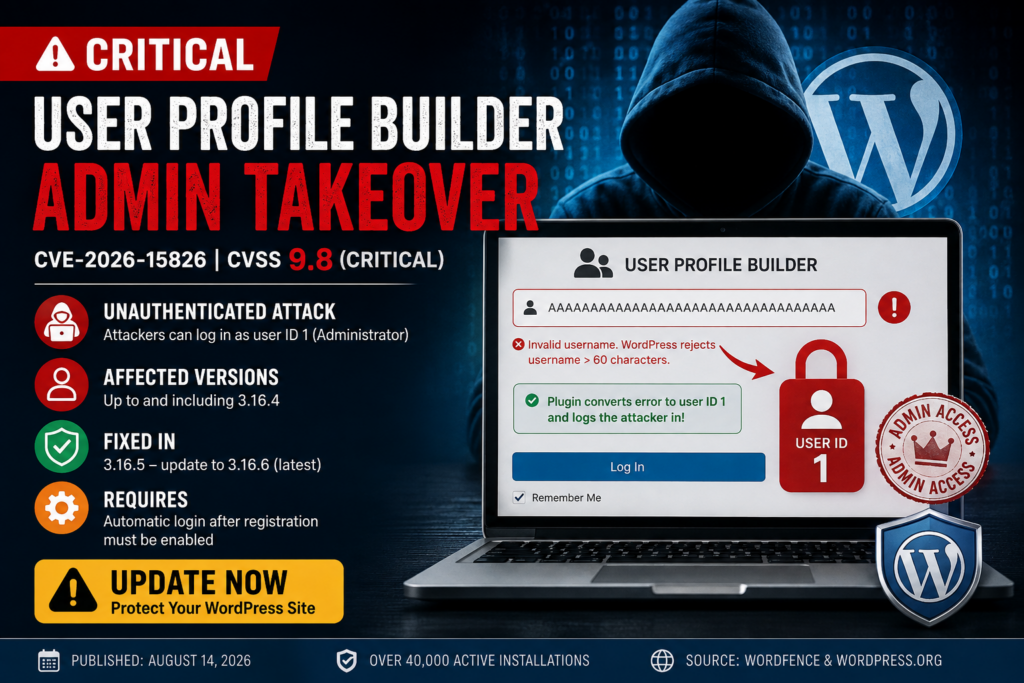
The vulnerability is tracked as CVE-2026-15826 and carries a CVSS score of 9.8 out of 10, placing it firmly in the critical severity category. It affects User Profile Builder versions up to and including 3.16.4. Wordfence confirmed that successful exploitation can authenticate an attacker as WordPress user ID 1, which is commonly the administrator account created during the original WordPress installation.
This is not simply a vulnerability that creates an ordinary Subscriber account or bypasses one registration restriction. When the necessary conditions exist, the flaw can cross the boundary between an anonymous visitor and a fully authenticated WordPress administrator.
That distinction makes CVE-2026-15826 particularly serious for membership sites, community websites, WooCommerce installations, online directories, and other WordPress projects that allow visitors to create accounts.
The good news is that exploitation depends on a particular configuration. The site’s Automatically Log In after Registration functionality must be enabled, and user ID 1 must represent an account with administrator privileges. Wordfence specifically identified the automatic-login requirement in its technical analysis.
Administrators should therefore treat the issue seriously without assuming that every installation has already been compromised.
Which User Profile Builder Versions Are Vulnerable?
The vulnerable range is straightforward:
- User Profile Builder 3.16.4 and earlier – vulnerable
- User Profile Builder 3.16.5 – authentication bypass patched
- User Profile Builder 3.16.6 – current release at the time of this article and recommended update
Wordfence lists versions through 3.16.4 as affected by CVE-2026-15826 and identifies 3.16.5 as the patched release. The developer released that fix on July 16, 2026 after receiving the vulnerability disclosure.
However, administrators updating today should move directly to 3.16.6 rather than stopping at 3.16.5.
The official WordPress.org listing currently shows version 3.16.6 and more than 40,000 active installations. Its changelog also documents another security-related fix concerning arbitrary attachment ownership takeover during registration with Email Confirmation.
In other words, 3.16.5 addresses the administrator authentication bypass discussed here, while 3.16.6 includes an additional security correction. There is little reason to intentionally remain on 3.16.5 when 3.16.6 is available.
Check User Profile Builder on WordPress.org
Why CVE-2026-15826 Is So Dangerous
Many WordPress vulnerabilities require an attacker to already have an account. Some require Contributor, Author, Editor, or even Administrator privileges before exploitation becomes possible.
CVE-2026-15826 is different.
Wordfence classifies the vulnerability as an unauthenticated authentication bypass. An attacker does not need to know the administrator’s password and does not need an existing WordPress account before starting the attack.
Under the vulnerable configuration, the attacker can abuse the registration process itself.
The severity comes from what happens at the end of that process. Instead of merely obtaining a new low-privilege account, the attacker can potentially become authenticated as user ID 1.
On many WordPress installations, that user is the original administrator.
Administrator access normally provides control over virtually every important part of a standard WordPress website. An intruder could therefore create additional administrators, alter content, change settings, install malicious extensions, introduce persistent backdoors, or access information available through the WordPress dashboard.
Wordfence specifically warns that successful exploitation can result in complete site compromise.
How the User Profile Builder Admin Takeover Works
The vulnerability comes from an unusual interaction between User Profile Builder’s registration logic and WordPress Core’s username restrictions.
Understanding the attack does not require deep PHP knowledge. The important issue is that two pieces of the registration process disagree about what constitutes an acceptable username.
The Registration Form Accepts an Oversized Username
According to Wordfence’s technical analysis, the vulnerable registration form allows usernames with a maximum length of 70 characters.
The plugin performs validation before attempting to create the account. A username between 61 and 70 characters can get through those preliminary checks.
The problem appears during the next stage.
WordPress Core does not accept usernames longer than 60 characters when creating the user. Therefore, the oversized username eventually reaches WordPress and the attempted account creation fails.
Normally, that should be the end of the process.
The plugin should detect the error, report that registration failed, and never attempt to authenticate anybody.
Instead, a type-handling mistake causes something much more dangerous.
WordPress Returns a WP_Error Object
User Profile Builder relies on the WordPress wp_insert_user() function to create the account.
For a valid registration, this function can return the numeric ID belonging to the newly created user. However, if WordPress cannot create the account, it can return a WP_Error object instead.
That distinction is critical.
The plugin needs to determine whether it received a valid user ID or an error before continuing into the automatic-login process.
In the vulnerable code path, the order of those operations was wrong.
The Error Is Converted Before Being Checked
Wordfence found that the vulnerable wppb_log_in_user() function applied WordPress’s absint() function to the result before performing the appropriate is_wp_error() check.
That seemingly small programming mistake creates the authentication bypass.
The WP_Error result is incorrectly coerced into the numeric value:
1
At that point, the original error object has effectively been lost from the login decision.
The following check no longer sees the WP_Error object it was supposed to reject. Instead, the plugin believes it has received the valid user ID 1.
This is the central technical problem behind CVE-2026-15826.
Why WordPress User ID 1 Matters

WordPress stores every user with a unique numeric ID.
The first account created during a traditional WordPress installation normally receives:
ID = 1
That account is frequently the original administrator.
Modern WordPress security does not give user ID 1 magical privileges merely because its ID is one. Permissions depend on the user’s assigned role and capabilities.
However, the historical pattern matters because the first account is often still an Administrator.
The User Profile Builder vulnerability mistakenly transforms the failed registration result into 1. The plugin then looks for the user associated with that ID.
If user ID 1 exists and has administrator privileges, the authentication bypass becomes an administrator takeover.
Wordfence therefore emphasizes that the vulnerability critically affects sites where user ID 1 is an administrator.
This also explains why the same vulnerability may have different practical consequences across different websites.
How the Automatic Login Token Completes the Attack
Mistaking the failed registration for user ID 1 is only part of the vulnerability. User Profile Builder still needs to authenticate the visitor.
That happens through the plugin’s automatic-login mechanism.
When automatic login after registration is enabled, User Profile Builder is designed to let a legitimate newly registered member enter the site without manually signing in immediately afterward.
For ordinary users, this is a convenience feature.
During exploitation, however, the plugin thinks the newly registered user’s ID is 1.
Wordfence explains that the plugin generates an autologin nonce associated with that user ID and stores information required for the login process. The resulting URL includes the parameters needed to continue automatic authentication.
When the specially generated URL is processed, the plugin retrieves the stored user ID and eventually calls WordPress authentication functionality for that account.
Because the ID has already become 1, WordPress creates an authenticated session for user ID 1.
If that account is the Administrator, the anonymous attacker has effectively crossed directly into the WordPress dashboard with administrative privileges.
Conditions Required for Exploitation
Not every WordPress installation running User Profile Builder 3.16.4 or earlier has the same exposure.
Several conditions determine whether the vulnerability can lead to administrator takeover.
User Profile Builder Must Be Vulnerable
The website must be running an affected version of the plugin.
That means 3.16.4 or earlier for CVE-2026-15826.
Sites running 3.16.5 contain the specific authentication bypass fix, while administrators updating now should use 3.16.6 or a later secure release.
Registration Must Be Available to the Attacker
The attack relies on the User Profile Builder registration process.
Consequently, sites exposing a public registration form deserve the highest priority for investigation.
The official plugin supports front-end registration through its registration form functionality and [wppb-register] shortcode, making public account creation a normal use case for many installations.
Automatically Log In After Registration Must Be Enabled
This is one of the most important conditions.
Wordfence states that the vulnerability is exploitable when the plugin’s Automatically Log In setting is enabled. The vulnerable code appears in the automatic authentication flow that runs following registration.
A site using the affected plugin version but not using this functionality does not present the same exploitation path described by CVE-2026-15826.
This distinction matters when assessing exposure.
User ID 1 Must Have Valuable Privileges
The vulnerability causes the plugin to target user ID 1.
If that account is an Administrator, the result can be complete administrative takeover.
If ID 1 no longer exists or does not have administrator privileges, the consequences of this specific flaw can differ substantially.
However, administrators should not treat changing the role or deleting ID 1 as a substitute for patching.
The vulnerable code still exists on older plugin versions. Updating remains the correct remediation.
What an Attacker Could Do After Administrator Takeover
Administrator access changes the incident from an authentication problem into a potential full-site compromise.
Once an attacker reaches the dashboard with administrative privileges, simply updating the vulnerable plugin may no longer be enough.
Create Persistent Administrator Accounts
An attacker could create another Administrator account that does not depend on the original vulnerability.
That persistence matters because the attacker could return even after User Profile Builder has been updated.
Check the entire WordPress Users list rather than looking only at the account with ID 1.
Review recently created administrators, unfamiliar usernames, suspicious email addresses, unexpected role changes, and accounts created during the period when the vulnerable version was installed.
Install Malicious Plugins or Themes
WordPress administrators can normally install extensions when the site configuration permits it.
A malicious plugin can contain PHP code that provides persistent server-side access. A compromised theme can serve a similar purpose.
Wordfence specifically identifies malicious plugin or theme installation as a possible consequence of successful administrator takeover.
Review recently installed and modified extensions carefully.
An unfamiliar plugin should not automatically be assumed malicious, especially on a site managed by several people. However, every unexplained installation deserves investigation.
Modify Website Content
An attacker with Administrator access can alter posts, pages, navigation, widgets, templates, redirects, and many other visible parts of a WordPress site.
Some attackers may inject spam or malicious links. Others may create hidden pages or modify existing content in ways that are difficult to notice immediately.
Compare recent changes against legitimate editorial activity.
Steal or Expose Sensitive Data
The amount of accessible information depends heavily on the website.
A simple publishing site may contain relatively little sensitive information. A membership, community, WooCommerce, or customer portal installation could expose significantly more.
Wordfence notes that administrator compromise can lead to sensitive data exfiltration.
This possibility makes incident investigation particularly important for sites that stored personal or commercially sensitive information while vulnerable.
How to Update User Profile Builder Safely
The first remediation step is simple: update the plugin.
From the WordPress dashboard, navigate to:
Dashboard → Plugins → Installed Plugins
Find:
User Profile Builder – Beautiful User Registration Forms, User Profiles & User Role Editor
Check the installed version.
If the website is running 3.16.4 or earlier, it should be considered vulnerable to CVE-2026-15826 when the required configuration conditions are present.
Update directly to 3.16.6 or newer.
At the time of writing, the official WordPress.org plugin directory lists version 3.16.6 as the current release and reports more than 40,000 active installations.
Before updating an important production website, make a current backup of the database and site files. However, do not use the backup process as a reason to postpone a critical security update unnecessarily.
After updating, clear relevant caches and confirm that registration, login, account management, email confirmation, and any membership workflows still function correctly.
Why You Should Update to 3.16.6 Instead of 3.16.5
Version 3.16.5 is important because it contains the direct fix for the authentication bypass.
The plugin’s changelog describes a security fix concerning an authentication bypass, while Wordfence confirms 3.16.5 as the patched version for CVE-2026-15826.
However, version 3.16.6 is now available.
Its official changelog includes another security fix involving arbitrary attachment ownership takeover through registration with Email Confirmation, along with an Invisible reCAPTCHA correction.
Therefore, administrators performing remediation today should normally install the newest stable version rather than deliberately stopping at the first release that fixed CVE-2026-15826.
Security maintenance works best when the site moves to the latest trusted patched version and administrators then verify compatibility.
How to Determine Whether Your Site Was Exposed
Finding an old plugin version does not prove exploitation.
Likewise, updating the plugin does not tell you whether somebody accessed the site before the update.
A useful investigation should answer several separate questions.
First, determine which User Profile Builder version was running during the vulnerable period.
Next, establish whether public registration was available.
Then verify whether Automatically Log In after Registration was enabled.
Finally, determine which account owns WordPress user ID 1 and whether that account had Administrator capabilities.
If all of these conditions align, the site deserves a more detailed security review.
The vulnerability was disclosed to Wordfence on July 14, validated on July 15, and patched by the developer on July 16. Wordfence published its detailed public analysis on August 14, 2026.
Check for Newly Created Administrators
Open:
WordPress Dashboard → Users → All Users
Filter or visually inspect accounts with the Administrator role.
Do not limit the investigation to obviously strange names. A persistent attacker may choose an ordinary-looking username to avoid attention.
Compare the administrator list against the people who genuinely need administrative access.
Pay particular attention to accounts that appeared unexpectedly or use unfamiliar email addresses.
If you discover an unauthorized administrator, removing the account is necessary, but that should not end the investigation. Administrator access could have been used to establish another form of persistence elsewhere on the site.
Look for Unusually Long Registration Usernames
The oversized username is an important indicator because the vulnerability relies on the difference between what the plugin accepts and what WordPress ultimately permits.
Wordfence’s analysis explains that usernames between 61 and 70 characters can reach the vulnerable path, while WordPress rejects usernames longer than 60 characters during user creation.
Check registration logs, security logs, web server access logs, membership records, and other available monitoring data for suspicious registration attempts involving abnormally long usernames.
Whether these records are available depends on the site’s logging configuration.
A long username alone does not prove that the website was successfully compromised. However, an unexplained registration attempt matching the vulnerability’s characteristics deserves immediate investigation.
Review Recently Installed Plugins and Themes
Navigate to:
Plugins → Installed Plugins
and:
Appearance → Themes
Look for extensions that administrators do not recognize.
Pay attention to recently installed plugins, inactive plugins with unusual names, unexpected file-management tools, unfamiliar security utilities, and extensions that appear unrelated to the site’s purpose.
The same review should cover themes.
Attackers sometimes use legitimate-looking names, so the absence of an obviously malicious label does not guarantee that every extension is trustworthy.
For a higher-confidence investigation, compare the site’s files against known-good plugin and theme packages from their original sources.
Check Must-Use Plugins and Other Persistence Locations
Administrator compromise can sometimes lead to persistence outside the ordinary Plugins screen.
Inspect:
wp-content/mu-plugins/
Must-use plugins load automatically and may not appear in exactly the same way as ordinary plugins in the main plugin interface.
Also inspect unexpected PHP files in writable WordPress directories, unusual modifications to active theme files, configuration changes, scheduled tasks, and unfamiliar server-level files when you have the expertise to do so safely.
Do not delete suspicious files blindly on a production website.
Preserving evidence can be important when investigating a genuine compromise.
Review Active WordPress Sessions
After a suspected authentication compromise, terminate sessions that should no longer remain valid.
Changing administrator passwords is useful, but active authentication sessions also deserve attention.
For high-risk sites, require administrators to log in again after credentials have been rotated.
You should also consider changing credentials for hosting, SFTP or SSH, database management interfaces, CDN services, transactional email providers, and other privileged systems if evidence suggests the attacker moved beyond WordPress.
The required response should match the evidence discovered during the investigation.
Rotate WordPress Security Keys After Confirmed Compromise
WordPress authentication cookies depend on security keys and salts stored in wp-config.php.
After a confirmed administrator compromise, rotating these values provides a practical way to invalidate existing WordPress login cookies.
The relevant constants include values such as:
AUTH_KEYSECURE_AUTH_KEYLOGGED_IN_KEYNONCE_KEY- and their corresponding salts.
Rotating keys signs users out, including legitimate administrators, so plan the action accordingly.
This measure is particularly useful during incident response because you do not want an unknown authenticated session to remain valid after passwords and accounts have been secured.
Check the Site for File Modifications
Administrator takeover may leave filesystem changes behind.
Review recently modified PHP files, especially around the suspected compromise period.
Focus on unexpected modifications rather than assuming every recent file is malicious. WordPress updates, plugin updates, cache systems, optimization tools, backup software, and administrators can all legitimately modify files.
File-integrity monitoring can make this process much easier.
Where possible, compare WordPress Core against official checksums and reinstall trusted plugin packages from their legitimate sources instead of relying solely on visual inspection.
If the site shows strong evidence of compromise, a clean restoration or professional incident-response process may be safer than attempting to remove individual malicious files one at a time.
Check Logs for Suspicious Activity
Server logs can provide valuable evidence when they have been retained.
Review HTTP requests around suspicious registrations and administrator activity.
Useful evidence may include unusual registration submissions, unexpected dashboard access, plugin installation requests, user creation activity, file modification operations, and requests originating from unfamiliar IP addresses.
WordPress security plugins may also maintain useful audit or firewall records.
Logs should be interpreted carefully. An unfamiliar IP address does not automatically mean an attacker because administrators can use mobile networks, VPNs, dynamic addresses, or different locations.
Instead, look for combinations of indicators that form a consistent timeline.
Should You Disable Automatic Login After Registration?
Updating the plugin is the primary fix.
Disabling automatic login can also reduce exposure to this specific vulnerable workflow on installations that do not genuinely need the feature.
If your website does not require users to be logged in immediately after registration, consider whether automatic login provides enough value to justify keeping it enabled.
Email verification, manual login, administrator approval, or another deliberate registration workflow can add useful separation between account creation and authentication.
However, disabling a feature should not be confused with patching.
A vulnerable plugin should still be updated even if the configuration currently prevents this particular exploit.
Defense in depth works best when both software and configuration are maintained securely.
What Wordfence Reported About Exploitation
The public Wordfence advisory provides a detailed technical explanation of the vulnerability, its disclosure timeline, firewall protection, affected versions, and the developer’s response.
Importantly, the advisory does not state that Wordfence had observed active exploitation in the wild at publication time.
That distinction should be preserved when discussing the vulnerability.
A critical CVSS score does not automatically mean thousands of websites were compromised. Likewise, more than 40,000 active installations does not mean 40,000 vulnerable sites were successfully attacked.
The 40,000 figure represents the plugin’s reported active installation base. The actual number of exploitable installations depends on plugin versions and site configuration.
Nevertheless, the technical impact is severe enough that administrators should update immediately rather than waiting for evidence of widespread attacks.
Disclosure Timeline for CVE-2026-15826
Wordfence received the vulnerability submission from researcher Supakiad S. on July 14, 2026.
The security team validated the vulnerability and confirmed the proof of concept on July 15. Details were then provided to the Cozmoslabs development team.
The developer acknowledged the report and released version 3.16.5 on July 16, 2026, addressing the authentication bypass.
Wordfence Premium, Care, and Response customers received a firewall rule on July 15. According to the advisory, users of the free Wordfence version were scheduled to receive the same protection on August 14.
The public technical analysis was published on August 14, 2026.
The rapid vendor response reduced the period between responsible disclosure and availability of a patch, but installations do not protect themselves automatically unless administrators or automatic updates actually deploy the secure version.
Immediate Security Checklist for Site Owners
If User Profile Builder is installed on your website, prioritize these actions:
- Check the installed User Profile Builder version.
- Update immediately to 3.16.6 or later.
- Confirm whether public registration is enabled.
- Determine whether Automatically Log In after Registration was enabled while a vulnerable version was active.
- Check whether user ID
1belongs to an Administrator. - Review all Administrator accounts for unauthorized additions.
- Search available logs for unusually long registration usernames.
- Review recently installed plugins and themes.
- Inspect active sessions and terminate suspicious access.
- Review files and logs if the vulnerable configuration was exposed publicly.
- Rotate administrator credentials if compromise is suspected.
- Rotate WordPress salts and security keys after confirmed compromise.
- Consider a professional malware and incident-response review when evidence of administrator access exists.
Updating is the essential first action, but sites matching all exploitation conditions deserve additional investigation.
Frequently Asked Questions
What is CVE-2026-15826?
CVE-2026-15826 is a critical authentication bypass vulnerability affecting User Profile Builder versions through 3.16.4. Under specific conditions, an unauthenticated attacker can become authenticated as WordPress user ID 1. Wordfence assigned the issue a CVSS score of 9.8.
Which User Profile Builder versions are vulnerable?
Versions 3.16.4 and earlier are affected by the authentication bypass. Version 3.16.5 fixed CVE-2026-15826. Administrators updating now should install version 3.16.6 or a newer secure release.
Does the vulnerability work without a WordPress account?
Yes. Wordfence classifies the issue as unauthenticated, meaning the attacker does not need an existing account before attempting exploitation.
Why does the attack target user ID 1?
A failed user creation returns a WP_Error, but the vulnerable plugin code incorrectly converts the result into the integer 1 before properly checking the error. The automatic-login process can consequently associate authentication with user ID 1.
Is user ID 1 always an Administrator?
No. User ID 1 is commonly the original WordPress administrator, but this is not guaranteed. The role may have been changed or the original account may no longer exist. Wordfence notes that the vulnerability is especially critical when ID 1 is an Administrator.
Is every site using User Profile Builder exploitable?
No. The vulnerable plugin version alone is not enough for the administrator-takeover path described by Wordfence. The plugin’s automatic-login-after-registration functionality must also be enabled, and the privileges associated with user ID 1 affect the final impact.
Has active exploitation been confirmed?
The August 14 Wordfence advisory explains and validates the vulnerability but does not report observed active exploitation in the wild. Administrators should therefore avoid claiming that every vulnerable site was attacked while still treating the flaw as critical.
Does updating remove an existing attacker?
Not necessarily. Updating closes the vulnerable authentication path, but an attacker who previously obtained Administrator access could have created another account or installed persistent malicious code. Potentially exposed sites should perform post-update checks.
Why update to 3.16.6 if 3.16.5 fixed CVE-2026-15826?
Version 3.16.5 fixed this authentication bypass. Version 3.16.6 is now the current release and contains another security-related fix concerning arbitrary attachment ownership takeover during registration with Email Confirmation.
Should I delete user ID 1?
Deleting or demoting user ID 1 is not a replacement for updating the plugin. WordPress authorization is based on roles and capabilities, not simply the numerical user ID. Install the patched plugin and investigate the site if it was exposed.
What WordPress Administrators Should Take Away
CVE-2026-15826 demonstrates how a very small programming mistake can have consequences far beyond the original registration process.
A username that WordPress refuses to create should simply produce a failed registration. Instead, incorrect handling of that failure allowed a WP_Error result to become the numeric value 1. Combined with User Profile Builder’s automatic-login workflow, that mistake could authenticate an anonymous visitor as the account associated with ID 1.
On a typical installation where ID 1 is the original Administrator, the result can be complete administrative takeover.
The developer addressed the authentication bypass in version 3.16.5, and version 3.16.6 is currently available with an additional security correction. WordPress.org reports more than 40,000 active installations of the plugin.
There is no reason for administrators to remain on 3.16.4 or earlier.
Patch first, verify the site’s configuration, and investigate for persistence when the vulnerable automatic-login setup was publicly accessible.
⚠️ Disclaimer and Source Hygiene
This article is provided for educational, defensive, and informational purposes. It is intended to help WordPress administrators understand CVE-2026-15826 and protect websites they own or are authorized to manage.
Security conditions can change as researchers, vendors, and WordPress developers publish new information. Verify current plugin versions and security guidance before making production changes. For a confirmed or suspected compromise involving sensitive information, consider consulting a qualified WordPress security or incident-response professional.
Technical claims in this article were cross-checked against Wordfence’s vulnerability analysis and the official WordPress.org User Profile Builder listing and changelog.
🔔 For more tutorials like this, consider subscribing to our blog.
📩 Do you have questions or suggestions? Leave a comment or contact us!
🏷️ Tags: User Profile Builder, CVE-2026-15826, WordPress security, WordPress vulnerability, authentication bypass, WordPress administrator takeover, Profile Builder vulnerability, WordPress plugin security, WordPress authentication, website security
📢 Hashtags: #WordPress, #WordPressSecurity, #CVE202615826, #ProfileBuilder, #CyberSecurity, #WebsiteSecurity, #WordPressPlugins, #SecurityUpdate, #AuthenticationBypass, #WordPressAdmin
📚 Sources and References
Wordfence – CVE-2026-15826 technical analysis: Wordfence published its detailed analysis on August 14, 2026. The advisory documents the vulnerable code path, CVSS 9.8 rating, affected versions, exploitation requirements, disclosure timeline, and the fix in 3.16.5.
Read the Wordfence CVE-2026-15826 analysis
WordPress.org – User Profile Builder: The official plugin directory currently lists version 3.16.6, more than 40,000 active installations, and the latest security-related changelog information.
User Profile Builder on WordPress.org
🕊️ Secondary Sources and Testimonials
The official plugin changelog confirms that version 3.16.5 addressed an authentication bypass reported by Supakiad S. and the Wordfence team. The subsequent 3.16.6 release includes a separate security fix involving arbitrary attachment ownership takeover through registration with Email Confirmation.
At publication, Wordfence’s advisory did not state that it had observed active exploitation of CVE-2026-15826 in the wild. The absence of such a report should not be interpreted as proof that exploitation is impossible or has never occurred. The technically confirmed administrator-takeover impact and availability of a patched release make immediate updating the appropriate response.
Sign in with a Subscriber account to vote.