
Table of Contents
Two serious WordPress plugin vulnerabilities show why Subscriber accounts should never be treated as harmless. AcyMailing and Frontend Admin contained authorization flaws that could let low-privileged users move toward administrator account takeover. Here is how the attacks work, which versions are affected, and what administrators should check now.
Two WordPress Plugins Allow Subscriber-Level Account Takeover
WordPress administrators usually think of the Subscriber role as the safest possible user account. A Subscriber can log in, manage a basic profile, and access content made available to registered users. By default, that person cannot install plugins, edit themes, publish posts, or change another user’s account.
That limited access often creates a dangerous assumption: if an attacker obtains a Subscriber account, the website is still reasonably safe.
Two plugin vulnerabilities demonstrate why that assumption can fail.
Security issues affecting AcyMailing and Frontend Admin by DynamiApps created paths where a user starting with Subscriber-level access could interfere with functionality intended for administrators. In the right configuration, the final result could be administrator account takeover.
The AcyMailing issue is particularly important because it involves WordPress password-reset messages. CVE-2026-15426, publicly disclosed on August 11, 2026, received a CVSS score of 8.8. According to Wordfence, affected AcyMailing versions through 10.11.1 could allow an authenticated Subscriber to modify the BCC field of a notification template. When WordPress emails were being routed through AcyMailing, future password-reset emails could consequently be copied to an attacker-controlled address. AcyMailing 11.0.0 contains the fix.
Frontend Admin presents a different authorization problem. CVE-2026-7802 affects versions through 3.29.2 and also carries a CVSS score of 8.8. An authenticated Subscriber could potentially target another WordPress user through an improperly protected user-editing form and overwrite sensitive account fields, including the password or email address. Version 3.29.3 patched that vulnerability.
The similarities matter more than the exact technical mechanisms.
Neither vulnerability requires the attacker to begin as an administrator.
Instead, the attack starts from a low-privileged account and crosses an authorization boundary that the plugin should have enforced.
That distinction changes how WordPress owners should think about membership sites, WooCommerce stores, learning platforms, communities, forums, newsletters, and any other website where public user registration is enabled.
Why Subscriber Accounts Can Become Dangerous
A standard WordPress Subscriber is intentionally restricted. WordPress assigns capabilities to roles, and Subscriber sits at the bottom of the normal role hierarchy. The role is commonly used when visitors need an account without needing editorial or administrative privileges.
Under normal circumstances, that design works well.
A Subscriber should not be able to change another user’s password. The account should not be able to edit an administrator’s email address, alter security settings, install software, or access privileged plugin configuration.
The important phrase, however, is “under normal circumstances.”
WordPress Core can enforce its own capability system correctly while a plugin introduces a separate action that fails to perform the same authorization checks.
That is where the risk appears.
Authentication Is Not the Same as Authorization
Authentication answers a simple question:
Who are you?
Authorization answers another:
What are you allowed to do?
These concepts are closely related, but they are not interchangeable.
When a Subscriber logs in successfully, WordPress authenticates that account. The user receives a valid session and can legitimately make authenticated requests.
Plugins frequently expose AJAX handlers, REST API routes, frontend forms, administrative controllers, profile-management tools, and other endpoints. Each sensitive operation must determine whether the authenticated user actually has permission to perform that particular action.
Checking only whether the visitor is logged in is not enough.
Imagine a plugin endpoint that updates a user account. If the plugin confirms that the requester has a valid WordPress session but never verifies whether the requester may edit the targeted user, a Subscriber could potentially submit the ID belonging to an administrator.
WordPress knows the Subscriber is not an administrator.
The vulnerable plugin code simply fails to ask WordPress the right authorization question.
This class of security problem is commonly described as broken access control, missing authorization, authorization bypass, or missing capability checking.
Why Subscriber-Level Vulnerabilities Deserve Immediate Attention
A vulnerability requiring Subscriber access may initially sound less serious than an unauthenticated vulnerability.
That comparison can be misleading.
Consider a WordPress website where anyone can create an account.
If public registration is enabled and every new account receives the Subscriber role, an attacker may be able to satisfy the authentication requirement without compromising an existing user.
The attacker simply registers.
The security difference between “unauthenticated” and “Subscriber required” can therefore become surprisingly small on an open-registration website.
Membership sites deserve particular attention. They may have thousands of Subscriber-level accounts. Some accounts may be old, abandoned, protected by reused passwords, or controlled through email addresses that users no longer monitor.
WooCommerce also creates customer accounts, although WooCommerce normally uses its Customer role rather than the standard Subscriber role. Administrators should still review vulnerability documentation carefully because many disclosures use phrases such as “Subscriber-level access and above,” which generally describe the minimum privilege level required rather than one exact role name.
Plugins Expand the WordPress Permission Model
Modern WordPress installations rarely depend entirely on WordPress Core.
Plugins build additional permission systems around it.
- A newsletter plugin might manage subscribers, templates, campaigns, SMTP settings, and email routing.
- A frontend-management plugin might allow users to edit profiles, posts, products, forms, or custom fields without entering
wp-admin. - An LMS plugin may manage students and instructors.
- A membership plugin might introduce several custom roles.
- An e-commerce plugin may add customers and shop managers.
- Every additional permission layer creates another place where developers must correctly validate what a user is allowed to do.
- A single missing capability check can connect a harmless function to a highly privileged action.
- That is exactly why the two vulnerabilities discussed here are worth comparing.
The AcyMailing Password Reset Attack
The newer of the two issues affects AcyMailing, a WordPress newsletter and marketing automation plugin.
The vulnerability is tracked as CVE-2026-15426.
Wordfence publicly listed the issue on August 11, 2026 and assigned it a CVSS 3.1 score of 8.8 High. The vulnerability affects AcyMailing through version 10.11.1 and is fixed in version 11.0.0.
The attack is interesting because it does not need to replace the administrator’s password directly.
Instead, it can interfere with the email carrying the legitimate WordPress password-reset link.
How WordPress Password Resets Normally Work
Suppose an administrator forgets a password.
WordPress generates a password-reset request and sends an email to the email address associated with that account. The message contains a temporary reset link.
- Possession of that link is extremely sensitive.
- Anyone who can successfully use it may be able to choose a new password for the account.
- This is why password-reset email should be treated almost like an authentication credential.
- A strong 30-character administrator password provides little protection if an attacker can intercept the password-reset message and replace that password.
- The password itself does not need to be cracked.
The recovery process becomes the attack path.
What AcyMailing Changed
AcyMailing can optionally handle emails generated by the WordPress website.
According to the vulnerability disclosure, exploitation of CVE-2026-15426 requires the administrator to have enabled AcyMailing’s “Send website emails with AcyMailing” option. This routes WordPress Core notification messages through AcyMailing’s templating system.
That configuration is important.
An installation containing the affected plugin version is not automatically exploitable through this exact attack path if the required email-routing feature is not enabled.
However, vulnerable installations should still be updated rather than relying on configuration as permanent protection.
The Missing Authorization Problem
The vulnerable functionality failed to properly verify whether the authenticated user was authorized to perform the sensitive operation.
- A Subscriber-level attacker could modify the BCC field associated with the
acy_notification_cmsnotification template. - BCC means Blind Carbon Copy.
- Normally, BCC allows an email sender to deliver a hidden copy of a message to another address. Other recipients do not see that BCC recipient.
- In ordinary email workflows, that is useful.
- Inside a password-reset workflow, unauthorized control over BCC is extremely dangerous.
- An attacker could potentially insert an email address under their control.
The malicious change might not immediately take over an account. Instead, it changes where future security-sensitive messages travel.
Why the Attack Can Be Quiet
The subtle nature of this vulnerability deserves attention.
- Imagine that an attacker has a Subscriber account and successfully changes the BCC value.
- Nothing obvious needs to happen on the front end.
- The homepage continues working.
- The administrator can still log in.
- Posts remain available.
- No obvious malicious administrator account has to appear.
The attacker can then initiate or wait for a password reset involving an administrator.
When the password-reset email passes through the compromised notification template, a copy may be delivered to the attacker’s BCC address.
Wordfence specifically states that this could include password-reset emails targeting administrator accounts.
The attacker could then possess the same reset link sent to the legitimate administrator.
At that point, the Subscriber role has effectively become irrelevant.
The attacker is attacking the recovery channel of the administrator account.
A Simplified Attack Chain
The sequence can be understood conceptually as:
Subscriber account → unauthorized notification-template modification → attacker-controlled BCC → administrator password-reset email generated → reset link copied → administrator account takeover.
The important security lesson is not how to reproduce those requests.
- It is how several individually ordinary features can become dangerous when authorization fails.
- Email templates are normal.
- BCC is normal.
- Password resets are normal.
- Subscriber accounts are normal.
Yet combining them with broken authorization can create a full account-takeover path.
Why Strong Administrator Passwords Are Not Enough
Administrators sometimes respond to security incidents by changing the WordPress password.
That is useful, but it does not address every account-takeover mechanism.
In this scenario, the attacker does not need to guess or brute-force the original password.
A password could contain 40 random characters and still be replaced through a compromised password-recovery process.
This demonstrates a broader security principle:
Account recovery must be protected as carefully as account login.
Two-factor authentication can add valuable protection, depending on how the installed implementation handles password resets and recovery. However, it should complement patching rather than become an excuse to leave vulnerable software installed.
The AcyMailing Condition Administrators Must Check
Site owners should verify whether AcyMailing handles WordPress website emails.
The vulnerable attack path described by Wordfence requires Send website emails with AcyMailing to be enabled.
If it was enabled while a vulnerable AcyMailing version was installed, administrators should consider checking more than the plugin version.
- Review the notification templates.
- Inspect unexpected BCC addresses.
- Review administrator password-reset activity.
- Check user email addresses.
- Look for unexpected administrative logins.
- Review recently created administrator accounts.
- Check whether other security-sensitive notification settings changed.
Updating stops the known vulnerability from remaining available, but an update does not automatically prove that nothing happened before the update.
The Frontend Admin Token Forgery
The requested description refers to the Frontend Admin vulnerability as “token forgery.” The verified public disclosure for the Subscriber-level account-takeover vulnerability is more accurately described as an authorization bypass involving an attacker-controlled user_id parameter, rather than cryptographic token forgery.
That distinction is important because security guidance should match the documented vulnerability.
The relevant issue is CVE-2026-7802, affecting Frontend Admin by DynamiApps through version 3.29.2. Patchstack lists version 3.29.3 as patched and gives the vulnerability a CVSS score of 8.8.
What Frontend Admin Does
Frontend Admin provides functionality for managing WordPress content and users from the frontend.
This type of plugin can be extremely useful.
A website owner may want contributors, customers, members, staff, or other users to manage information without giving them access to the traditional WordPress dashboard.
For example, a frontend form could allow someone to edit:
- a profile;
- a post;
- a product;
- custom fields;
- user information;
- other WordPress data.
The plugin must therefore translate a frontend form submission into privileged WordPress operations.
- That makes authorization especially important.
- The form must answer two questions.
- First, is this user allowed to access the form?
- Second, is this user allowed to modify the specific object or account being requested?
Checking only the first question leaves room for an insecure direct object reference or similar authorization failure.
The Dangerous user_id Boundary
CVE-2026-7802 involved insufficient authorization around the targeted WordPress user.
According to the NVD description, an authenticated attacker with Subscriber-level access or above could supply an arbitrary user_id value and potentially overwrite fields belonging to another user. Sensitive fields could include user_pass, user_email, first name, last name, and other profile information.
The dangerous part is obvious once the target is an administrator.
Changing a first name is annoying.
Changing an administrator’s password is account takeover.
Changing an administrator’s email address can also lead to takeover because the attacker may then redirect the normal password-reset process to an email account they control.
Therefore, one broken object-level authorization check can transform ordinary profile editing into a security-critical operation.
Direct Password Replacement Versus Email Redirection
The disclosure describes two particularly important possibilities.
The first is direct password replacement.
If a vulnerable form allows an attacker to write a new value to an administrator’s password field, the attacker may be able to choose credentials for the administrator account.
The second path involves the administrator’s email address.
An attacker who can replace the account email may be able to point it toward an address they control and subsequently use WordPress’s normal password-reset process.
These paths differ from the AcyMailing vulnerability.
AcyMailing could expose a copy of the reset message through an unauthorized BCC modification.
Frontend Admin could allow sensitive account fields themselves to be changed under the documented vulnerable conditions.
Both can end with the same result: control of an administrator account.
The Exploitation Condition Matters
CVE-2026-7802 has an important configuration requirement.
According to the NVD disclosure, exploitation requires the targeted Edit-User form to have its Roles configuration setting left empty.
When a non-empty roles list is configured, the plugin’s logic prevents users outside the allowed roles from being selected through that form in the documented attack scenario.
This detail helps administrators evaluate exposure.
However, the correct remediation is still to install the patched version.
Configuration-dependent vulnerabilities should not be dismissed simply because the current configuration appears safe.
Configurations change.
Forms get duplicated.
Administrators experiment with settings.
Other staff members may not understand the security implications.
A plugin update fixes the vulnerable code path at its source.
Why Calling It Token Forgery Can Cause Confusion
Security terminology matters because administrators often use headings and vulnerability descriptions as search terms during incident response.
A “token forgery” vulnerability suggests that the attacker manufactures, predicts, manipulates, or bypasses some security token.
CVE-2026-7802 is documented differently.
Its core problem is authorization.
The plugin accepted a user identifier without sufficiently verifying whether the authenticated requester had permission to modify that targeted account.
That is closer to broken access control or an object-level authorization failure.
For practical WordPress administration, the distinction tells you where to investigate.
Instead of searching only for unusual authentication tokens, investigate frontend user-edit forms, account changes, password changes, email-address changes, and requests that target unexpected user IDs.
Affected and Patched Versions

The most important immediate action is version verification.
AcyMailing CVE-2026-15426
Vulnerability: Subscriber-level authorization bypass leading to account takeover through notification-template modification.
CVE: CVE-2026-15426.
Severity: CVSS 8.8, High.
Affected: AcyMailing versions up to and including 10.11.1.
Patched: 11.0.0.
Additional exploitation condition: The website must have the Send website emails with AcyMailing option enabled for the documented password-reset interception path.
Wordfence lists version 11.0.0 as the remediation for this vulnerability.
Frontend Admin CVE-2026-7802
Vulnerability: Missing authorization allowing Subscriber-level users to target privileged user-account fields.
CVE: CVE-2026-7802.
Severity: CVSS 8.8, High.
Affected: Frontend Admin by DynamiApps versions through 3.29.2.
Patched: 3.29.3.
Additional exploitation condition: The targeted Edit-User form must have the Roles configuration setting empty for the administrator-targeting scenario described in the disclosure.
Update Beyond the Minimum Patched Version
The versions above represent the releases documented as fixing these specific vulnerabilities.
Administrators should normally install the newest stable release compatible with their environment rather than deliberately stopping at the first patched release.
This distinction is especially relevant for AcyMailing.
The plugin has received multiple security disclosures during 2026. Wordfence’s vulnerability database lists earlier issues including CVE-2026-5200 and CVE-2026-3614, both involving Subscriber-level privilege escalation.
CVE-2026-3614 affected AcyMailing versions 9.11.0 through 10.8.1. That earlier flaw involved a missing capability check in the wp_ajax_acymailing_router AJAX handler and could allow a Subscriber-level attacker to reach administrative functionality and ultimately authenticate as another WordPress user, including an administrator.
Another AcyMailing vulnerability, CVE-2026-5200, affected versions through 10.8.2 and could allow Subscriber-level attackers to manipulate privileged configuration and chain access to subscriber secrets into administrator account takeover when the administrator’s email address was known.
Consequently, running a version that patched one historical vulnerability does not guarantee protection from a later vulnerability.
Keep the plugin current.
How to Check the Installed Plugin Version
Open:
WordPress Dashboard → Plugins → Installed Plugins
- Find AcyMailing or Frontend Admin.
- Check the displayed version number.
- For AcyMailing, CVE-2026-15426 requires an update to 11.0.0 or newer.
- For Frontend Admin, CVE-2026-7802 requires 3.29.3 or newer.
- If automatic updates are enabled, do not assume the update succeeded.
- Verify the installed version manually.
Caching has no meaningful role in protecting vulnerable server-side authorization logic. Clearing Cloudflare, page cache, object cache, or browser cache is not a substitute for installing the security update.
Back Up Before Updating, but Do Not Delay
Production websites should have a recent backup before significant updates.
The backup should ideally include:
- WordPress database;
- plugins;
- themes;
- uploads;
wp-config.php;- custom MU plugins;
- relevant server configuration.
A backup gives you a recovery option if an update creates a compatibility problem.
However, a security backup strategy should not turn into a reason to postpone a critical patch for days.
Back up, test quickly where practical, update, and verify.
How to Audit Password Resets
Updating vulnerable plugins is step one.
The next question is more difficult:
Was the website exploited before it was patched?
No single WordPress screen can always answer that question.
Administrators should combine account inspection, email evidence, security logs, web-server logs, plugin configuration, and file-integrity checks.
Check Every Administrator Account
Open:
Users → All Users
- Filter the list to administrators.
- Inspect every account.
- Look for unfamiliar usernames.
- Check email addresses carefully.
- A malicious change can be subtle.
For example, an attacker might change:
admin@example.com
to something visually similar.
Do not inspect only the visible username. Verify the actual email address and role.
If you operate a small website with only one legitimate administrator, an unexpected second administrator should receive immediate attention.
Review Recent Password Changes
WordPress Core does not provide a complete forensic history of every password change in a convenient default dashboard.
A security plugin, hosting control panel, activity-log plugin, SIEM, or centralized logging service may provide better evidence.
Search available logs for:
- password reset requests;
- password changes;
- lost-password actions;
- administrator logins;
- profile updates;
- user email changes;
- role changes;
- newly created users;
- failed login bursts followed by successful login;
- logins from unfamiliar networks or countries.
Do not treat geographic location alone as proof of compromise. Mobile networks, VPNs, corporate proxies, and privacy services can make legitimate logins appear unusual.
Use several indicators together.
Inspect AcyMailing Notification Templates
Sites that used a vulnerable AcyMailing version with website-email routing enabled deserve additional scrutiny.
- Review notification-template configuration.
- Pay special attention to BCC fields.
- An address you do not recognize should be investigated.
- Do not immediately delete every suspicious value before preserving evidence if you believe the website may have been compromised.
- Take screenshots.
- Export configuration where possible.
- Record timestamps.
- Then correct the malicious configuration.
This evidence can help determine the timeline later.
Review Email Delivery Logs
SMTP providers can provide extremely useful evidence.
If you use a transactional email provider, hosting mail server, SMTP relay, or WordPress email logging plugin, search for administrator password-reset messages.
Questions worth answering include:
- When was the message generated?
- Who requested the reset?
- Which recipient addresses received it?
- Was a BCC recipient recorded?
- Were several reset requests generated close together?
- Did a successful administrator login follow shortly afterward?
Email logs are particularly relevant to CVE-2026-15426 because the attack centers on the delivery path of the reset message.
Check Administrator Email Changes
For Frontend Admin exposure, inspect whether administrator email addresses changed unexpectedly.
- A change followed by a password reset is a strong reason to investigate further.
- Also check other profile fields.
- Attackers do not always make every change immediately.
- They may alter an email address, establish persistence, and return later.
Examine Web-Server Access Logs
Apache or Nginx access logs may provide evidence that WordPress itself does not retain.
Search around suspicious timestamps.
Relevant paths may include:
/wp-login.php
/wp-admin/admin-ajax.php
frontend pages containing user-management forms
plugin-related AJAX endpoints
password-reset requests
REST API requests
The objective is defensive investigation, not merely counting requests.
A normal request to admin-ajax.php proves very little because legitimate plugins use it constantly.
Instead, correlate timestamps, authenticated sessions, target pages, account changes, and subsequent login activity.
Review Existing Subscriber Accounts
If registration is enabled, review the user database.
Look for recently created accounts that have little legitimate activity.
A Subscriber created shortly before suspicious administrative changes deserves attention.
However, do not automatically delete legitimate members simply because they registered recently.
Record the information first.
Check registration times, usernames, email domains, activity logs, and login history where available.
Rotate Credentials After Confirmed Compromise
If you establish that an administrator account was taken over, updating the vulnerable plugin is only one part of recovery.
- Change administrator passwords.
- Rotate hosting and control-panel credentials.
- Rotate SFTP or SSH credentials where relevant.
- Review database credentials if there is evidence they were exposed.
- Regenerate WordPress authentication salts.
- Rotate API keys that an attacker with administrator access could have viewed.
- Review SMTP credentials.
- Check third-party integrations.
Administrator access can expose far more than WordPress content.
Force Existing Sessions to Expire
Changing a password does not always address every session-related concern in a broader compromise.
Terminate active sessions.
WordPress allows users to log out other sessions through profile security controls, and security tools can provide additional session-management features.
Regenerating WordPress authentication salts in wp-config.php can invalidate existing WordPress authentication cookies globally.
Do this carefully because every logged-in user will be forced to authenticate again.
During incident response, that inconvenience can be beneficial.
WordPress Account Security Checklist
Update AcyMailing Immediately
If AcyMailing 10.11.1 or older is installed, update it.
For CVE-2026-15426, Wordfence identifies 11.0.0 as the patched release.
Do not rely exclusively on disabling the affected email-routing option.
The update addresses the underlying vulnerability.
Update Frontend Admin Immediately
Frontend Admin installations at 3.29.2 or older should be upgraded.
Patchstack identifies 3.29.3 as the patched release for CVE-2026-7802.
After updating, test frontend forms to ensure expected user-management functionality continues working.
Review Whether Public Registration Is Necessary
Open:
Settings → General
Find the membership registration option.
If Anyone can register is enabled, ask whether your website actually requires it.
A membership site may need registration.
A private company website probably does not.
Do not expose an authentication pathway without a business reason.
If registration is required, keep it enabled and secure it properly rather than disabling an essential website feature.
Verify the Default New User Role
While reviewing WordPress registration settings, inspect the default role assigned to new users.
For ordinary public registration, the default should generally remain a low-privilege role.
Never use Administrator as the default role.
Editor and Author should also not be used for general public registration.
The principle of least privilege should guide every account.
Give users only the capabilities necessary for their task.
Remove Dormant Accounts
Old accounts increase attack surface.
A Subscriber account created years ago and never used again still represents credentials that can potentially be compromised.
Membership websites may need retention rules based on contractual or legal requirements, so avoid indiscriminate deletion.
Where appropriate, remove or disable accounts that no longer serve a legitimate purpose.
Protect Administrator Accounts With Two-Factor Authentication
Enable two-factor authentication for privileged users.
Start with:
- administrators;
- editors;
- shop managers;
- hosting administrators;
- other accounts capable of changing website behavior.
Two-factor authentication does not patch vulnerable plugin code.
Nevertheless, it adds another defensive layer against stolen or guessed credentials.
Use Unique Passwords
Every administrator should use a unique password that is not reused elsewhere.
A password manager makes this practical.
Password reuse turns an unrelated breach into a WordPress security problem.
If an administrator uses the same password for WordPress, email, hosting, and another online service, compromise of one service can threaten all of them.
Secure the Administrator Email Account
The administrator’s mailbox is part of WordPress security.
Password resets arrive there.
Security notifications arrive there.
Hosting messages may arrive there.
Domain registrar recovery messages may also arrive there.
Protect that mailbox with a strong unique password and multi-factor authentication.
An attacker who controls the administrator’s email can often bypass protections that exist only on the WordPress login page.
Install Only Necessary Plugins
Every plugin increases the amount of code exposed to visitors and authenticated users.
That does not mean plugins are inherently unsafe.
It means unused functionality has a security cost.
Remove plugins that the website no longer needs.
Deactivating an unnecessary plugin is not always enough. Vulnerable PHP files can sometimes remain reachable depending on the flaw.
Delete abandoned software after confirming it is not required.
Monitor Vulnerability Disclosures
Plugin updates should not depend solely on noticing a red badge in the WordPress dashboard.
Security vulnerabilities can be disclosed rapidly.
Monitor reliable vulnerability databases and developer announcements.
The Wordfence Intelligence database documents both CVE-2026-15426 and several earlier AcyMailing vulnerabilities.
Patchstack likewise tracks the Frontend Admin vulnerability history and identifies CVE-2026-7802 as patched.
Keep an Activity Log
A good activity log dramatically improves incident response.
Record important events such as:
- user registration;
- user deletion;
- password changes;
- role changes;
- email changes;
- plugin installation;
- plugin activation;
- plugin updates;
- theme modifications;
- administrator login;
- settings changes.
Logs should ideally be stored somewhere an attacker with WordPress administrator access cannot easily erase.
Remote or server-level logging is stronger than relying exclusively on records stored inside the same WordPress database.
Maintain Tested Backups
Backups are essential, but only if they work.
Keep several generations.
A single backup created after compromise may already contain malicious changes.
Consider daily, weekly, and longer-term retention depending on how important the website is.
Store at least one copy outside the web server.
Test restoration periodically.
A backup you have never restored is an assumption rather than a proven recovery system.
Do Not Treat a WAF as a Replacement for Updates
A web application firewall can block many malicious requests.
It is valuable defense in depth.
However, a WAF should not become an excuse to leave known vulnerable software installed indefinitely.
Firewall rules can miss variants.
Configuration can fail.
Protection can be disabled accidentally.
The safest approach combines patched software, least privilege, monitoring, strong authentication, backups, and firewall protection.
Comparing the Two Account-Takeover Paths
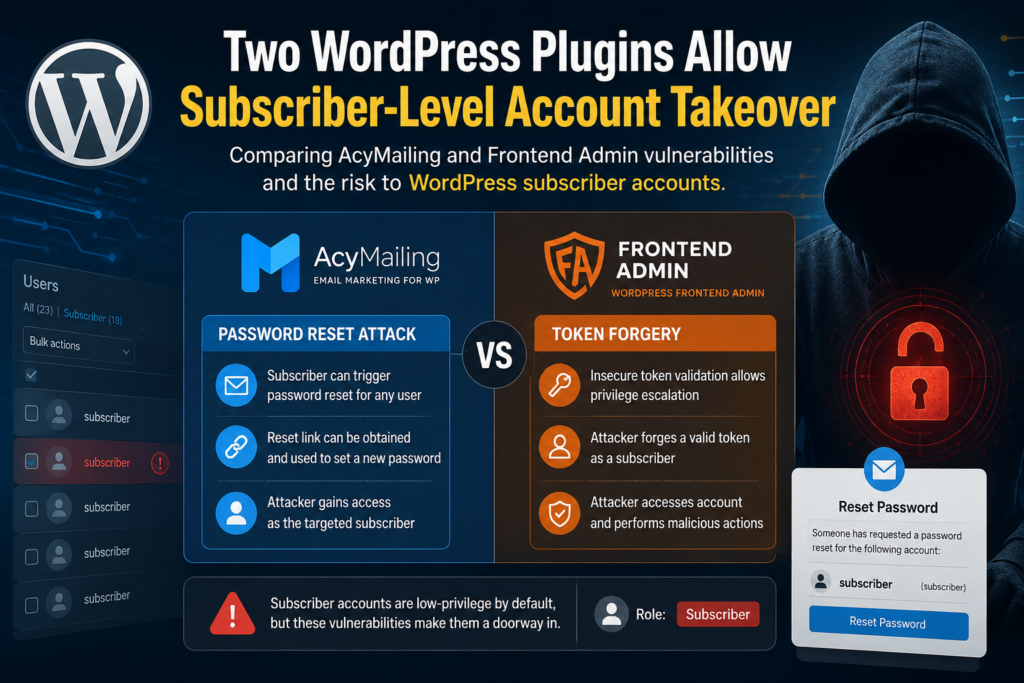
The AcyMailing and Frontend Admin vulnerabilities demonstrate two different ways authorization failures can threaten privileged accounts.
AcyMailing Attacks the Recovery Channel
CVE-2026-15426 can interfere with how sensitive WordPress emails are delivered.
The attacker does not need to overwrite the administrator password directly.
Instead, the vulnerable configuration can allow a Subscriber to cause password-reset emails to be copied to an attacker-controlled BCC address.
The recovery mechanism becomes the bridge between Subscriber access and administrator access.
Frontend Admin Attacks Account Data
CVE-2026-7802 operates closer to the WordPress user record itself.
Under the documented configuration conditions, a Subscriber-level attacker can potentially select another user’s ID and modify sensitive profile information, including password and email fields.
Here, the authorization boundary surrounding user editing fails.
The Common Root Problem
Both vulnerabilities ultimately revolve around authorization.
The website recognizes the attacker as a legitimate logged-in user.
The plugin then gives that user access to something that should remain outside the Subscriber’s authority.
That is why “authenticated vulnerability” should never automatically be interpreted as “low risk.”
The correct question is:
What is the minimum account an attacker needs, and how easy is that account to obtain?
On a website with open registration, the answer may be “a free account anyone can create.”
Frequently Asked Questions
Can a Normal WordPress Subscriber Become an Administrator?
Not through normal WordPress permissions.
The standard Subscriber role has very limited capabilities. However, a vulnerable plugin can expose an operation that crosses the intended permission boundary.
That is why plugin vulnerabilities can turn a low-privileged account into the starting point for administrator account takeover.
Is WordPress Core Vulnerable in These Cases?
These disclosures concern plugin functionality rather than a failure in the normal WordPress Subscriber role itself.
The problem occurs when plugins fail to enforce appropriate authorization before performing sensitive actions.
Keeping WordPress Core updated remains important, but updating Core alone does not patch vulnerable plugins.
Which AcyMailing Versions Are Affected?
For CVE-2026-15426, AcyMailing versions through 10.11.1 are affected.
Wordfence identifies version 11.0.0 as patched.
Administrators should install the newest stable version available rather than intentionally remaining on the minimum patched release.
Does Every Vulnerable AcyMailing Site Allow This Password Reset Attack?
The documented attack has an additional condition.
Wordfence states that the Send website emails with AcyMailing option must be enabled so that WordPress notification emails pass through AcyMailing’s template system.
Sites running an affected release should update regardless of that setting.
Which Frontend Admin Versions Are Affected?
CVE-2026-7802 affects Frontend Admin by DynamiApps through version 3.29.2.
Version 3.29.3 patches the vulnerability according to Patchstack.
Does the Frontend Admin Attack Work on Every Configuration?
No.
The documented administrator-account attack requires the targeted Edit-User form to have its Roles setting empty. A configured non-empty role restriction changes how the vulnerable functionality selects users and prevents the documented administrator targeting through that form.
Updating remains the correct long-term fix.
Is the Frontend Admin Vulnerability Really Token Forgery?
The public description of CVE-2026-7802 does not characterize the Subscriber account-takeover flaw as token forgery.
It is better described as an authorization bypass involving an arbitrary user_id value.
Using accurate terminology helps administrators search logs and investigate the correct behavior.
Should I Delete All Subscriber Accounts?
No.
Subscribers are legitimate and useful on many websites.
Instead, remove unnecessary accounts, protect registration, monitor account activity, and keep plugins patched.
The vulnerability exists because privileged functionality becomes accessible to a low-privileged account, not because the Subscriber role itself is inherently malicious.
Is Changing My Administrator Password Enough?
Not if you suspect actual compromise.
You should also update vulnerable software, inspect administrator accounts, review email addresses and password-reset activity, terminate sessions, inspect plugins and themes, check server logs, examine persistence mechanisms, and rotate credentials that may have been exposed.
Should I Disable Password Resets?
Generally, no.
Password recovery is an important security and usability feature.
The goal is to protect the recovery process, not eliminate it.
Keep software patched, secure administrator email accounts, monitor password resets, use strong authentication, and investigate unexpected recovery activity.
What These Vulnerabilities Teach WordPress Administrators
The biggest lesson from these incidents is simple: low privilege does not mean zero risk.
WordPress’s Subscriber role remains intentionally restricted. The problem appears when another component fails to respect those restrictions.
AcyMailing CVE-2026-15426 demonstrates how unauthorized control over an email notification template can threaten the password-recovery channel. Frontend Admin CVE-2026-7802 demonstrates how insufficient object-level authorization can expose sensitive user fields.
Both vulnerabilities received CVSS scores of 8.8. Both can begin with Subscriber-level access. Both can end with administrator account takeover under the documented conditions.
Site owners should therefore stop evaluating accounts only by what WordPress normally lets that role do.
A better security question is:
- What can every installed plugin accidentally let that role do?
- You cannot answer that question manually for every line of plugin code.
- You can, however, reduce the risk dramatically.
- Keep plugins updated.
- Remove unnecessary software.
- Limit registration.
- Apply least privilege.
- Protect administrator email.
- Enable strong authentication.
- Maintain activity logs.
- Monitor vulnerability disclosures.
- Keep reliable backups.
Most importantly, investigate when a high-impact vulnerability affects software that was already active on your website.
Patching closes the door.
Auditing helps determine whether someone walked through it before you closed it.
⚠️ Disclaimer and Source Hygiene
This article is provided for educational, defensive, and WordPress administration purposes. Vulnerability details, affected versions, patched versions, CVE information, and exploitation conditions should always be verified against current vendor advisories and reputable vulnerability databases before making production decisions.
Security information can change as researchers, plugin developers, CVE authorities, and security vendors publish additional findings. A version considered patched for one vulnerability may still be affected by a different issue. Website owners handling a suspected compromise should preserve evidence and consider consulting a qualified WordPress security professional, hosting provider, or incident-response specialist.
The technical descriptions in this article intentionally focus on understanding exposure, remediation, and defensive auditing rather than providing operational exploitation instructions.
🔔 For more tutorials like this, consider subscribing to our blog.
📩 Do you have questions or suggestions? Leave a comment or contact us!
🏷️ Tags: WordPress security, WordPress subscriber account takeover, AcyMailing vulnerability, Frontend Admin vulnerability, CVE-2026-15426, CVE-2026-7802, WordPress plugin security, WordPress account security, WordPress password reset, WordPress vulnerabilities
📢 Hashtags: #WordPress, #WordPressSecurity, #CyberSecurity, #AcyMailing, #FrontendAdmin, #WordPressPlugins, #WebsiteSecurity, #CVE, #WebSecurity, #WordPressTips
Sources and References
Wordfence Intelligence – AcyMailing CVE-2026-15426
Wordfence documents CVE-2026-15426 as an authenticated Subscriber-level authorization vulnerability affecting AcyMailing through version 10.11.1. The disclosure explains the notification-template BCC attack, the requirement for AcyMailing website-email routing, the CVSS 8.8 score, and remediation in version 11.0.0.
Wordfence AcyMailing CVE-2026-15426 vulnerability record
NIST National Vulnerability Database – Frontend Admin CVE-2026-7802
The NVD description documents the Frontend Admin authorization bypass affecting versions through 3.29.2. It describes how a Subscriber-level attacker could target an arbitrary user_id and potentially overwrite an administrator’s password, email address, and other profile fields. It also documents the Edit-User Roles configuration condition.
Patchstack – Frontend Admin CVE-2026-7802
Patchstack classifies the vulnerability as high priority broken access control, gives it a CVSS score of 8.8, identifies Subscriber as the required privilege level, and lists Frontend Admin 3.29.3 as the patched version.
Patchstack Frontend Admin vulnerability record
Additional AcyMailing Vulnerability History
Wordfence’s AcyMailing vulnerability history provides useful context because CVE-2026-15426 was not the plugin’s first Subscriber-level authorization issue disclosed during 2026. Earlier disclosures include CVE-2026-3614 and CVE-2026-5200, reinforcing the importance of updating beyond historical minimum patched versions.
Wordfence AcyMailing vulnerability database
Secondary Sources and Testimonials
Why Independent Vulnerability Databases Matter
Security advisories should be cross-checked whenever possible. In this case, Wordfence, the NVD, and Patchstack provide complementary information about CVE identifiers, vulnerable versions, required privileges, attack conditions, severity, and patched releases. That comparison also revealed an important editorial correction: the documented Frontend Admin CVE-2026-7802 issue is an authorization bypass through a controllable user identifier, not a token-forgery vulnerability.
Practical Takeaway for WordPress Owners
These vulnerabilities provide a useful reminder that the security of a WordPress account cannot be judged exclusively by its visible role. A Subscriber normally has almost no administrative authority. A vulnerable plugin can nevertheless expose privileged operations to that authenticated account. Maintaining strict authorization boundaries inside plugins is therefore just as important as choosing strong administrator passwords.
Sign in with a Subscriber account to vote.