
Table of Contents
A high-severity Security Hardener vulnerability can allow authenticated WordPress subscribers to bypass normal REST API permission checks and create administrator accounts. Learn how CVE-2026-16149 works, which plugin versions are affected, how to install the security update, and what administrator accounts you should audit immediately.
What Is CVE-2026-16149?
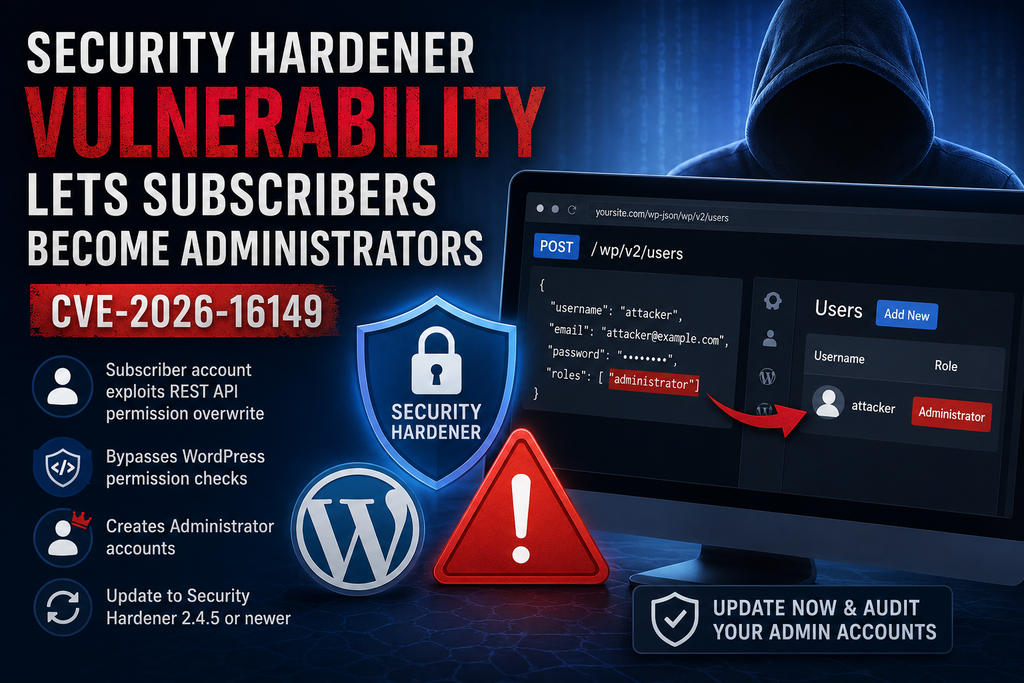
The Security Hardener vulnerability, tracked as CVE-2026-16149, is a high-severity privilege-escalation flaw affecting the Security Hardener WordPress plugin. The vulnerability has a CVSS score of 8.8 and affects installations running Security Hardener 2.4.4 or earlier. Unlike a typical unauthenticated takeover vulnerability, an attacker first needs a valid WordPress account. However, even the lowest standard WordPress role, Subscriber, can potentially provide enough access to exploit the problem. This makes sites with public registration, membership systems, customer accounts, community features, or previously compromised user credentials especially important to check. The issue is particularly concerning because it originates in a feature intended to improve security by preventing WordPress user enumeration through REST API endpoints. Instead of simply restricting unwanted information disclosure, the vulnerable implementation can replace WordPress Core permission callbacks protecting sensitive user-management operations. The vulnerability was publicly disclosed in August 2026 and has been patched.
How REST API Permissions Are Overwritten
WordPress normally protects sensitive /wp/v2/users REST API operations with capability checks. Creating users, promoting accounts, editing users, changing passwords, and deleting accounts are not actions that ordinary subscribers should perform. Security Hardener’s user-enumeration protection hooked into the REST endpoint configuration and, in affected versions, replaced the existing permission_callback for handlers associated with /wp/v2/users and individual user routes. Instead of preserving WordPress Core checks such as create_users, promote_users, edit_users, and delete_users, the replacement effectively checked whether the requester was simply logged in. Consequently, an authenticated Subscriber could satisfy a condition that should normally require administrator-level capabilities. This is an important lesson for WordPress developers: modifying REST API permissions is not the same as hiding an endpoint. A security feature must preserve the original authorization controls for POST, PUT, PATCH, DELETE, and other privileged operations rather than replacing them with a weaker authentication test.
Why Subscribers Can Create Administrators
The practical danger comes from the difference between authentication and authorization. A Subscriber is authenticated after logging into WordPress, but that does not mean the account should have permission to manage other users. On a vulnerable Security Hardener installation, however, the overwritten REST API callback can reduce the effective test to whether the requester is logged in. According to the published vulnerability analysis, an attacker controlling a Subscriber-level account can abuse the affected /wp/v2/users endpoint to create a new user with the Administrator role. The same underlying weakness can also expose operations involving existing users, including changing an administrator’s password through the individual user REST endpoint. Successful exploitation could therefore lead to complete administrative control of the WordPress installation. Once an unauthorized administrator exists, that account could modify content and settings, install plugins where file modifications are permitted, create additional privileged users, or establish persistence. Updating alone is therefore insufficient if there is evidence that exploitation already occurred.
Which Versions Are Vulnerable
Security Hardener versions up to and including 2.4.4 are affected by CVE-2026-16149, while the vulnerability is fixed in version 2.4.5. Administrators should not assume that having a dedicated security plugin automatically means the site is protected. Open WordPress Dashboard → Plugins → Installed Plugins and verify the installed Security Hardener version directly. If the site is running 2.4.4 or any earlier release, treat the installation as vulnerable and update it as soon as possible. WordPress.org currently lists Security Hardener 2.4.5, and its changelog identifies that release as containing a security fix. The plugin has more than 200 active installations and requires WordPress 6.9 or newer and PHP 8.2 or newer. Sites that allow visitors to create accounts deserve particular attention because obtaining Subscriber-level access may be considerably easier there. Sites without public registration should still update because an existing Subscriber account or stolen credentials could potentially provide the authenticated access required for exploitation.
How to Update Security Hardener

Before making changes on an important production site, create a reliable backup of the database and site files. Then open Dashboard → Plugins → Installed Plugins, locate Security Hardener, and install version 2.4.5 or newer. If WordPress does not display the update immediately, check Dashboard → Updates and refresh the available plugin updates. After updating, confirm the installed version rather than assuming the installation completed successfully. Clearing persistent object caches, page caches, or CDN caches can also be sensible after security-related changes, although caching does not replace the patch itself. Security Hardener 2.4.5 is the release identified as fixing CVE-2026-16149, so disabling unrelated REST API functionality or adding another security plugin should not be treated as an alternative to updating. Administrators managing multiple WordPress installations should check every site individually, including staging sites or forgotten subdomains that may still permit user registration.
Administrator Account Audit Checklist
After installing the patched version, review Users → All Users and filter the list by Administrator. Every administrator account should have a known owner and a legitimate reason for possessing that level of access. Investigate recently created accounts, unfamiliar usernames or email addresses, unexpected role changes, and administrators created during the period when Security Hardener 2.4.4 or earlier was active. Also inspect security and server logs where available, review recent plugin and theme installations, check for unexplained configuration changes, and reset credentials for privileged accounts if compromise is suspected. Because the vulnerability may also permit modification of an existing administrator through the REST API, finding no new administrator account does not automatically prove that exploitation never occurred. If suspicious activity appears, preserve logs before cleaning the installation, rotate WordPress administrator passwords and other important credentials, revoke active sessions, inspect files for unauthorized modifications, and consider restoring from a verified clean backup when the integrity of the installation cannot be established confidently.
Frequently Asked Questions
What is the Security Hardener vulnerability?
CVE-2026-16149 is an authenticated privilege-escalation vulnerability in Security Hardener that can weaken WordPress REST API authorization checks on user-management endpoints.
How severe is CVE-2026-16149?
The vulnerability has been rated High, with a reported CVSS score of 8.8 out of 10.
Can an unauthenticated visitor exploit it?
The published vulnerability description requires an authenticated WordPress account. Subscriber-level access is sufficient under the vulnerable conditions.
Can a Subscriber really become an Administrator?
The flaw can allow a Subscriber-level attacker to abuse the WordPress REST API to create a user with Administrator privileges because the normal capability checks are overwritten.
Which Security Hardener versions are vulnerable?
All versions through 2.4.4 are listed as affected.
Which version fixes the vulnerability?
Security Hardener 2.4.5 contains the security fix. Administrators should use 2.4.5 or any newer secure release available when updating.
Should I disable the WordPress REST API?
Not as a substitute for patching. WordPress and many plugins legitimately depend on REST API functionality. The correct first response is updating the vulnerable plugin and auditing the site.
Is updating the plugin enough?
It prevents continued exposure to this specific vulnerability, but administrators should also investigate their site if vulnerable versions were installed, particularly when untrusted users could register or log in.
What should I check after updating?
Review Administrator accounts, user creation and role changes, security logs, recently installed plugins, modified files, active sessions, and other unexpected changes.
Are sites with registration disabled safe?
They have a smaller obvious attack surface, but they should still update. Existing Subscriber accounts or compromised credentials could potentially satisfy the authentication requirement.
Protecting Your WordPress Site After the Patch
CVE-2026-16149 demonstrates why security controls need careful authorization testing. A feature designed to protect WordPress users from enumeration inadvertently weakened the Core permission checks guarding those same users. For administrators, the immediate response is straightforward: update Security Hardener to 2.4.5 or newer and audit privileged accounts. Sites that permit public registration should receive priority because ordinary Subscriber accounts represent the minimum access required by the published vulnerability. However, every affected installation deserves attention. WordPress security depends on several layers working together, and authentication should never be confused with authorization. Keeping WordPress Core, themes, and plugins patched remains essential, but administrators should also monitor unexpected administrator creation, role changes, file modifications, and unusual REST API activity. A quick update closes the known flaw; a careful post-update audit helps determine whether anything happened before that protection was installed.
⚠️ Disclaimer and Source Hygiene
This article is provided for educational and defensive WordPress security purposes. Vulnerability information can change as researchers, vendors, and security databases publish additional technical details. Verify the currently installed plugin version and consult the latest vendor information before making production changes. Back up important sites before updates and consult a qualified WordPress security professional if you find evidence of compromise. Technical details in this article were cross-checked against the current WordPress.org Security Hardener listing and published vulnerability information for CVE-2026-16149.
🔔 For more tutorials like this, consider subscribing to our blog.
📩 Do you have questions or suggestions? Leave a comment or contact us!
🏷️ Tags: Security Hardener vulnerability, CVE-2026-16149, WordPress security, WordPress vulnerability, privilege escalation, WordPress REST API, WordPress administrator, plugin vulnerability, WordPress subscribers, Security Hardener
📢 Hashtags: #WordPressSecurity, #WordPress, #CVE202616149, #SecurityHardener, #CyberSecurity, #WordPressVulnerability, #WebsiteSecurity, #RESTAPI, #PluginSecurity, #WordPressAdmin
📚 Sources and References
WordPress.org Plugin Directory – Security Hardener: Official plugin information, current version requirements, features, and changelog. The directory lists version 2.4.5 and identifies it as a security-fix release.
WordSec Vulnerability Database – CVE-2026-16149: Technical vulnerability analysis covering the affected REST API callbacks, Subscriber-level exploitation, affected versions, CVSS severity, and patched release.
🕊️ Secondary Sources and Testimonials
Independent vulnerability database records also identify CVE-2026-16149 as an authenticated Subscriber-or-higher privilege-escalation vulnerability affecting Security Hardener through version 2.4.4. When evaluating WordPress security reports, administrators should prioritize the plugin developer’s current patched release and corroborated vulnerability records rather than relying on unverified social-media claims.
Sign in with a Subscriber account to vote.