
Table of Contents
A new WPForms Pro vulnerability allows unauthenticated visitors to store malicious JavaScript through public form fields. Administrators reviewing affected entries may unknowingly trigger the injected code. Here is what CVE-2026-18409 means, which versions are affected, and how WordPress administrators should respond.
What Is CVE-2026-18409?
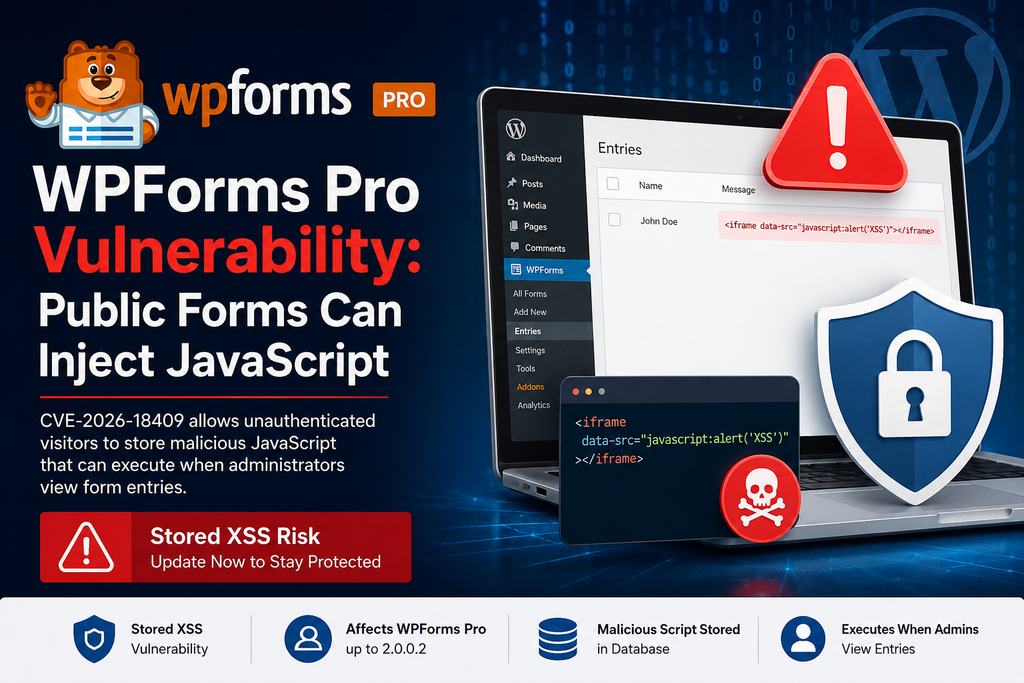
CVE-2026-18409 is a stored cross-site scripting (Stored XSS) vulnerability affecting WPForms Pro. The issue received a CVSS 3.1 score of 7.2 (High) and can be exploited without an authenticated WordPress account. An attacker can submit specially crafted content through publicly accessible forms using Single Line Text or Paragraph Text fields. Instead of being completely neutralized, part of that content can survive the plugin’s sanitization process and remain stored with the form entry. The technical problem involves WPForms extending the allowed HTML rules to permit an iframe with a data-src attribute. Because that attribute was not handled as a URI attribute during sanitization, a malicious javascript: URI could survive processing. This turns an ordinary public form into a possible path for storing executable JavaScript.
Which WPForms Pro Versions Are Affected?
The vulnerability affects WPForms Pro versions up to and including 2.0.0.2. This detail matters because simply running a relatively recent 2.x release does not automatically mean a website is protected. Administrators should check the installed version directly from WordPress Dashboard → Plugins → Installed Plugins rather than assuming automatic updates have already handled the problem. WPForms subsequently released versions 2.0.0.3, 2.0.0.4, and 2.0.0.5, while its official changelog shows several improvements to entry-value display and data handling beginning with 2.0.0.3. Sites still running 2.0.0.2 or an older WPForms Pro release should therefore treat the installation as affected and update to the latest version available through their valid WPForms license.
How Does the Script Reach the Database?
The dangerous part of this WPForms Pro vulnerability is that the attacker does not need Dashboard access. A public form containing a Single Line Text or Paragraph Text field may provide the entry point. A specially constructed value can contain an iframe whose data-src attribute carries a JavaScript URI. WPForms normally sanitizes submitted data before it is displayed, but CVE-2026-18409 involves a gap between the HTML elements permitted by the plugin and the URI attributes WordPress sanitization recognizes. As a result, the malicious value can survive filtering and become part of the stored form entry. This is why the vulnerability is classified as stored XSS, rather than reflected XSS. The payload can remain dormant in stored data until someone accesses a page or administrative interface that renders the affected entry.
When Does the Malicious Code Execute?
The greatest practical risk appears when a trusted administrator or another authorized user opens and reviews a malicious form entry. WPForms’ administrative JavaScript can promote the stored iframe data-src value into an active src, potentially causing the previously stored JavaScript URI to execute in the victim’s browser. That distinction makes this issue especially relevant to sites where staff regularly inspect contact requests, support forms, applications, surveys, leads, or other saved submissions. An attacker may only need to submit the malicious entry and wait for a privileged user to review it. Stored XSS can potentially perform actions available within the victim’s authenticated browser session, so administrators should not casually open unusual historical entries on an affected installation before updating the plugin.
How to Update WPForms Pro

Before inspecting questionable submissions, create a current database backup and update WPForms Pro from Dashboard → Plugins or through the normal WPForms update mechanism. The confirmed vulnerable range ends at 2.0.0.2, so do not remain on that release or anything older. Install the newest WPForms Pro version offered for your license rather than targeting only the first version outside the vulnerable range. The official WPForms changelog lists 2.0.0.3 on August 11, 2.0.0.4 on August 12, and 2.0.0.5 on August 18, 2026. Version 2.0.0.3 specifically included improvements to entry-value display across the Entry View, Print, Edit, entries list, and payment interfaces. After updating, clear persistent object caches and any administrative caching layer, then confirm the new plugin version from the Plugins screen.
How to Check Suspicious Form Entries
Once WPForms Pro is updated, review entries received while the vulnerable version was active, prioritizing public forms that contain Single Line Text and Paragraph Text fields. Look for unexpected HTML, iframe-related content, unusual data-src values, JavaScript URI references, or submissions that clearly do not resemble legitimate user input. Do not copy suspicious payloads into public pages or execute them in a browser for testing. If you find evidence of exploitation, preserve logs and a database backup before deleting evidence, then review WordPress administrator accounts, recently installed plugins, modified settings, active sessions, and unexpected administrative actions. Rotate relevant credentials if compromise is suspected. A clean entry list does not prove exploitation never occurred, but updating first and auditing stored submissions substantially reduces the practical risk presented by CVE-2026-18409.
Frequently Asked Questions
Is CVE-2026-18409 remotely exploitable?
Yes. The reported vulnerability can be triggered by an unauthenticated visitor through affected publicly accessible WPForms Pro fields. The attacker does not need a WordPress account.
Which fields are associated with the vulnerability?
The disclosure specifically identifies Single Line Text and Paragraph Text field values as affected attack vectors.
Is WPForms Pro 2.0.0.2 vulnerable?
Yes. Versions up to and including 2.0.0.2 are listed as affected.
Does submitting a malicious form immediately compromise WordPress?
Not necessarily. The vulnerability stores the malicious content, and the dangerous behavior occurs when the crafted entry is later rendered in a context that activates the payload.
Why are administrators particularly at risk?
Administrators commonly open stored WPForms entries while authenticated to WordPress. A stored XSS payload is therefore particularly concerning when it reaches an administrative interface.
Should I delete WPForms Pro?
Updating is the appropriate first response when a current patched release is available. Removing the plugin is generally unnecessary solely because of this vulnerability.
Should I inspect entries before updating?
Update first. Opening potentially malicious entries while running an affected release may unnecessarily expose the administrator reviewing them.
Should old entries also be checked?
Yes. Stored XSS is important precisely because malicious content can remain in the database. Review submissions created during the period when an affected WPForms Pro version was installed.
Protect Your Form Dashboard Before Reviewing New Entries
CVE-2026-18409 demonstrates why form submissions should be treated as untrusted input, even when they appear only inside the WordPress administration area. WPForms Pro installations running version 2.0.0.2 or older should be updated before administrators continue reviewing stored submissions. After updating, examine entries created during the vulnerable period and investigate anything containing unexpected iframe or script-like content. Keeping WordPress Core, plugins, themes, backups, administrator accounts, and security logging maintained provides an additional layer of protection when vulnerabilities like this appear.
⚠️ Disclaimer and Source Hygiene
This article provides general WordPress security information and should not replace a professional incident-response or cybersecurity assessment. Technical details and affected-version information were checked against current vulnerability disclosures and the official WPForms changelog. Vulnerability records can be revised as researchers and vendors publish additional information.
🔔 For more tutorials like this, consider subscribing to our blog.
📩 Do you have questions or suggestions? Leave a comment or contact us!
🏷️ Tags: WPForms Pro vulnerability, CVE-2026-18409, WPForms security, WordPress security, stored XSS, WordPress vulnerability, WPForms forms, JavaScript injection, WordPress plugin security, cross-site scripting
📢 Hashtags: #WPForms, #WordPress, #WordPressSecurity, #CVE202618409, #CyberSecurity, #StoredXSS, #PluginSecurity, #WebSecurity, #WordPressTips, #WPFormsPro
Sources and References
The technical description, affected versions, CVSS rating, attack mechanism, and disclosure information were checked against the CVE-2026-18409 vulnerability record and supporting security database information.
The currently available WPForms releases and changes to form-entry handling were verified against the official WPForms changelog. The changelog lists WPForms 2.0.0.5 as released on August 18, 2026 and documents the entry-handling improvements introduced after 2.0.0.2.
Secondary Sources and Testimonials
Historical WPForms security records show that stored XSS is not a new vulnerability class for the plugin. An earlier, separate issue – CVE-2023-7063 also involved unauthenticated stored XSS through form submissions and was fixed in WPForms Pro 1.8.5.4. That older vulnerability should not be confused with the newly disclosed CVE-2026-18409.
Sign in with a Subscriber account to vote.